For Single Listings:
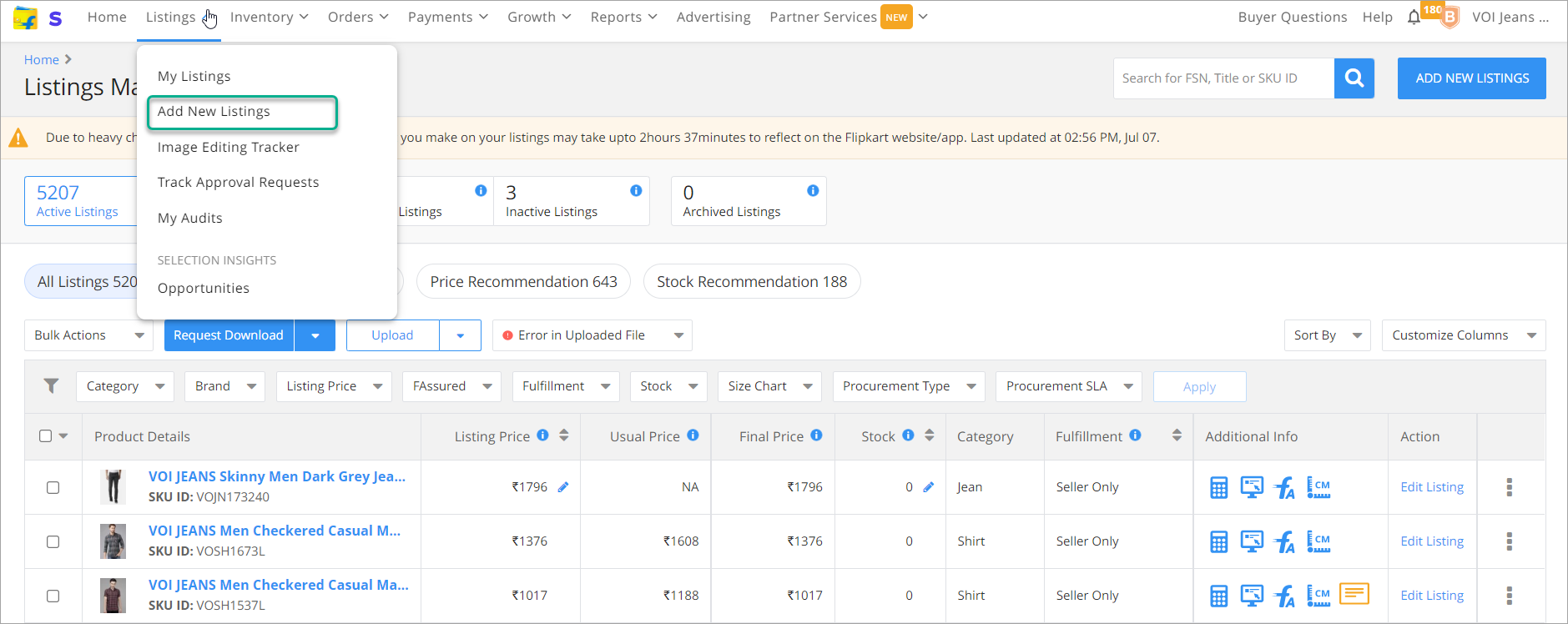
Login to the Flipkart Seller portal and Navigate to My Listings.
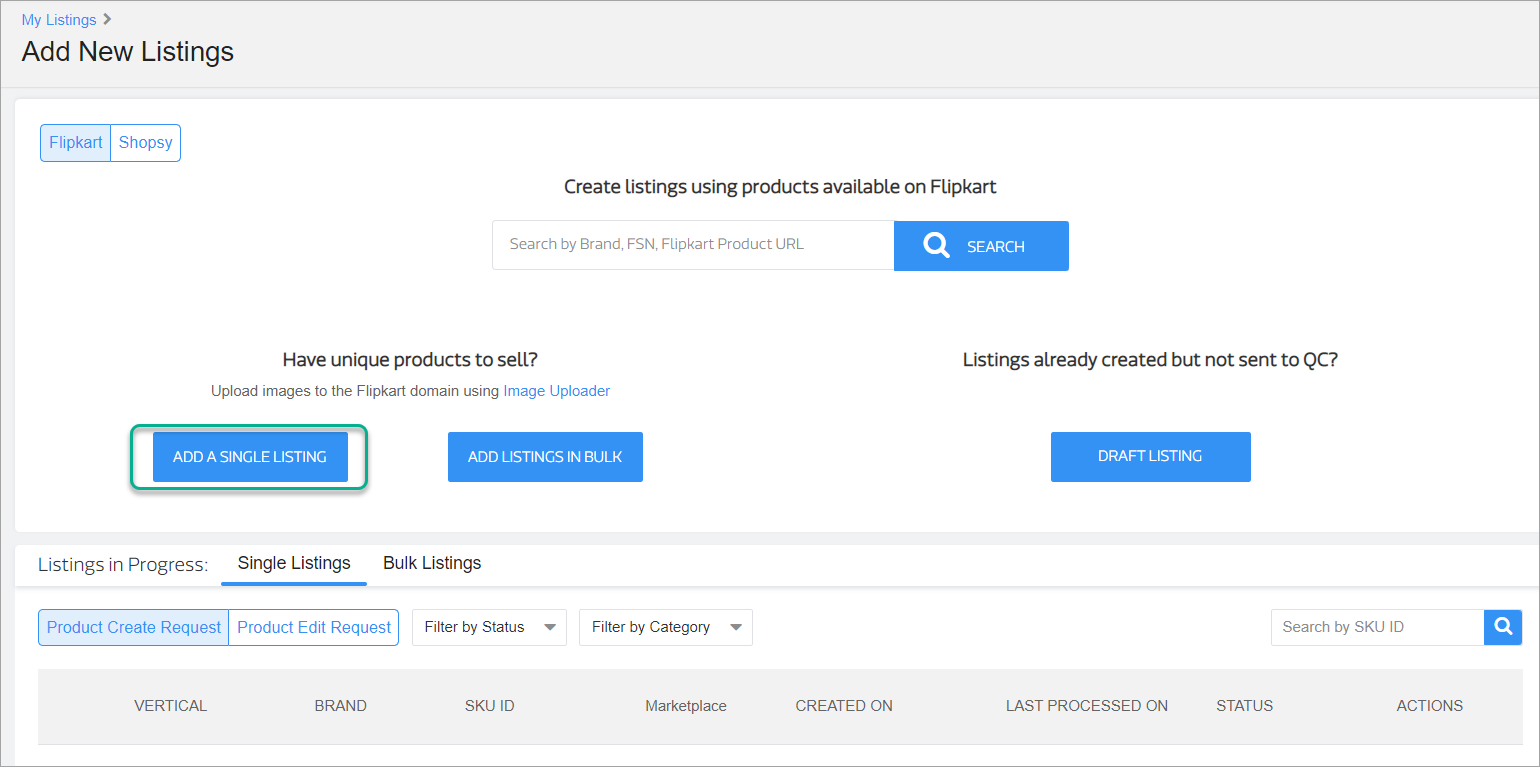
Select Add New Listing from the dropdown and click Add a Single Listing.
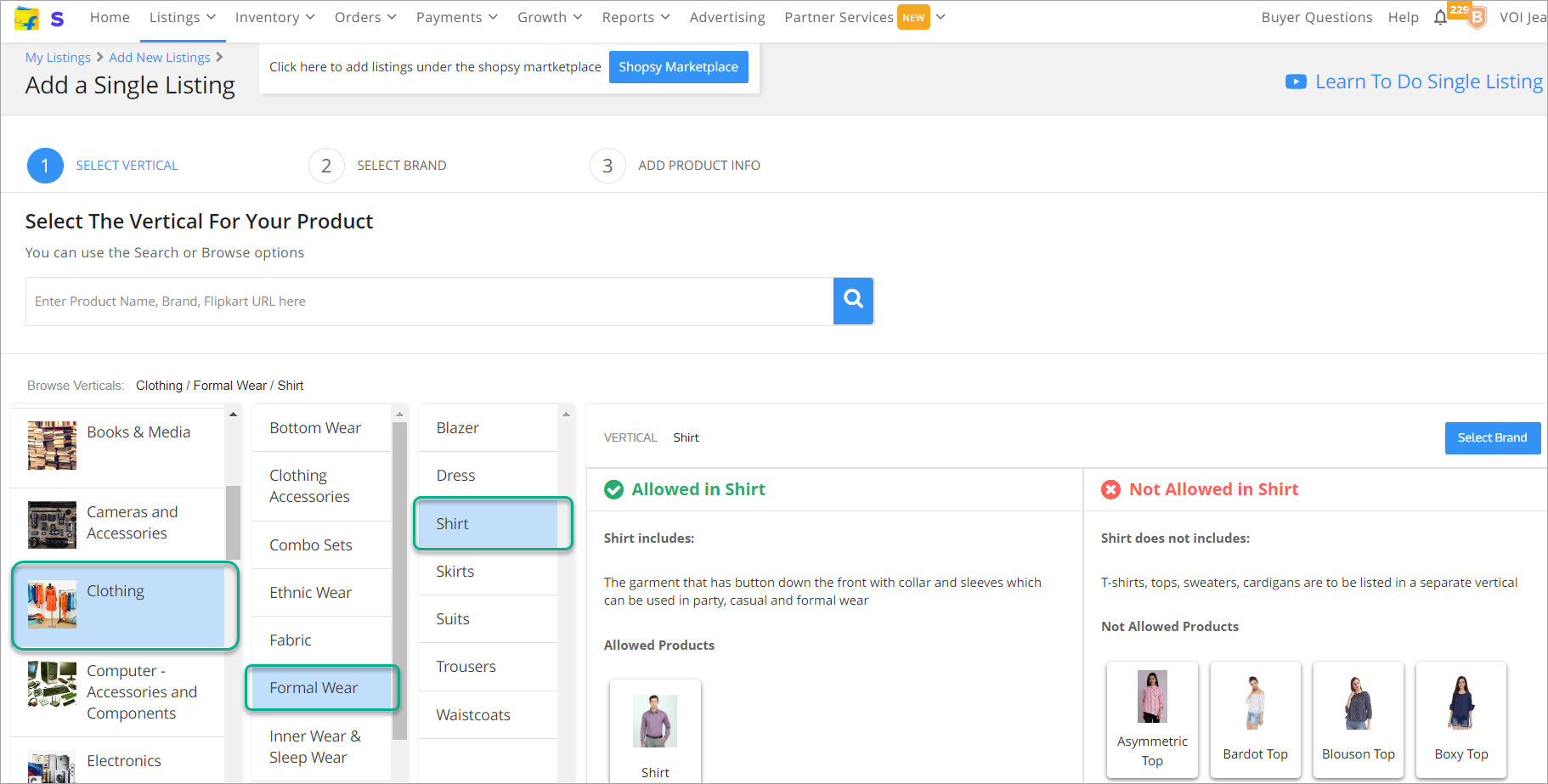
- Select the Vertical, in this example, we have selected Clothing > Formal Wear > Shirt (you can select any category).
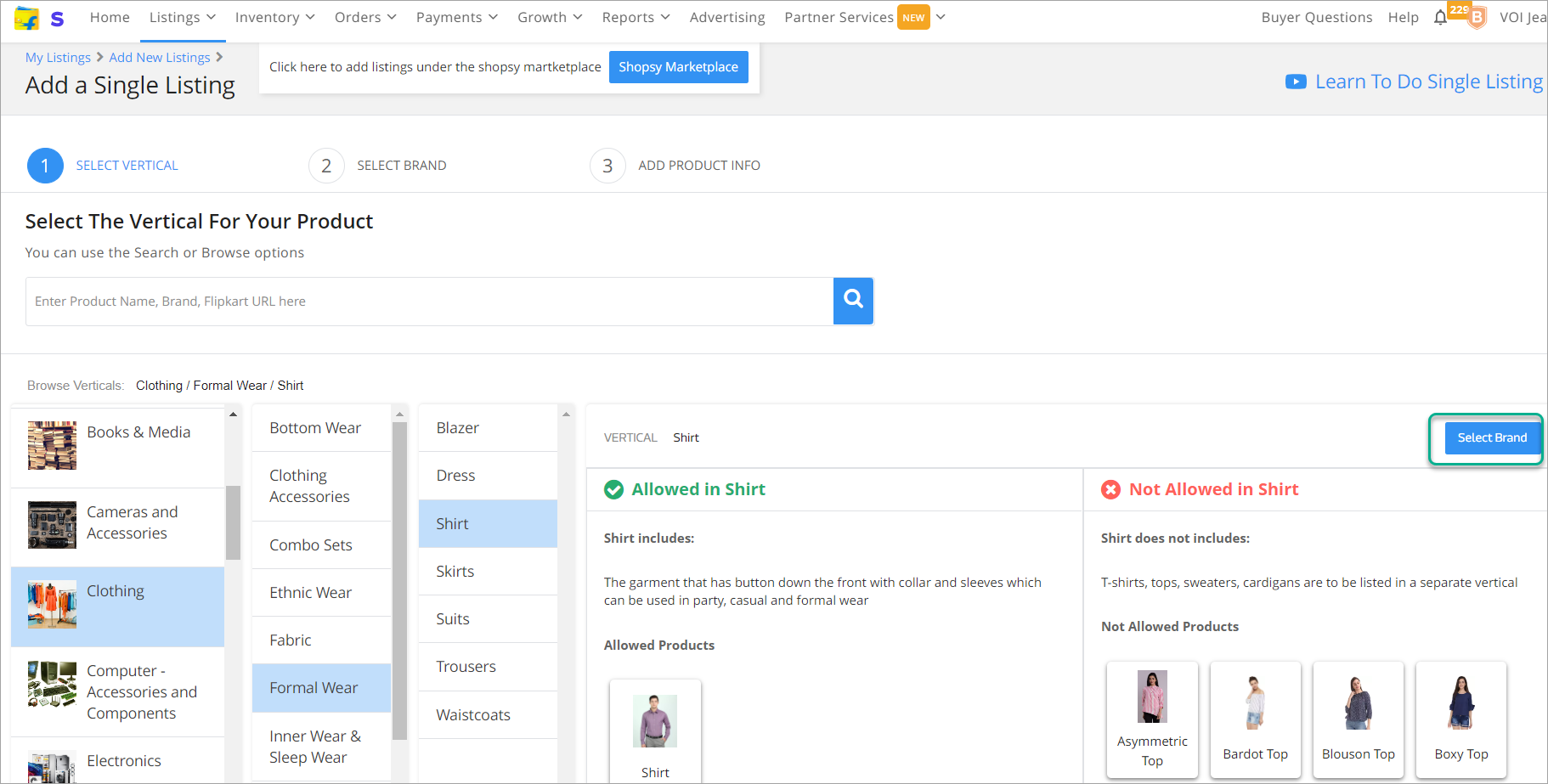
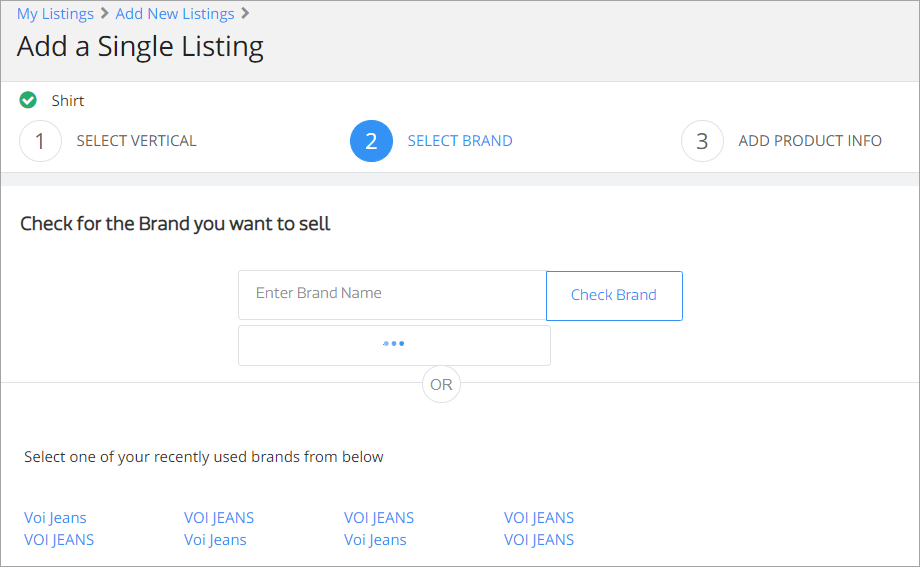
- Select the brand.
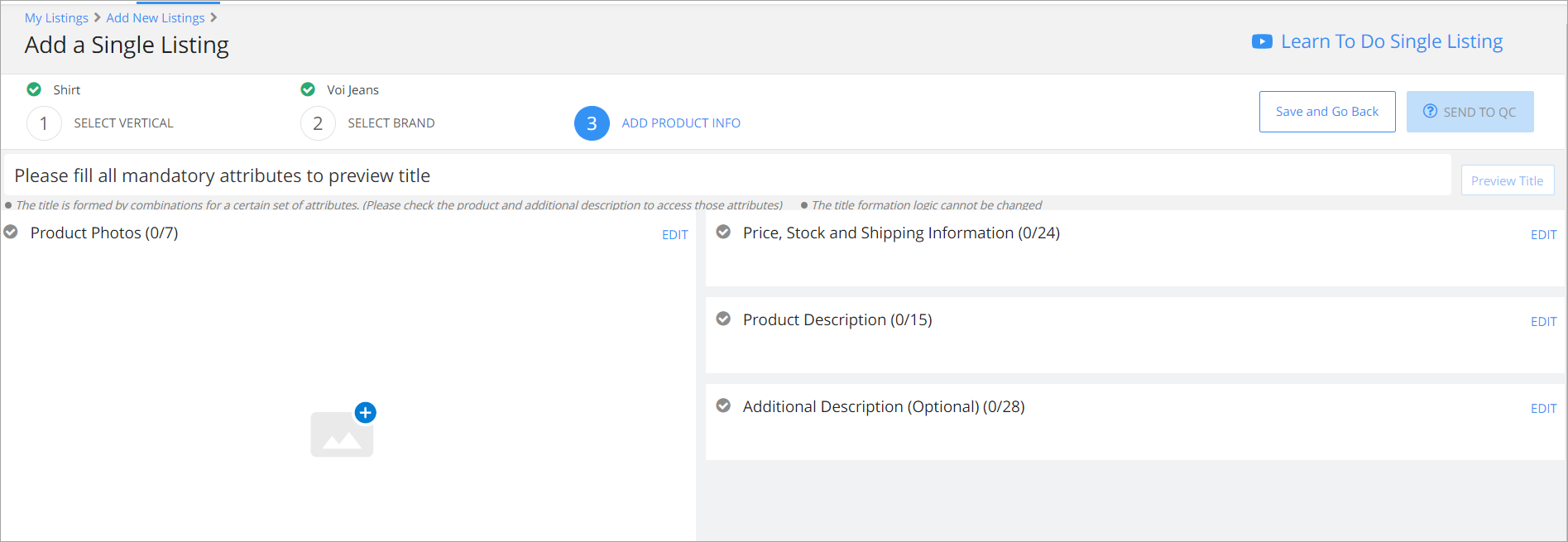
- Enter product specifications and upload images.
- Enter all the required field details for Price, Stock, Shipping Information and Product Description.
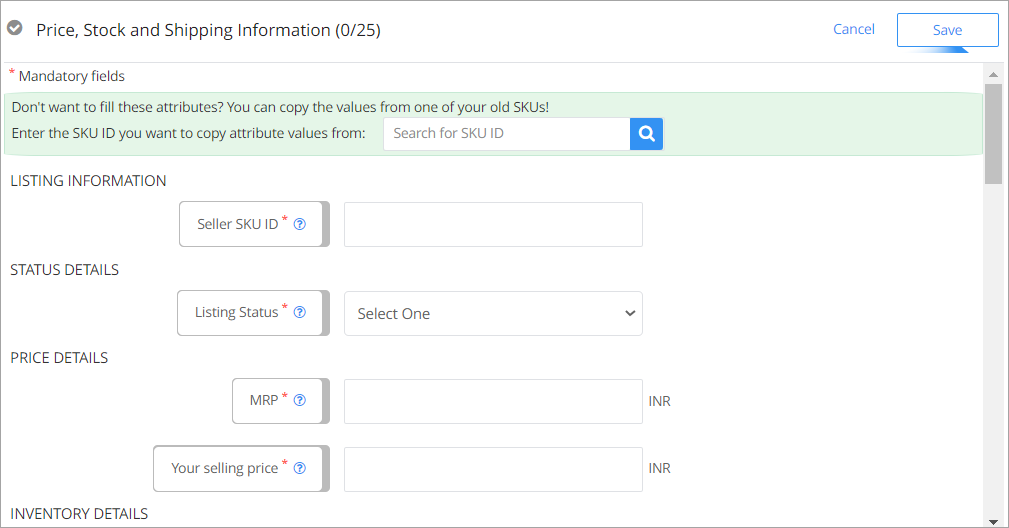
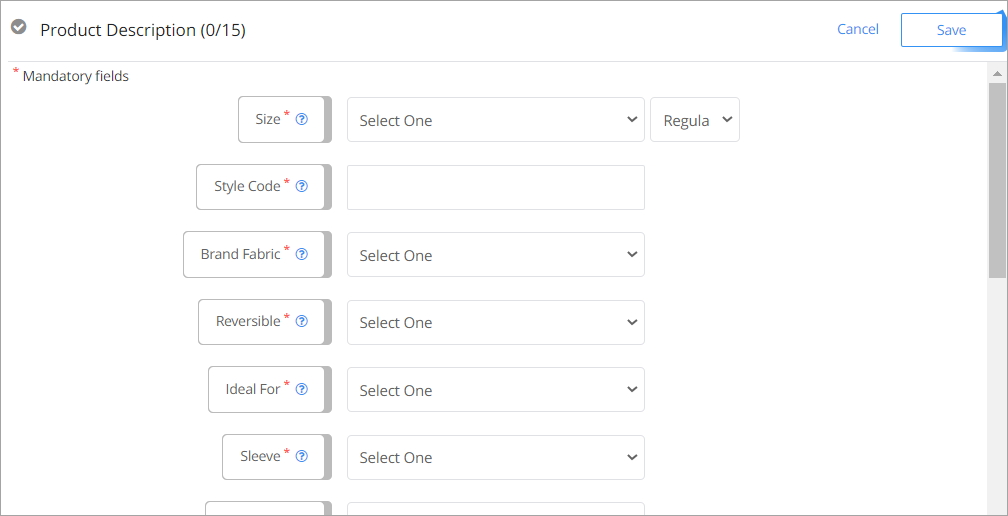
After entering all the details, click on Send to QC.
You can Navigate to Listings > Track Approval Requests to view the status. After the listing is approved, it will be available under Listings > My Listings.