Fynd & Go is a mobile-based self-checkout solution designed to make in-store shopping faster, smarter, and more efficient — for both shoppers and retailers. It enables customers to scan, review, and pay directly from their smartphones without downloading any app.
- Simple Mobile Scanning: It enables customers to scan product barcodes directly through their mobile browser — no app download required. By scanning an item, shoppers can instantly view its price, image, and other relevant details, creating a smooth, contactless checkout experience.
- Branded Checkouts: Retailers can customize the checkout interface to reflect their store’s branding — including logos, colors, and tone of communication. This ensures that even though the checkout happens digitally, it remains consistent with the store’s overall brand identity.
- Payments & Digital Receipts: It supports multiple payment methods such as UPI, debit/credit cards, and digital wallets. After a successful payment, a digital receipt is automatically sent to the shopper via SMS or email. This eliminates the need for paper invoices and helps maintain transaction records securely.
- Promotions & Discounts: All applicable in-store promotions and discounts are automatically applied to the shopper’s digital cart. This ensures transparency in pricing, reduces checkout friction, and enhances the overall shopping experience without any manual input required.
- Integration-Ready Platform: It integrates seamlessly with existing retail systems such as POS, inventory management, and CRM platforms. This ensures an easy onboarding process without disrupting existing store operations.
Fynd & Go simplifies every step of the shopping process by making it fast, transparent, and hassle-free.
- Skip long queues: Eliminate checkout wait times entirely.
- No downloads: Works instantly via a browser link or QR code.
- Full product transparency: Access specifications, reviews, and pricing instantly.
- Accurate budgeting: View the total cost and discounts in real time.
- Flexible payments: Choose from multiple payment modes securely.
- Digital records: Receive and store invoices electronically for easy tracking.
Fynd & Go allows retailers to modernize their operations, improve conversion rates, and enhance customer loyalty.
- Reduce drop-offs: Shorter wait times mean fewer customers leaving before checkout.
- Optimize manpower: Redirect staff from billing counters to high-value customer interactions.
- Boost sales: Faster and easier checkout increases impulse purchases and basket size.
- Save operational costs: Reduce the need for physical counters and paper receipts.
- Data-driven decisions: Gain insights into buyer preferences and product performance.
- Encourage repeat visits: Simplified checkout and digital engagement foster customer retention.
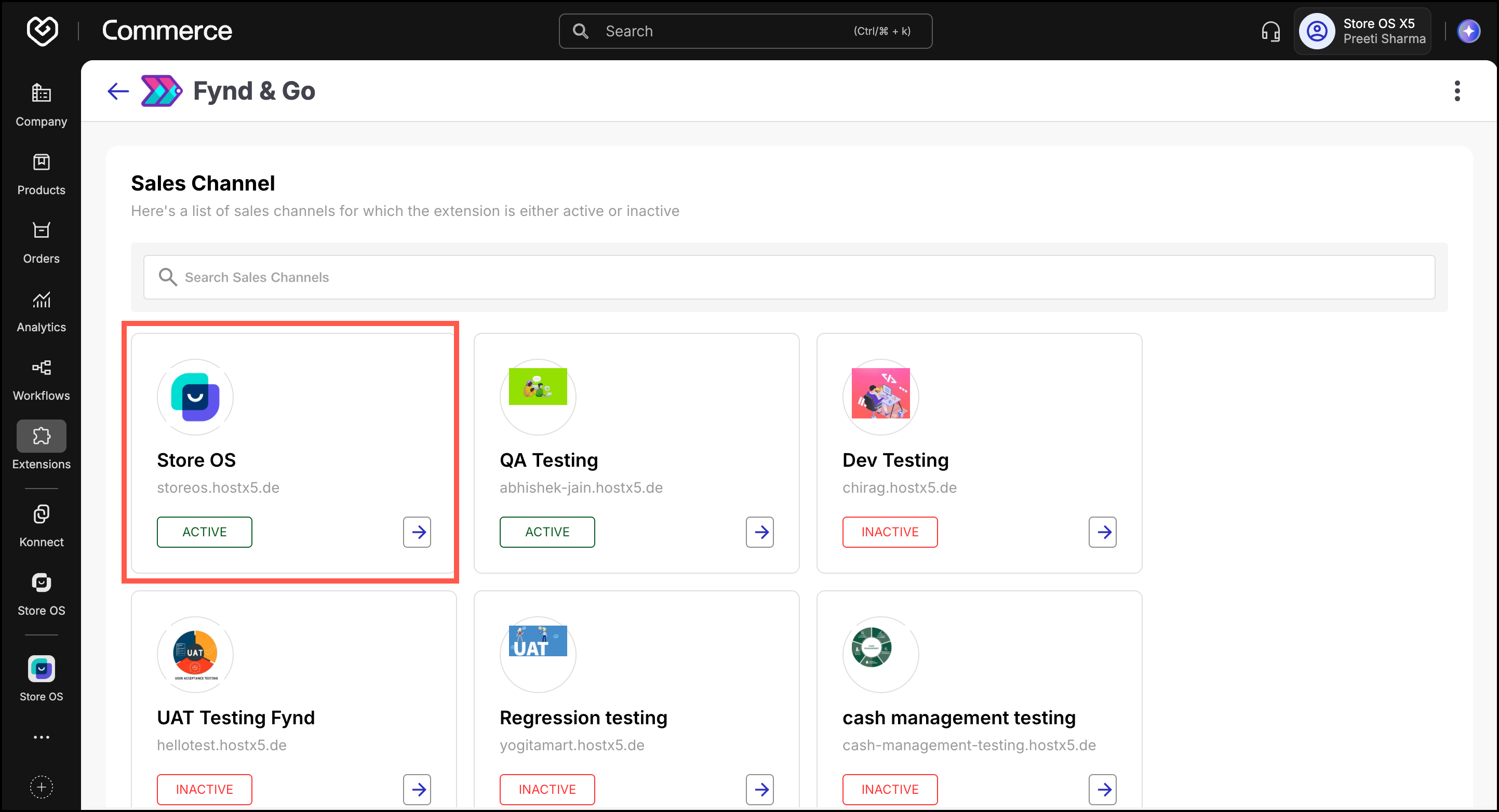
- Activate the extension for your sales channel– An active channel ensures customers of that sales channel can access Fynd & Go when they scan a QR in-store.
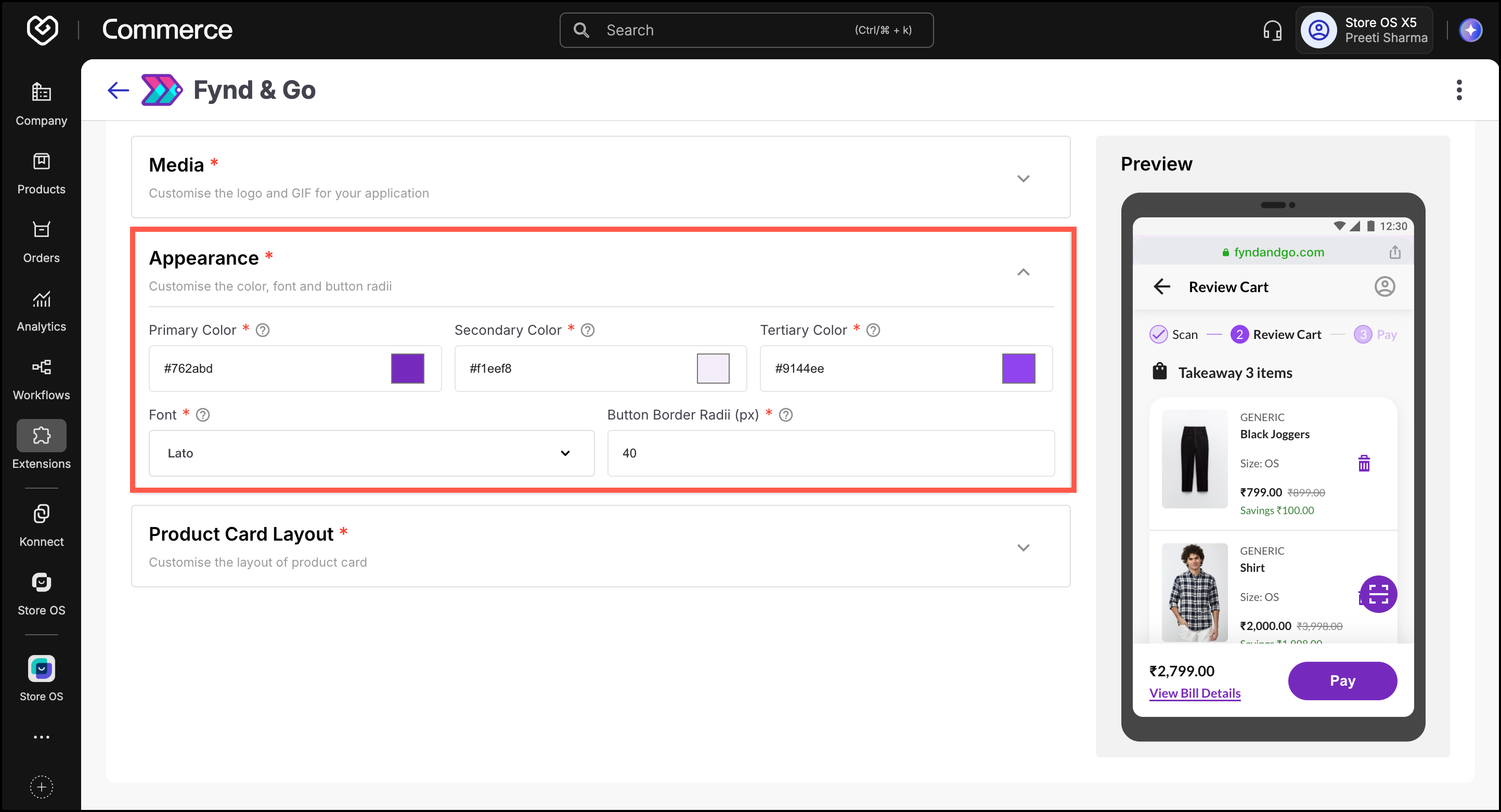
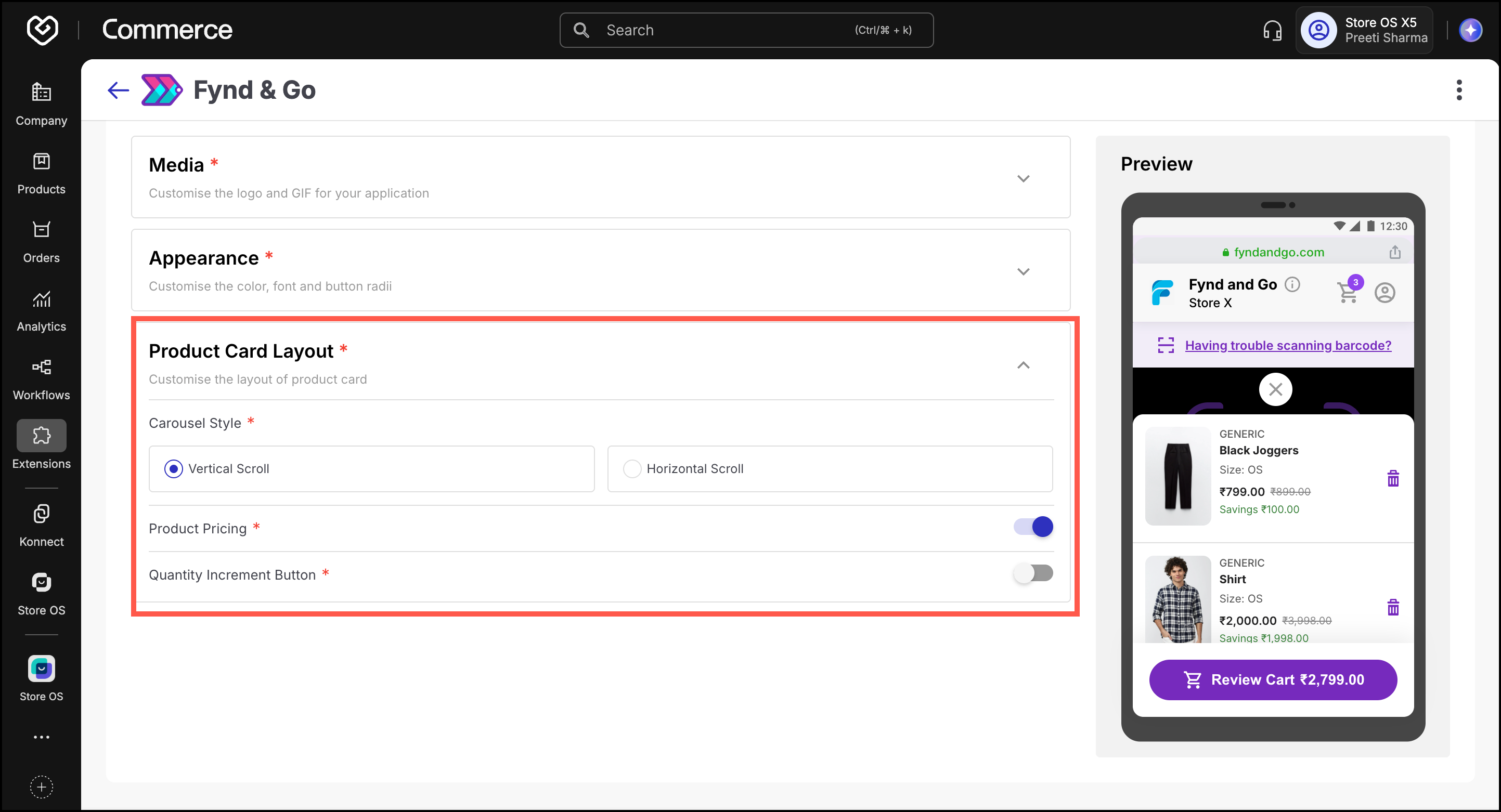
- Set up your branding and interface under Configurations → User Interface. Add your store logo, choose brand colors and fonts, and select how product cards should appear. This helps customers instantly recognize your brand and trust the checkout experience.
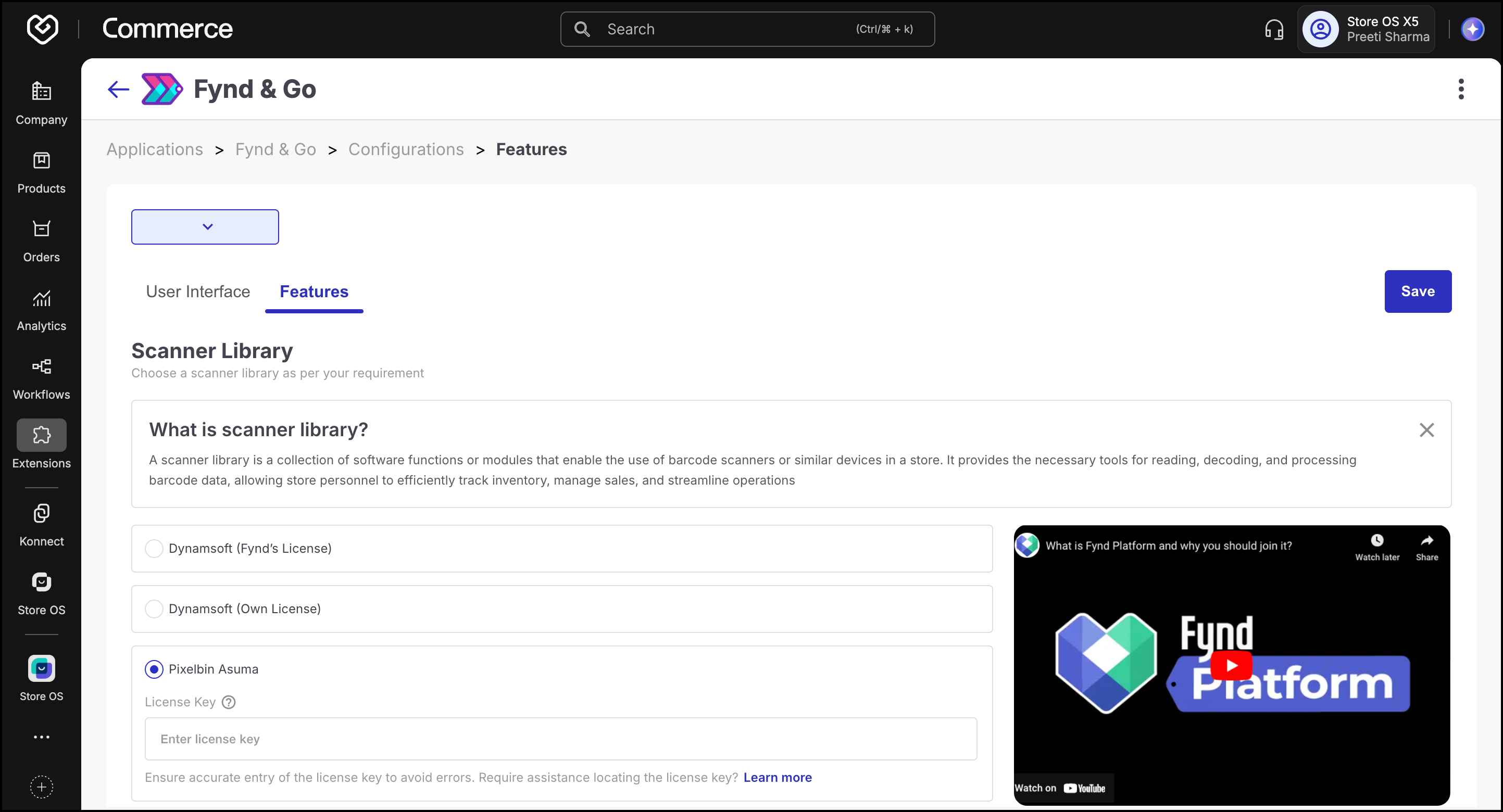
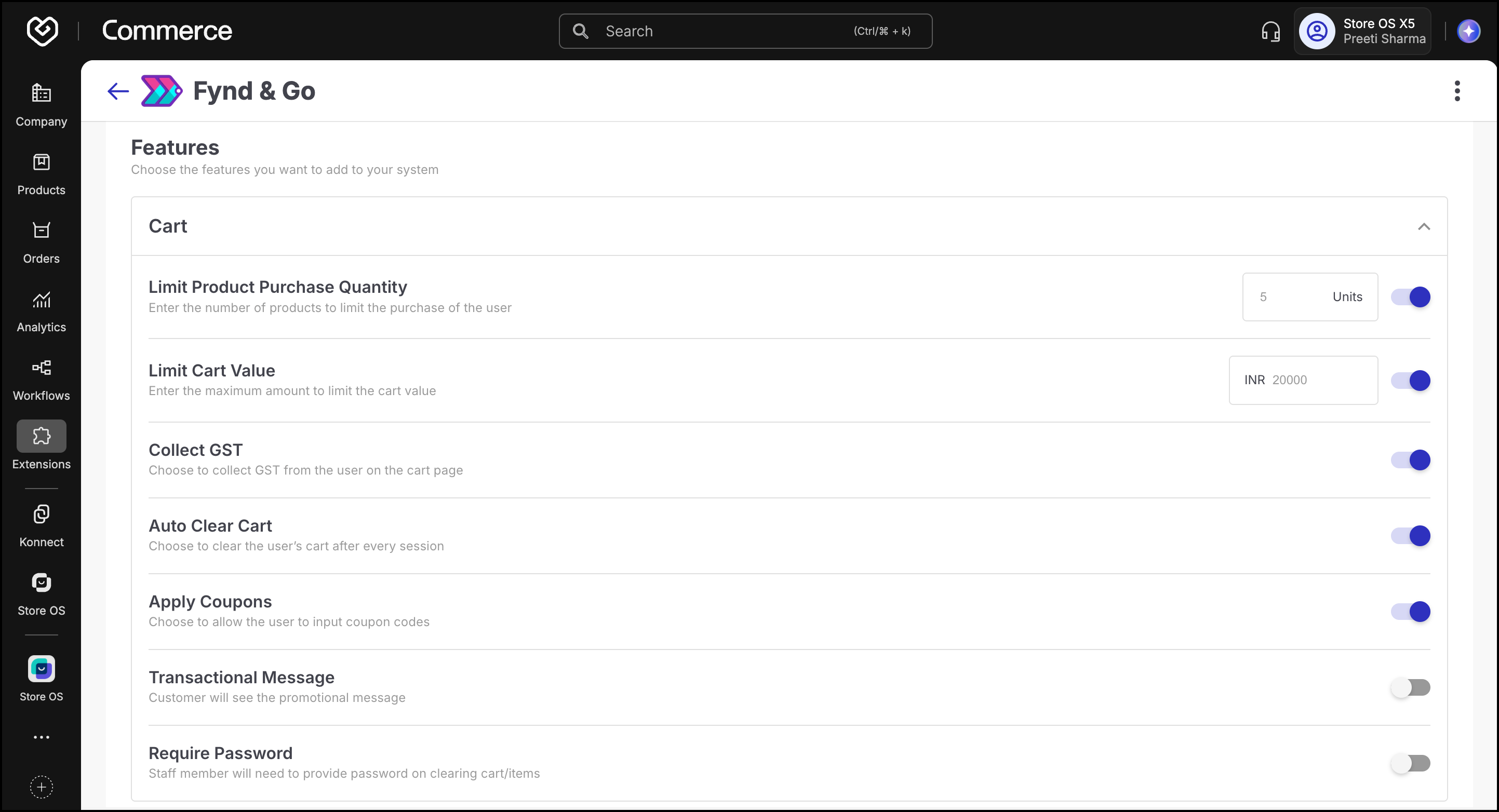
- Configure shopping and checkout rules in the Features section. Select a scanner library, control purchase limits, enable GST, coupons, auto-clear cart, OTP auto-read, and guest checkout. These controls shape the shopper experience and protect against billing mistakes and misuse.
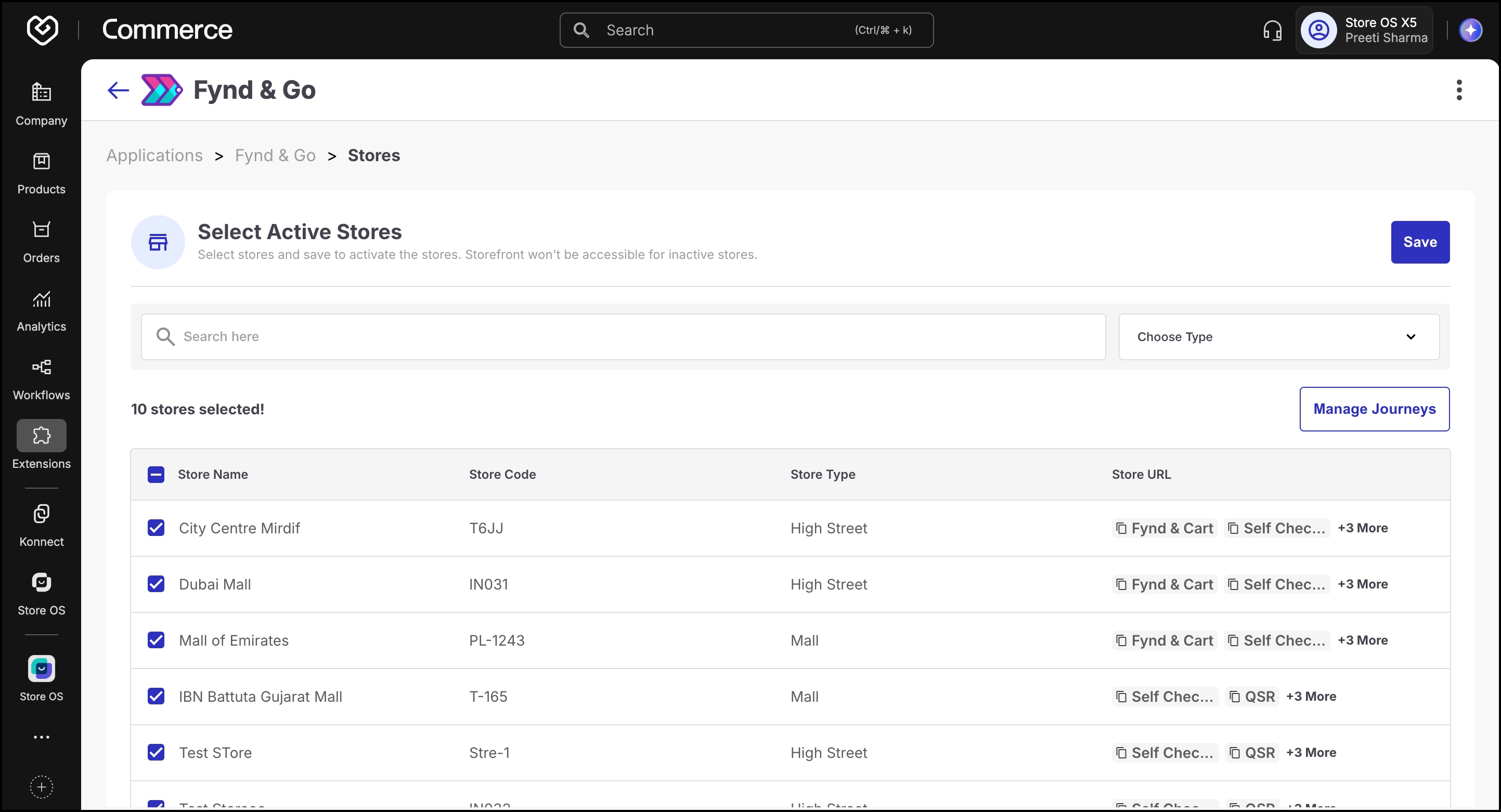
- Activate the stores where Fynd & Go should run by selecting them in the Stores section. Saving these selections ensures only approved locations provide the Scan & Go journey to customers.
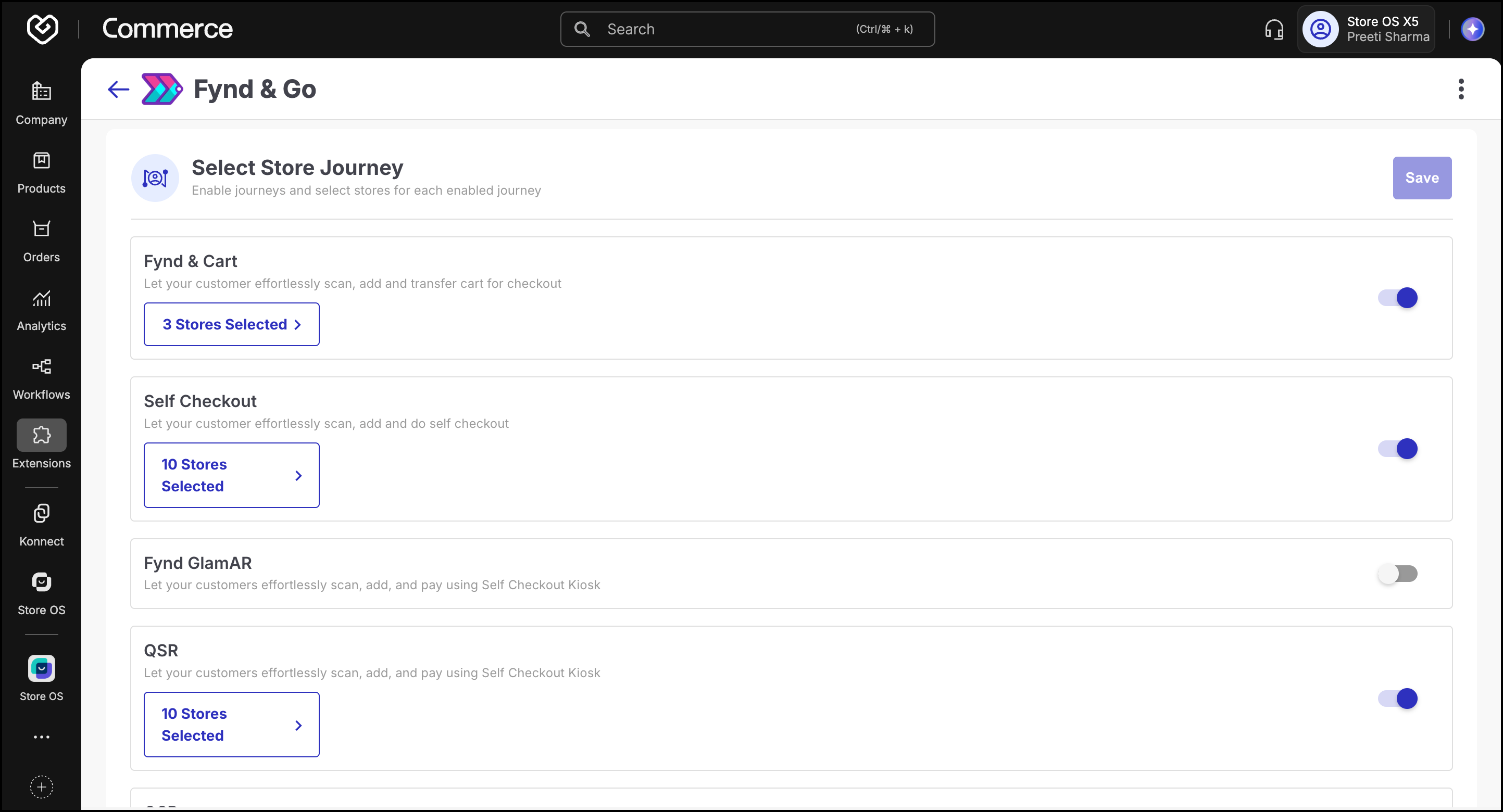
- Assign journey to each store by opening the Journeys tab and selecting which stores should use Fynd & Cart, Self Checkout, QSR, or other flows. This lets you tailor the checkout type based on store format and operational needs.
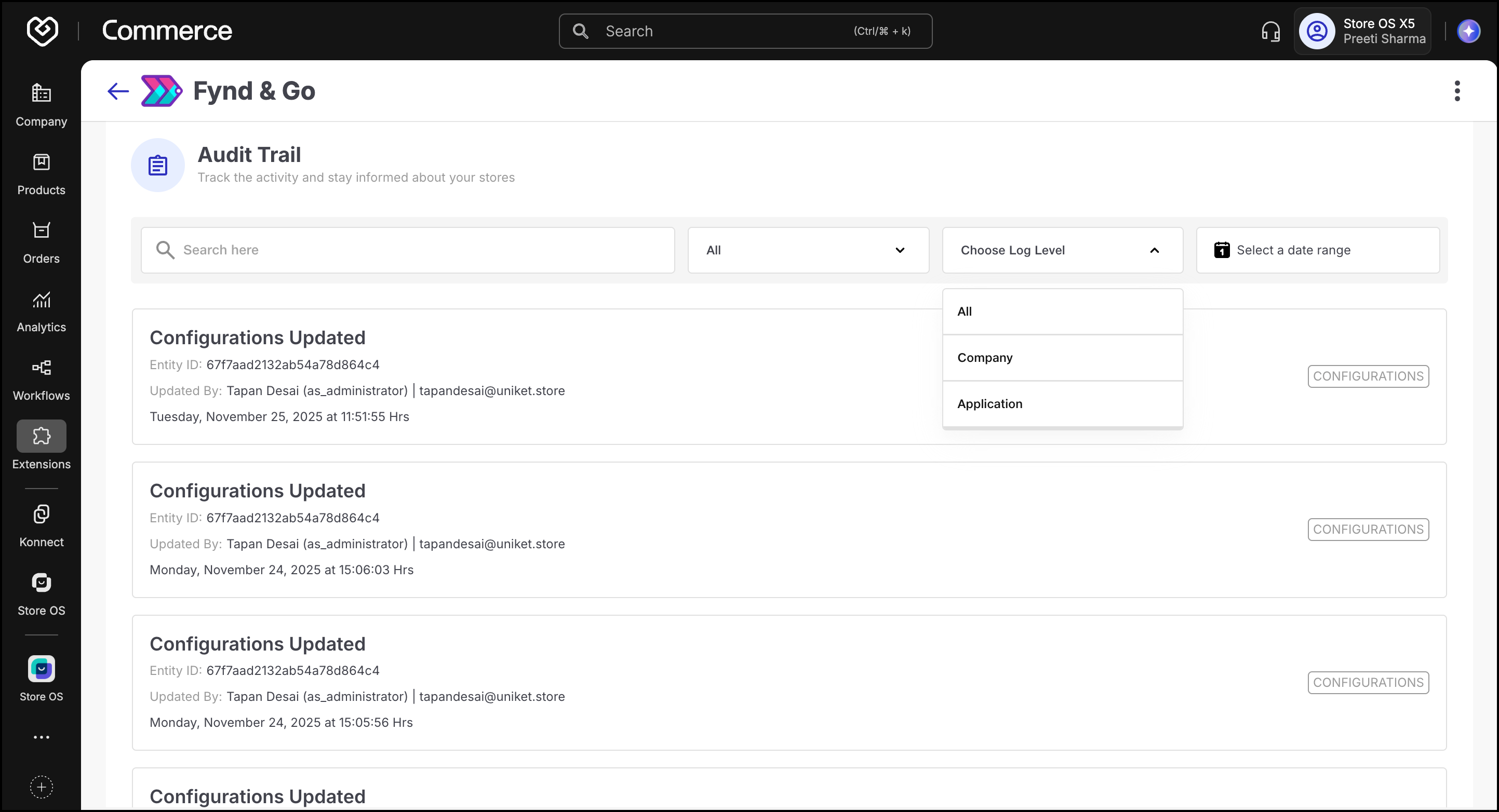
- Use the Audit Trail to monitor all updates made within the extension. Filters for activity type, log level, and date help track changes, ensure accountability, and resolve configuration issues quickly.
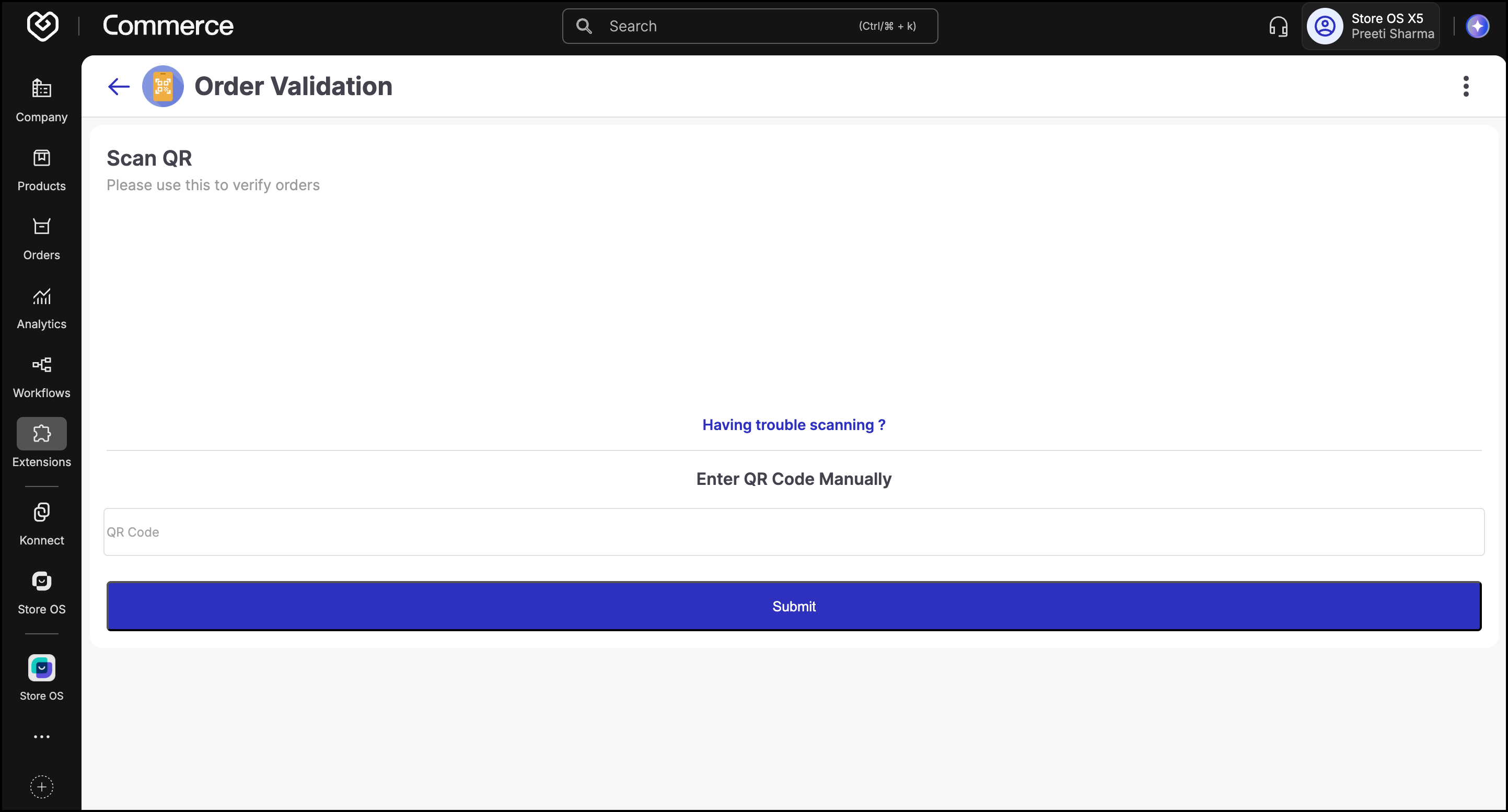
- Validate customer orders through the Order Validation module. Staff can scan the digital receipt’s QR code at the exit to verify purchases, preventing fraud and ensuring secure store operations.
- Access Fynd & Go: Scan the store’s displayed QR code to open the web-based checkout on your mobile browser.
- Scan Products: Use your phone camera to scan barcodes. Product details, pricing, and promotions appear instantly.
- Review Cart: Check your cart summary, apply discounts, and verify the total before payment.
- Make Payment: Complete the purchase using any preferred mode — UPI, card, or wallet.
- Receive Invoice: A digital receipt is sent via SMS or email, containing a QR code for exit validation.
- Validate & Exit: Present your QR receipt to staff for verification at the exit gate.