How to access on Fynd Commerce
Commerce panel → Sales Channel (select application) → Settings → General → Integration
Freshchat is a messaging platform for sales, customer and user engagement
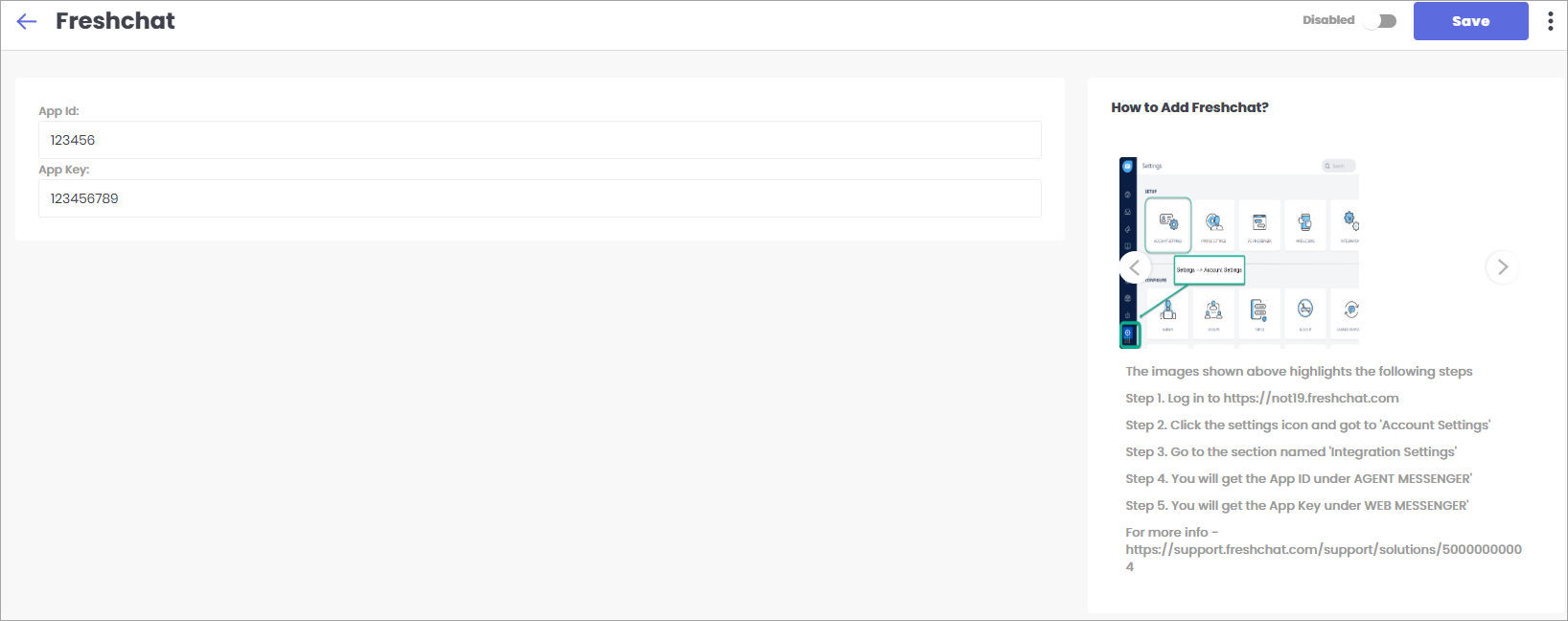
Steps to Integrate Freshchat
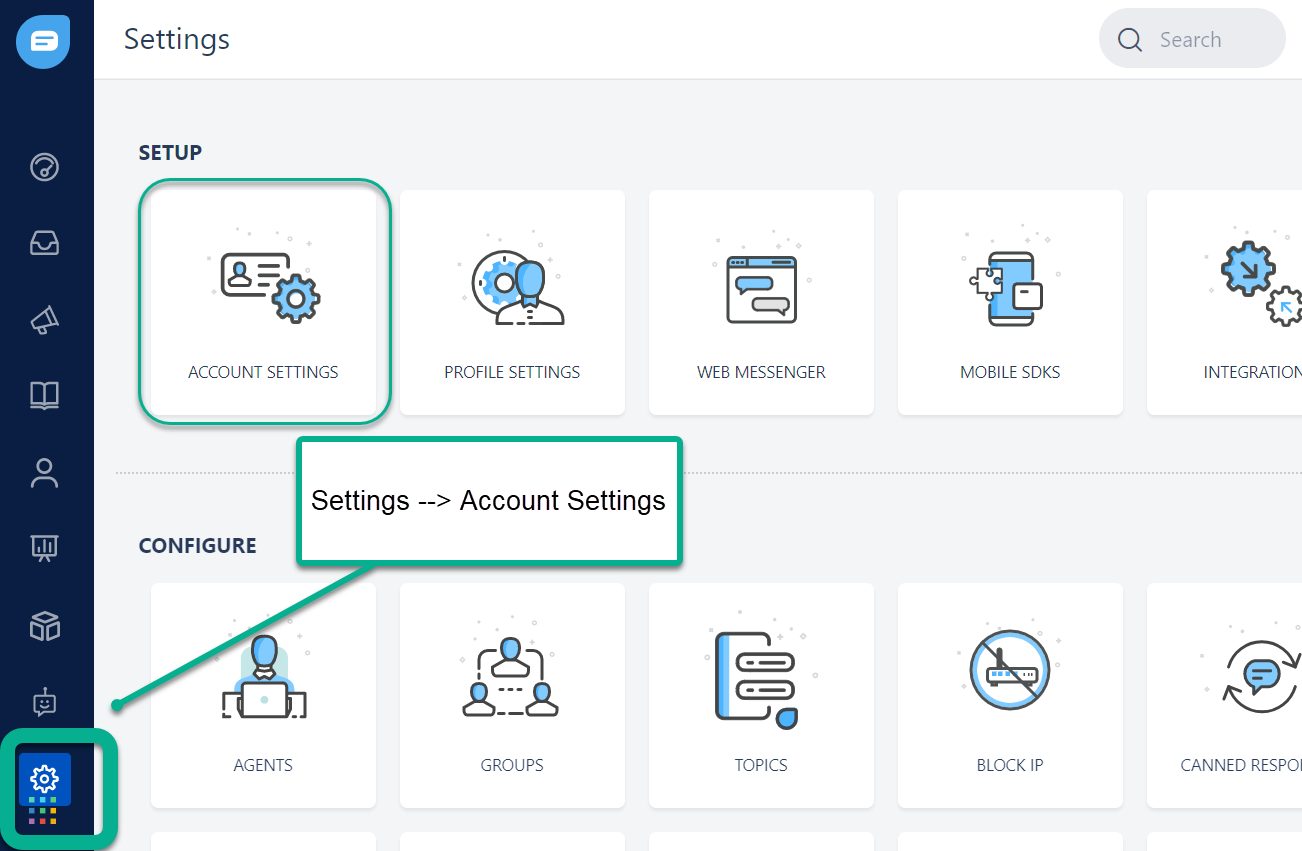
- Step 1. Log in to https://not19.freshchat.com
- Step 2. Click the settings icon and got to 'Account Settings', check fig. 2 below
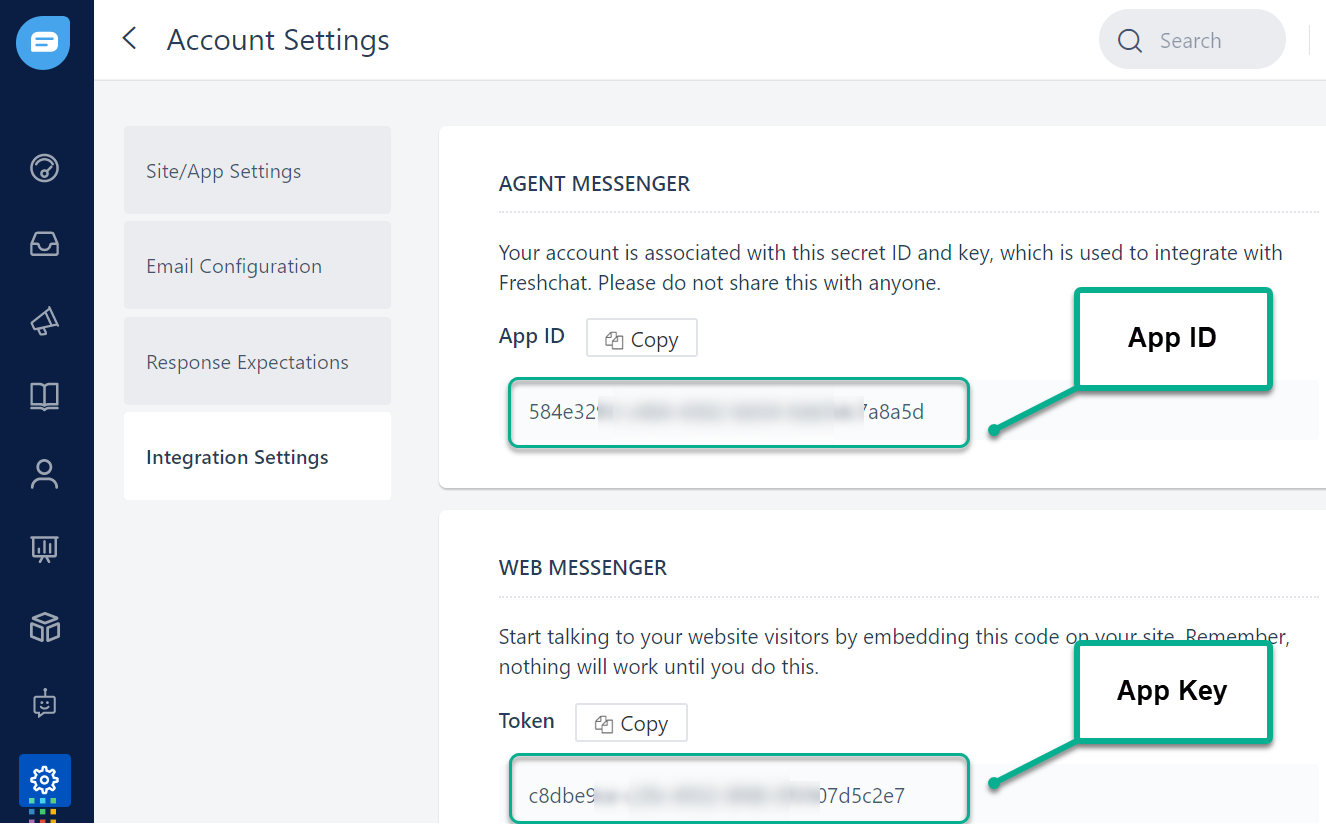
- Step 3. Go to the section named 'Integration Settings'
- Step 4. You will get the App ID under AGENT MESSENGER', check fig. 3 below
- Step 5. You will get the App Key under WEB MESSENGER', check fig. 3 below
- For more info - https://support.freshchat.com/support/solutions/50000000004