If you want to add multiple products that are part of an existing catalog (already sold on Amazon), you will need to do the following:
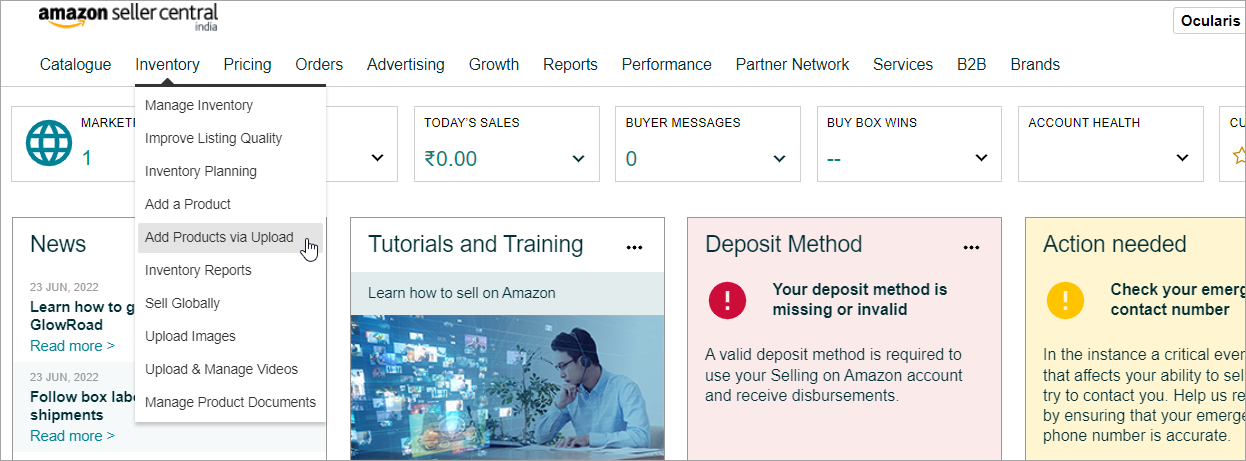
- Navigate to Inventory > Add Products via Upload.
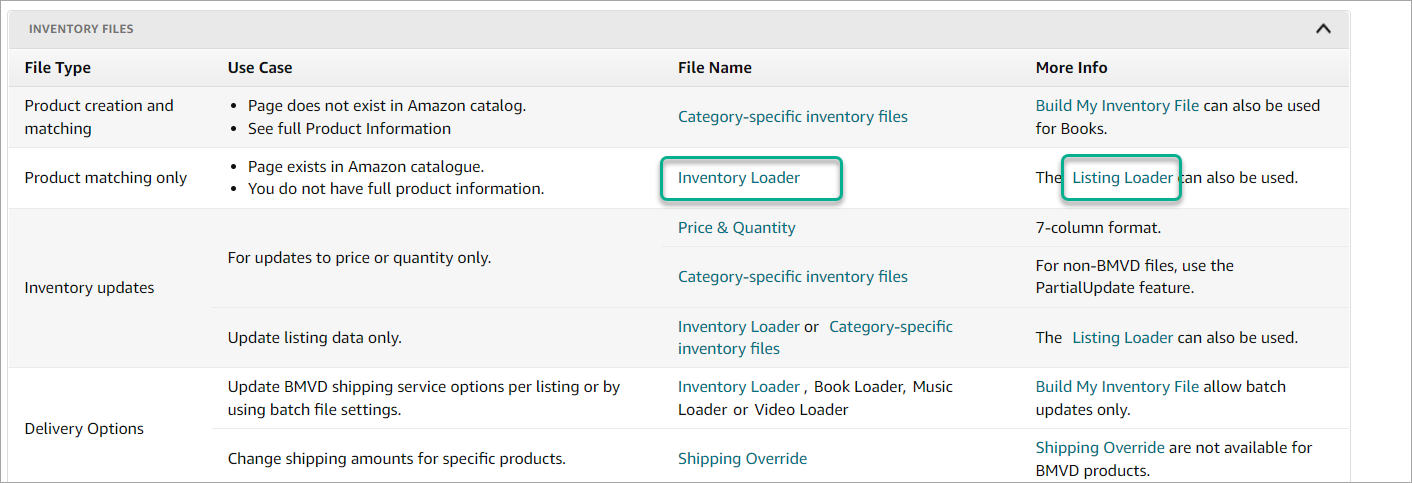
- Scroll down to the bottom of the page and click on Listing Loader or Inventory Loader under Inventory Files to download the spreadsheet.
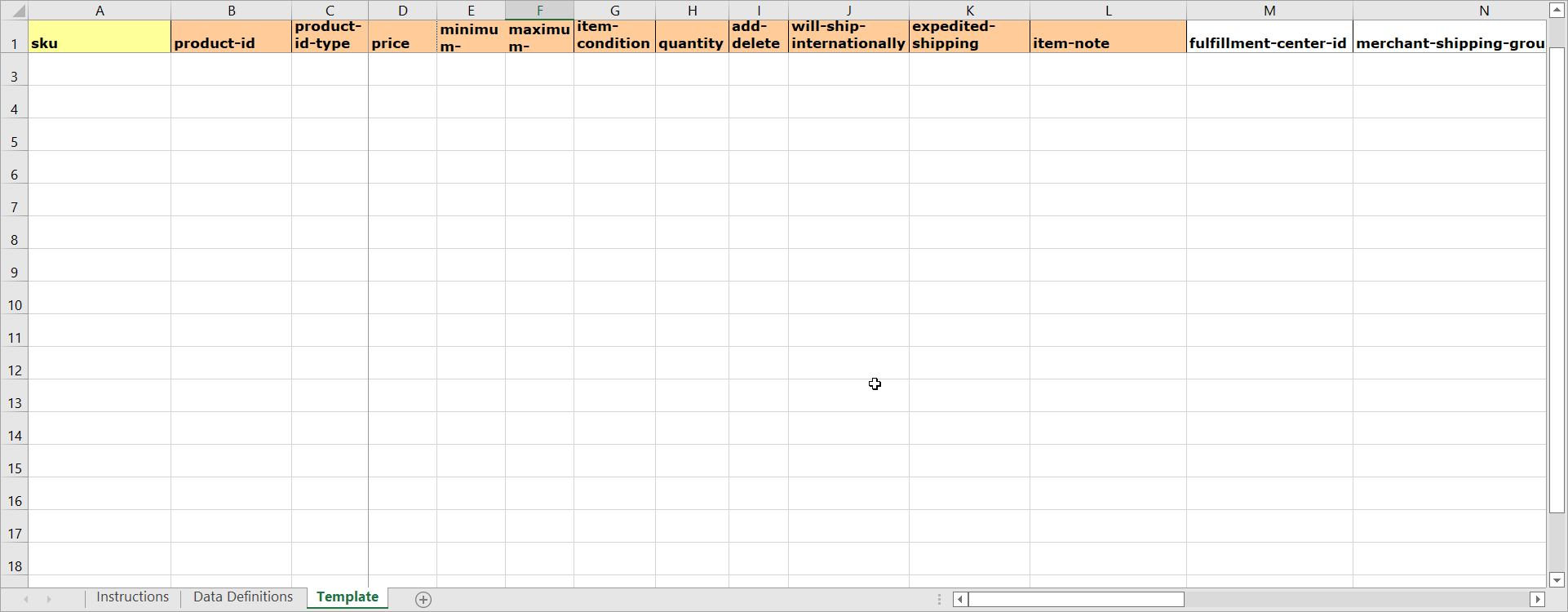
- Using the spreadsheet, you can add 100's of listings that are already on Amazon.
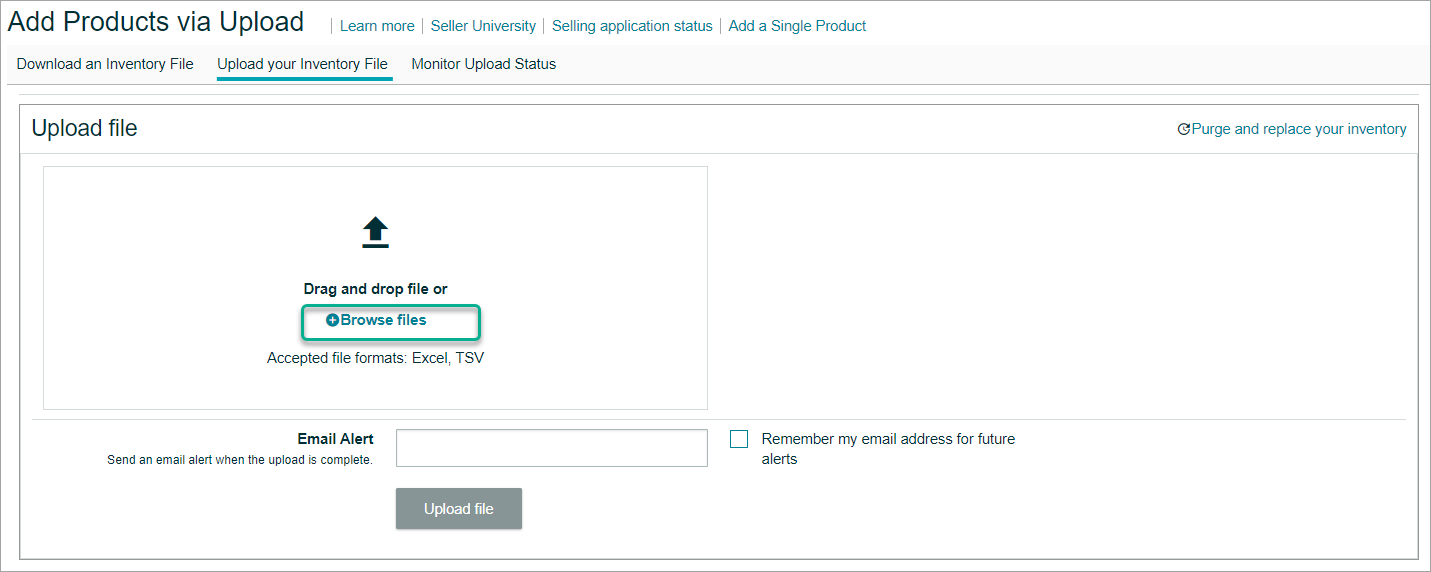
- Go to the Upload your Inventory page and upload the template.
- The listings will now be in Quality check and will be live once complete.