Before configuration on our system, we want to help you understand Amazon flows and regions. When you search for Amazon in the marketplace list, you will see multiple Amazon options. This is because Amazon supports two different fulfillment flows and operates across three major global regions.
Amazon offers two fulfillment methods:
- Shipped by Marketplace: Orders are processed by the seller and shipped via Amazon Logistics
- Self Ship/Self Delivery: Sellers handle the entire order processing & shipping themselves.
Both fulfillment flows are available in our system for all Amazon regions.
Amazon operates across three primary regions:
- Amazon EU (Europe): Ireland, Spain, UK, France, Belgium, Netherlands, Germany, Italy, Sweden, South Africa, Poland, Saudi Arabia, Egypt, Turkey, United Arab Emirates, and India.
- Amazon US (North America): Canada, United States, Mexico, and Brazil.
- Amazon FEA (Far East Asia): Singapore, Australia, and Japan.
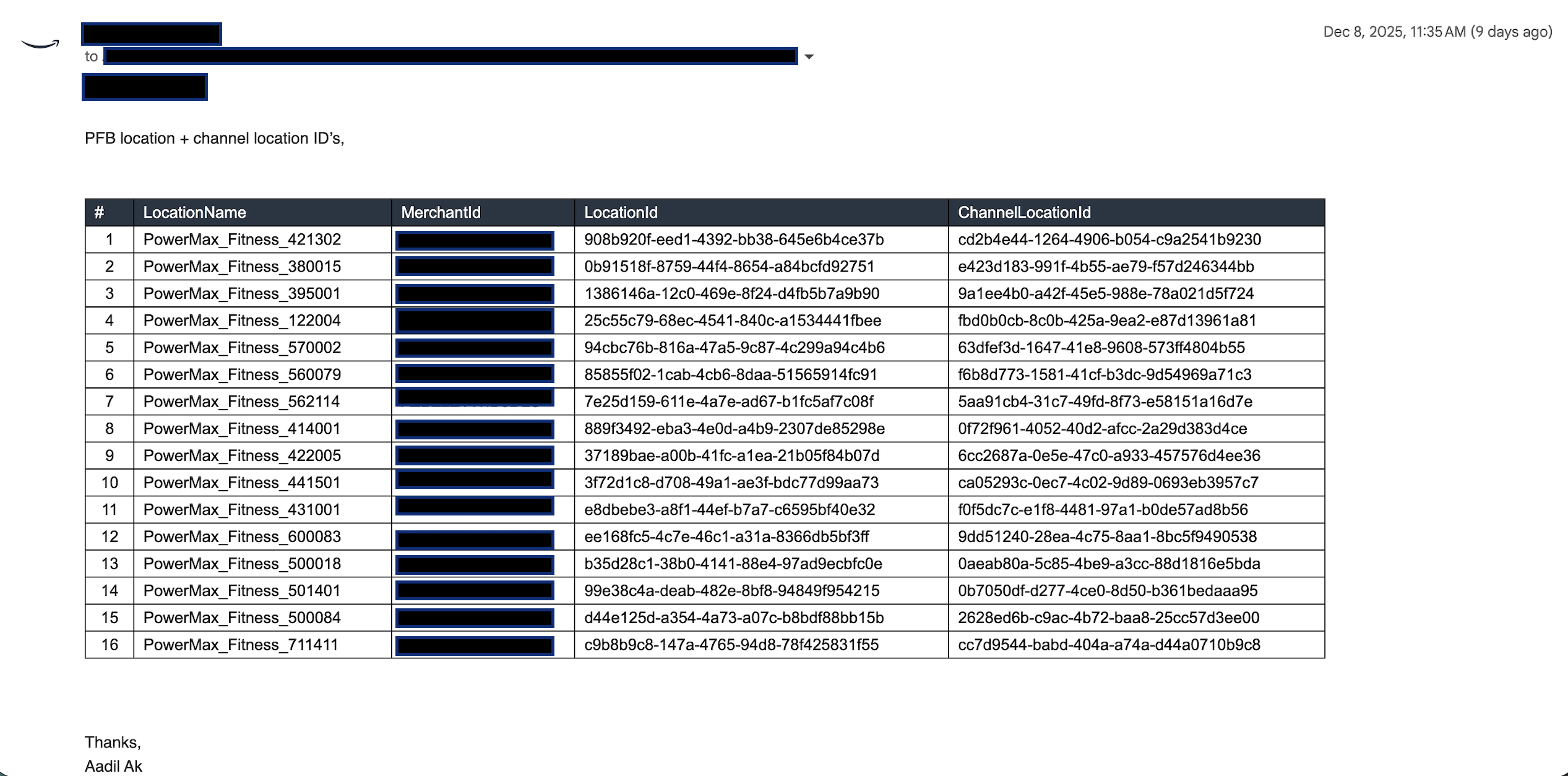
Raising Request for getting channel location id from Amazon team
The brand must coordinate with its Amazon Key Account Manager to get onboarded into either Multi-Location Fulfillment (MLF) or Seller Flex, depending on the business model. As part of this onboarding, Amazon will provide the Location IDs and Channel Location IDs for each of the seller's physical warehouses or store locations. These IDs are mandatory for configuring channels and locations in Fynd Konnect.
(Prerequisites: Ensure you have access to the Fynd Konnect)
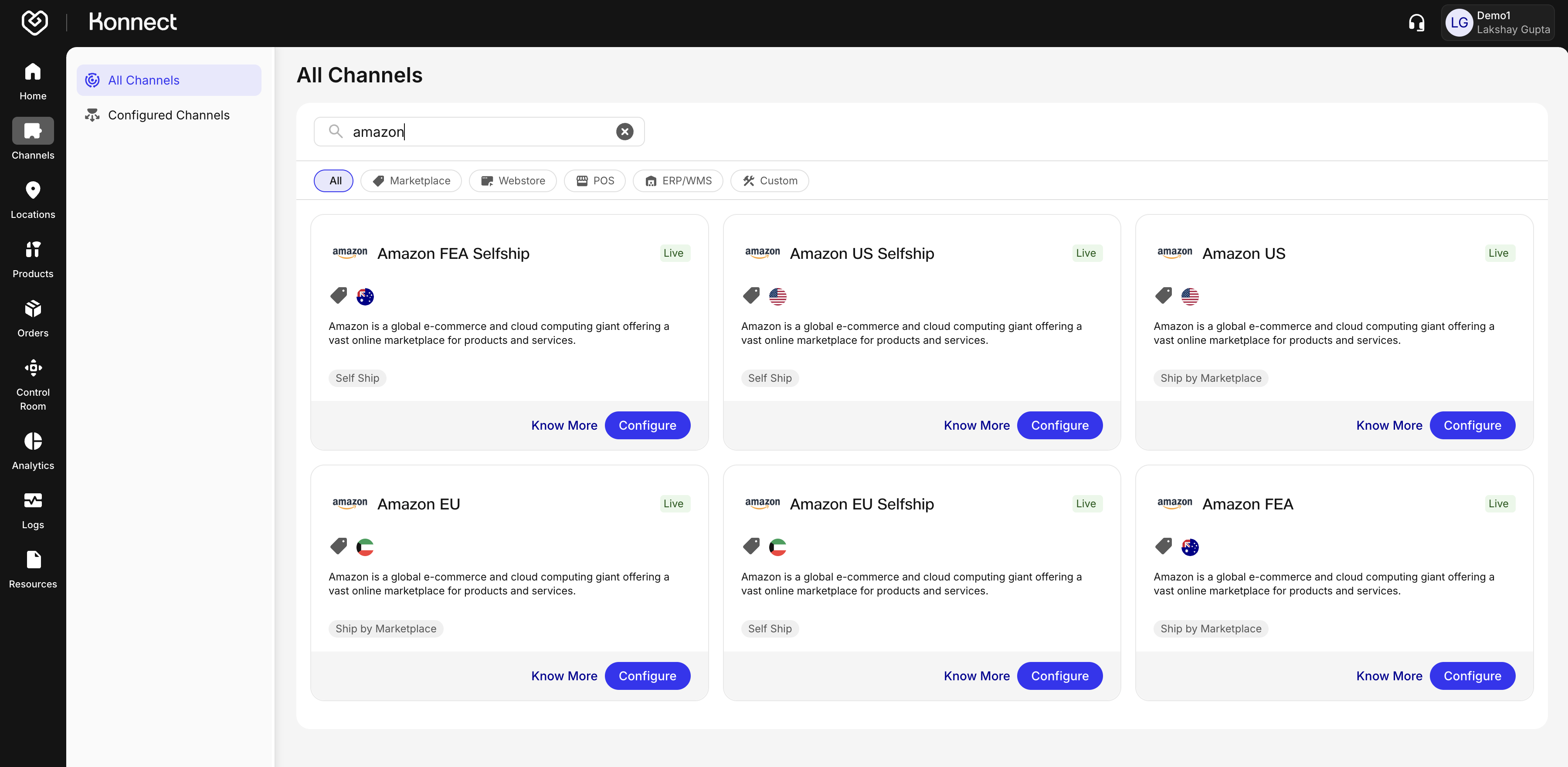
- Log in to Fynd Konnect
- Navigate to Channels → All Channels in the left-hand navigation menu.
- Locate the Live or Configured channel (e.g., Amazon) you wish to configure.
- Click on the Configure button next to the channel.
- Alternatively, use the search bar to quickly find the channel by its exact name.
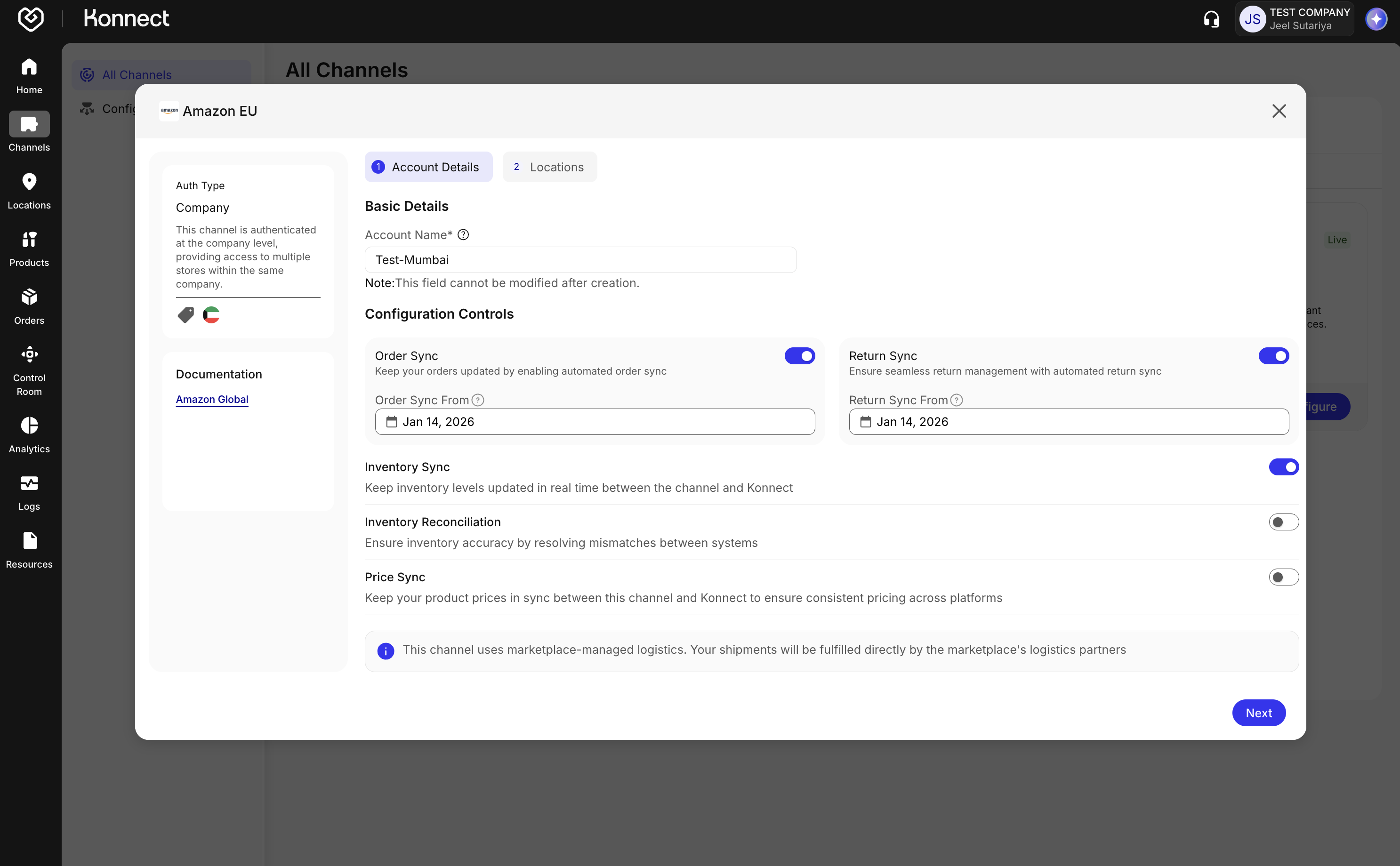
Note : This section forms the base for channel configuration. Make selections carefully as some fields are not editable later .
- On the Account Details tab, enter the following:
- Account Name: Provide a unique name at the company level. This cannot be modified once saved.
- Configuration Controls: Toggle the following options based on your requirements:
Order Sync
- Enable to auto-fetch all new orders from Amazon.
- Order Sync From: Specify the date from which orders should be synced.
Return Sync
- Enable to manage returns from Amazon.
- Return Sync From: Specify the date from which returns should be synced.
Inventory Sync
- Enable to send real-time inventory updates to Amazon.
Inventory Reconciliation
- Enable to resolve inventory mismatches between Amazon and Fynd Konnect. Scheduled once or twice daily.
Master Toggle
- Located at the top of the configuration window.
- Use this to activate or deactivate the entire channel.
After completing Account Details, proceed to the Locations tab.
Amazon channels can appear as MFN or FBA, depending on how the seller has configured their fulfillment setup.
MFN (Merchant Fulfilled Network)
- Applicable when the seller has multiple warehouse locations.
- The seller's Amazon account is configured under Multi-Location Fulfillment (MLF).
FBA (Fulfillment by Amazon)
- Applicable when the seller operates with a single designated warehouse or node managed under Amazon's FBA network.
- The seller's account is configured on Amazon as Single Node Fulfillment.
Enter your Amazon Marketplace ID and click "Login to Amazon".
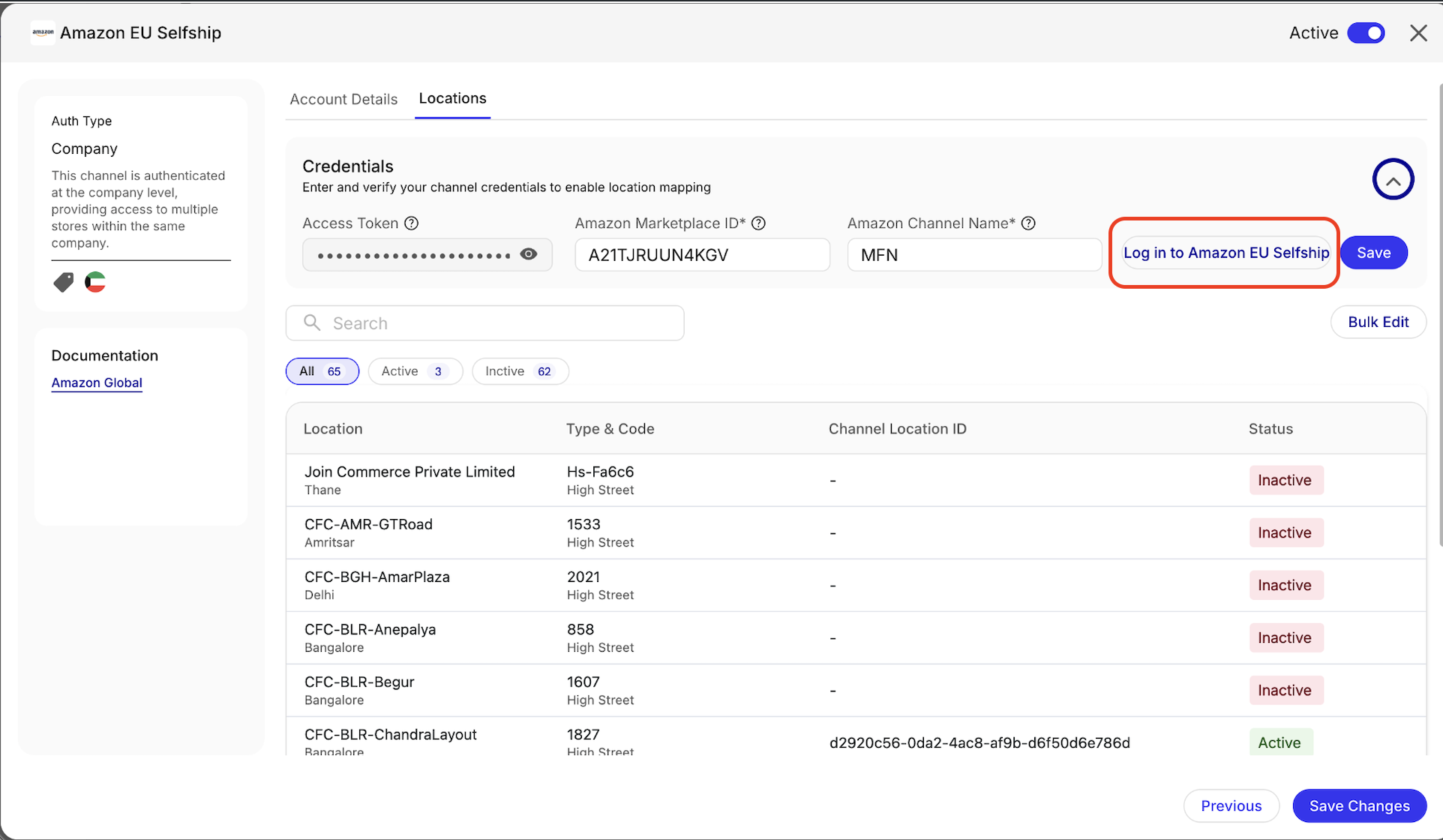
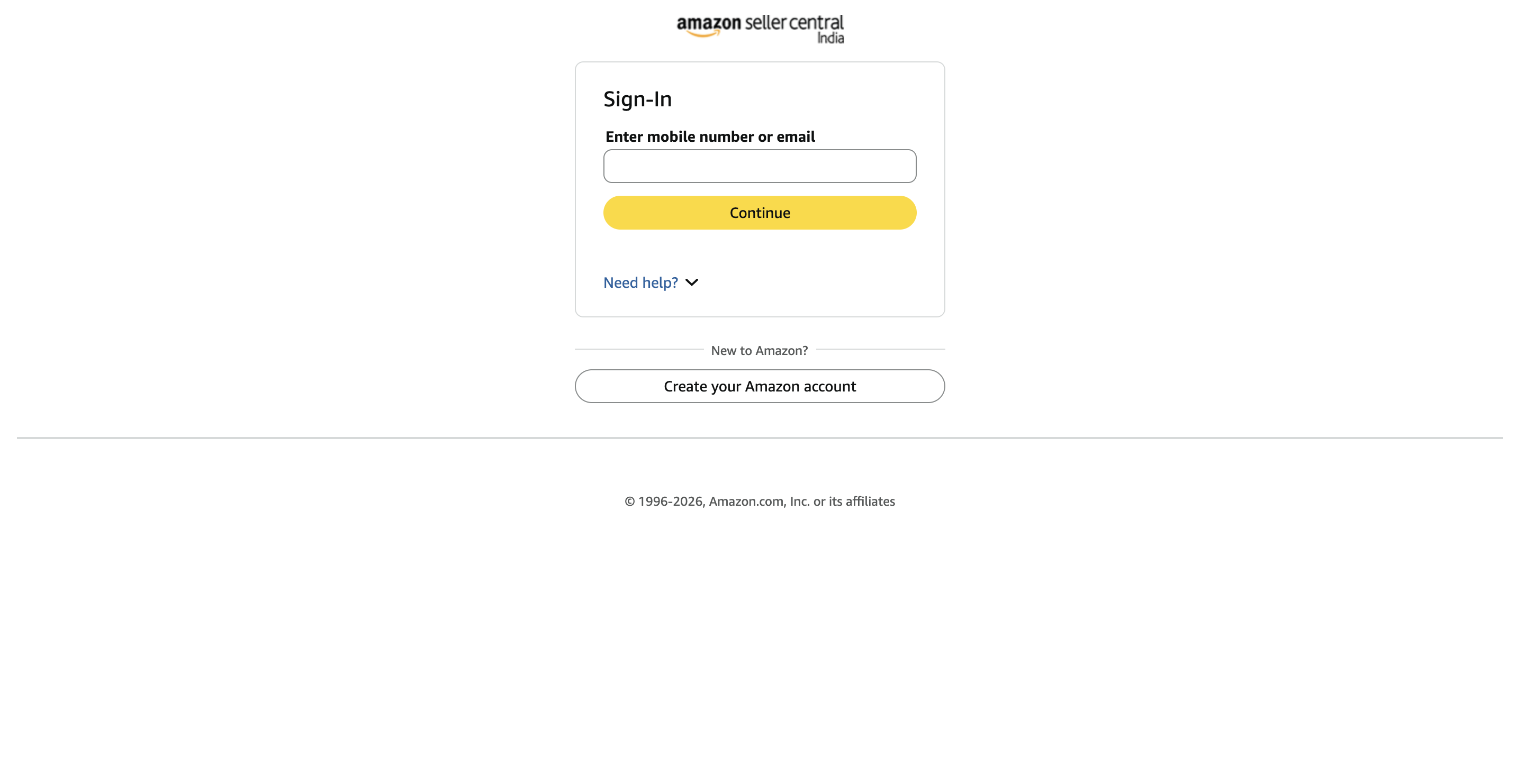
- You will be redirected to the Amazon Seller Login page. Follow these steps:
- Enter your Amazon Seller account credentials (email and password).
- Click "Submit" to proceed.
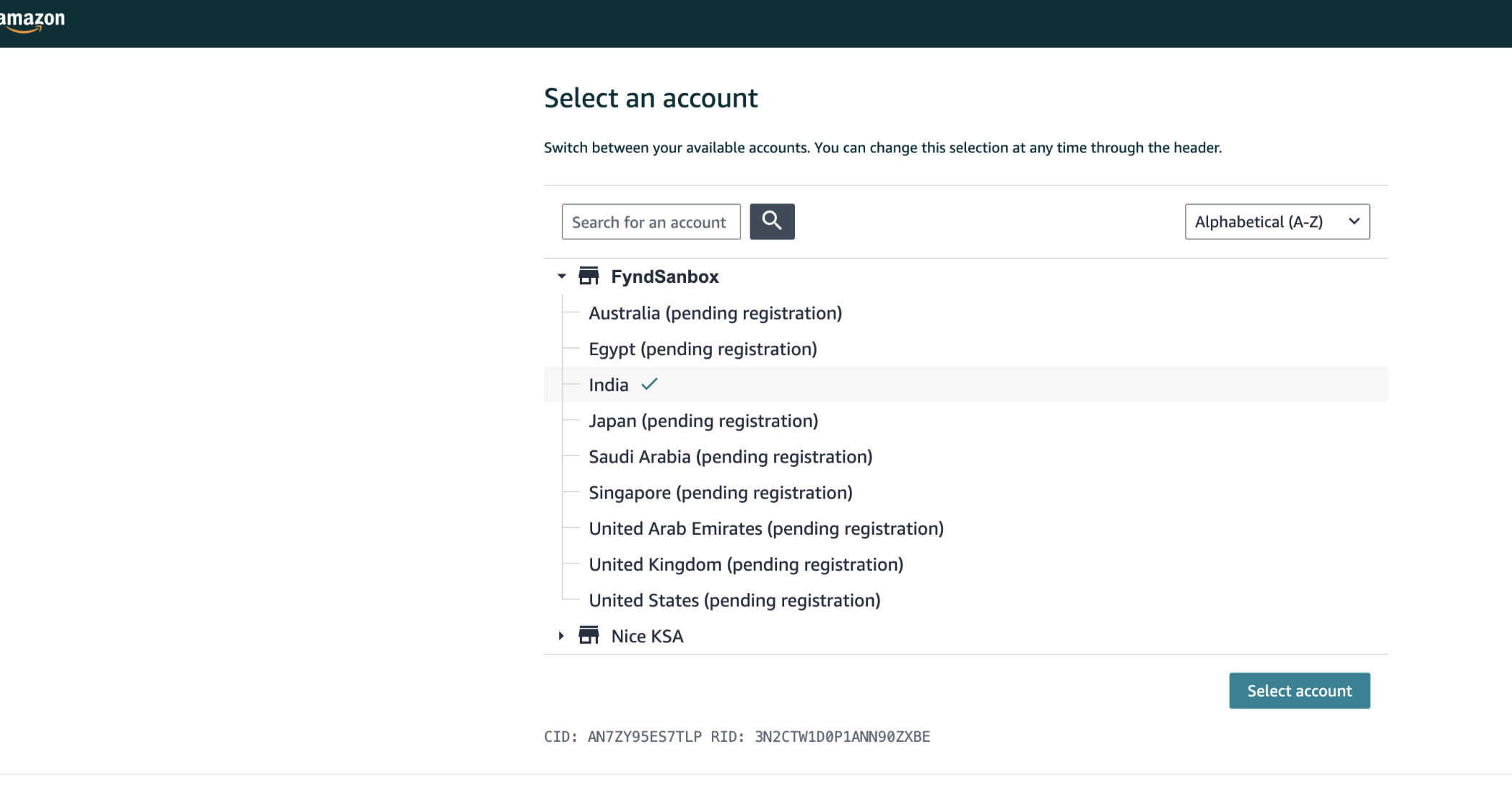
- After successful login, you will be redirected to the Fynd Store authorization page on Amazon to grant access to Fynd Konnect.
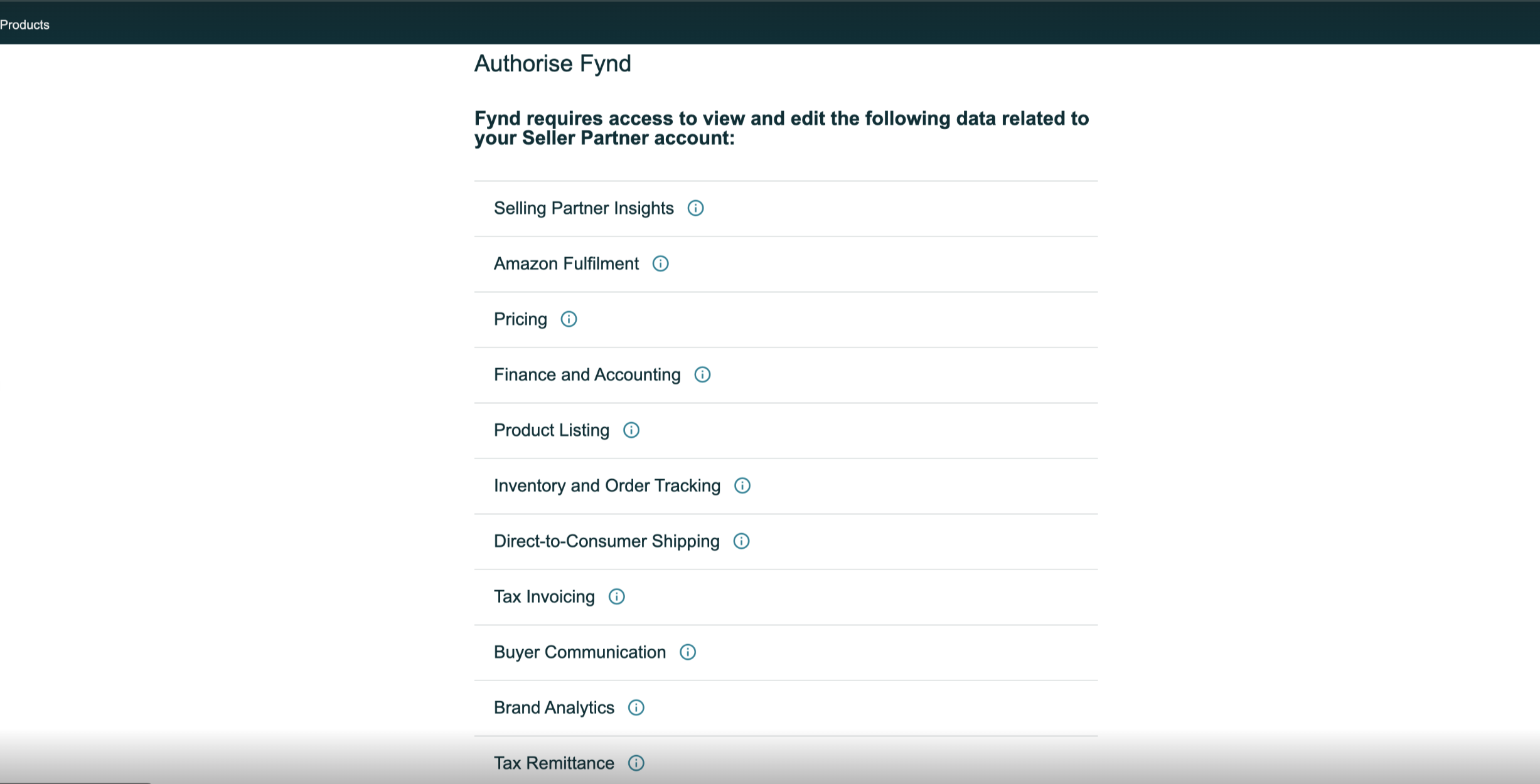
- Fynd requires access to various parts of your Amazon Seller Partner account to operate smoothly. These permissions include:
- Selling Partner Insights
- Amazon Fulfillment
- Pricing
- Finance & Accounting
- Product Listing
- Inventory & Order Tracking
- Direct-to-Consumer Shipping
- Tax Invoicing
- Buyer Communication
- Brand Analytics
- Tax Remittance
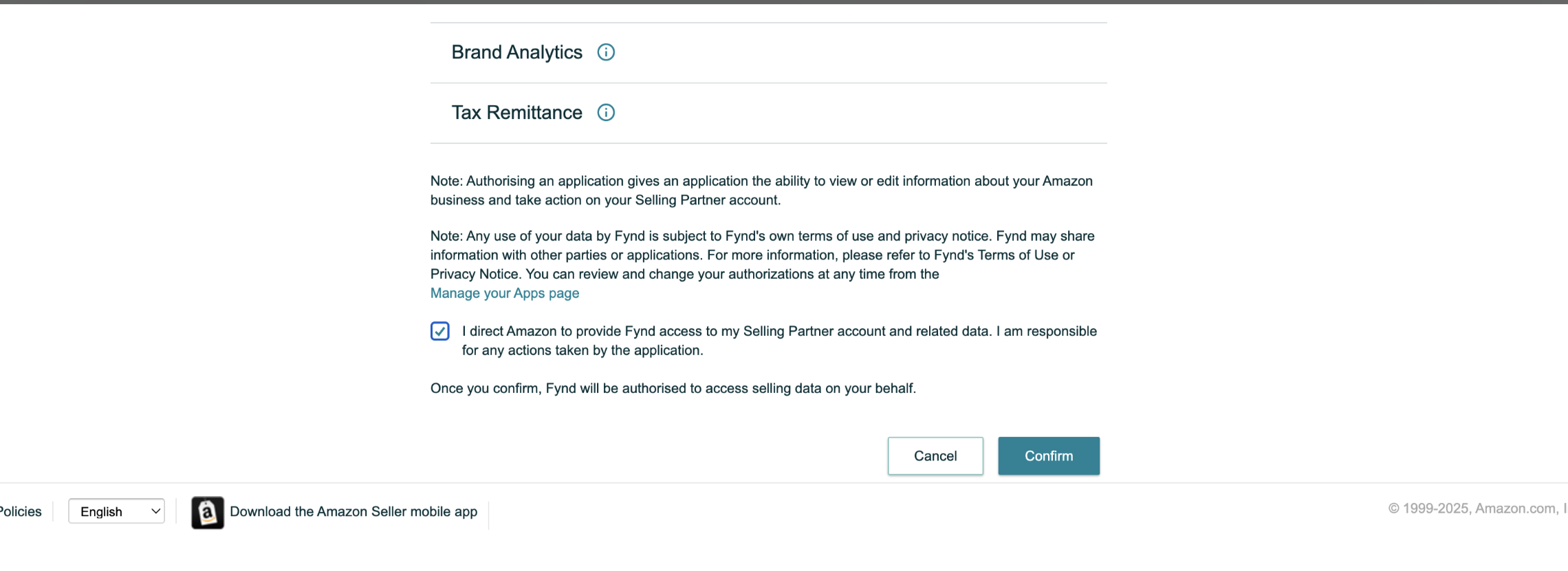
- Click Confirm to authorize access. You will be redirected back to Fynd Konnect.
- Click Save and Submit to continue with the next steps.
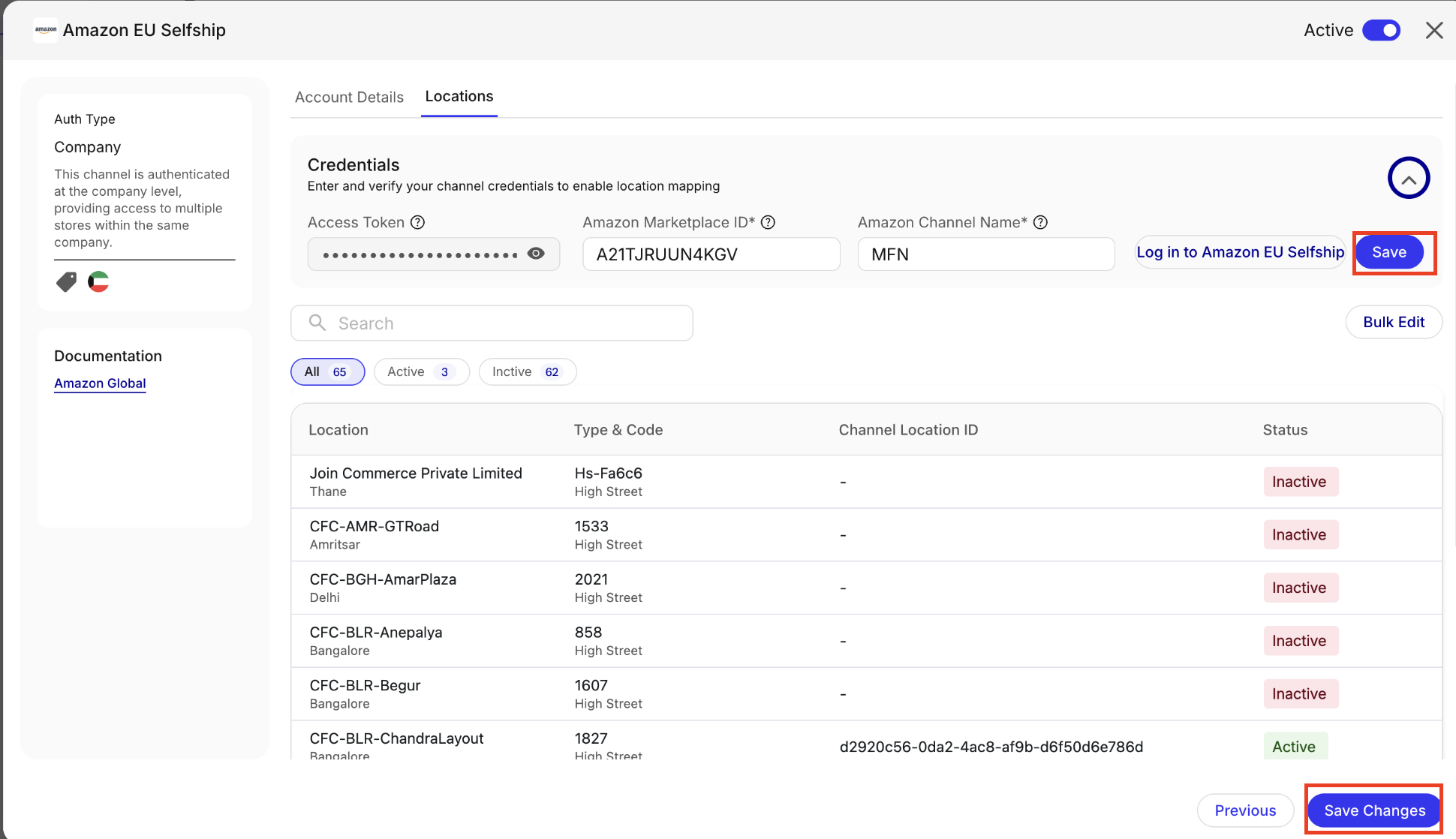
Pre-Submission Checklist
- Account name is accurate and unique.
- All necessary configuration toggles are enabled.
- Order and Return sync dates are correctly set.
- Location credentials are saved and validated.
- Channel Location IDs are present for all locations.
- Master toggle is switched ON.
Submit Configuration
- Click Submit in the bottom-right corner of the configuration screen.
- Look for a success confirmation popup: "Account created successfully."
Post-Submission Verification
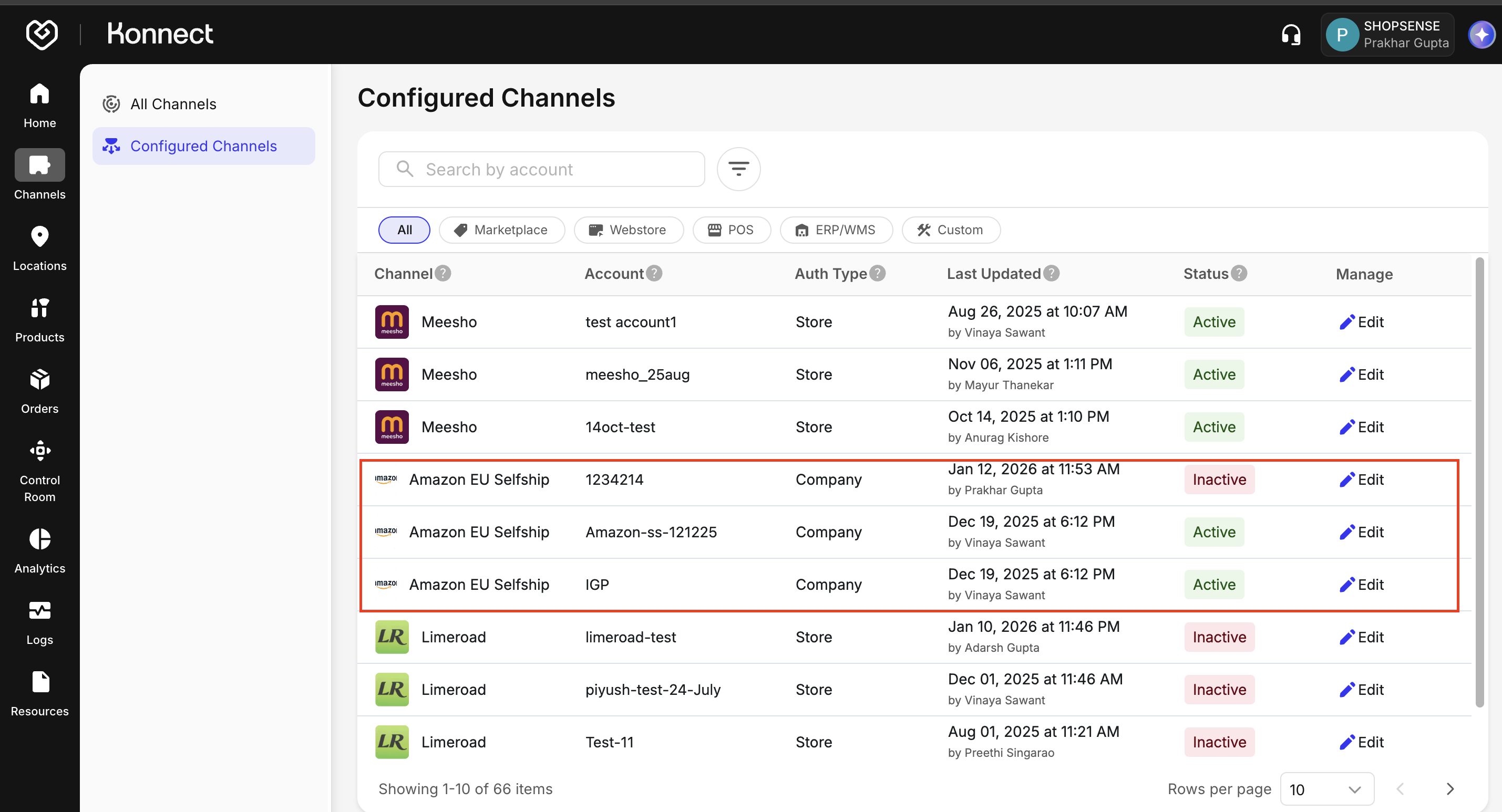
- Navigate to the Configured Channels tab.
- Confirm that Amazon is listed with the status Active.
| Setting | When Enabled | When Disabled |
|---|---|---|
| Order Sync | Orders auto-synced | No orders will be synced automatically. |
| Return Sync | Automated return created and updated | Manual return handling |
| Price Sync | Price Sync linkage allowed | Price will not be sync automatically of product result in ambiguity |
| Inventory Sync | Real-time stock updates | No inventory update. Risk of overselling |