This section covers the complete verification and monitoring process for Amazon integration, including configuration checklist, inventory sync testing, order flow testing, and returns & cancellation testing.
Before verifying the channel configuration, please review our comprehensive Configuration Checklist. After saving location mapping credentials, a validation pop-up will appear.
- Location mapping credentials when saved, shows a validation pop-up, ensure it is validated successfully
- Unmapped SKU Review: Unmapped SKUs will appear separately for manual mapping if not automapped in Products → Channel Mapping
- Mapping Accuracy Goal:
- Review Product IDs, Buffer Stocks, and Status Toggles
Navigate to Products → Inventory Logs
Filter logs by the Amazon account and the last 24 hours
Monitor inventory sync logs to verify:
- Inventory sent to Amazon
- Buffer stock applied correctly
- Any sync errors or warnings
Inventory Reconciliation Test
- Trigger manual inventory reconciliation
- Validate that inventory mismatches are resolved automatically
Buffer Stock Accuracy
- Calculate:
Visible Stock = Total Stock − Buffer Stock - Validate buffer logic across 3–5 random SKUs
- Calculate:
- Run a test order using a live low-value product or with assistance from Amazon Support
- Ensure the product is mapped, in stock, and the location is active
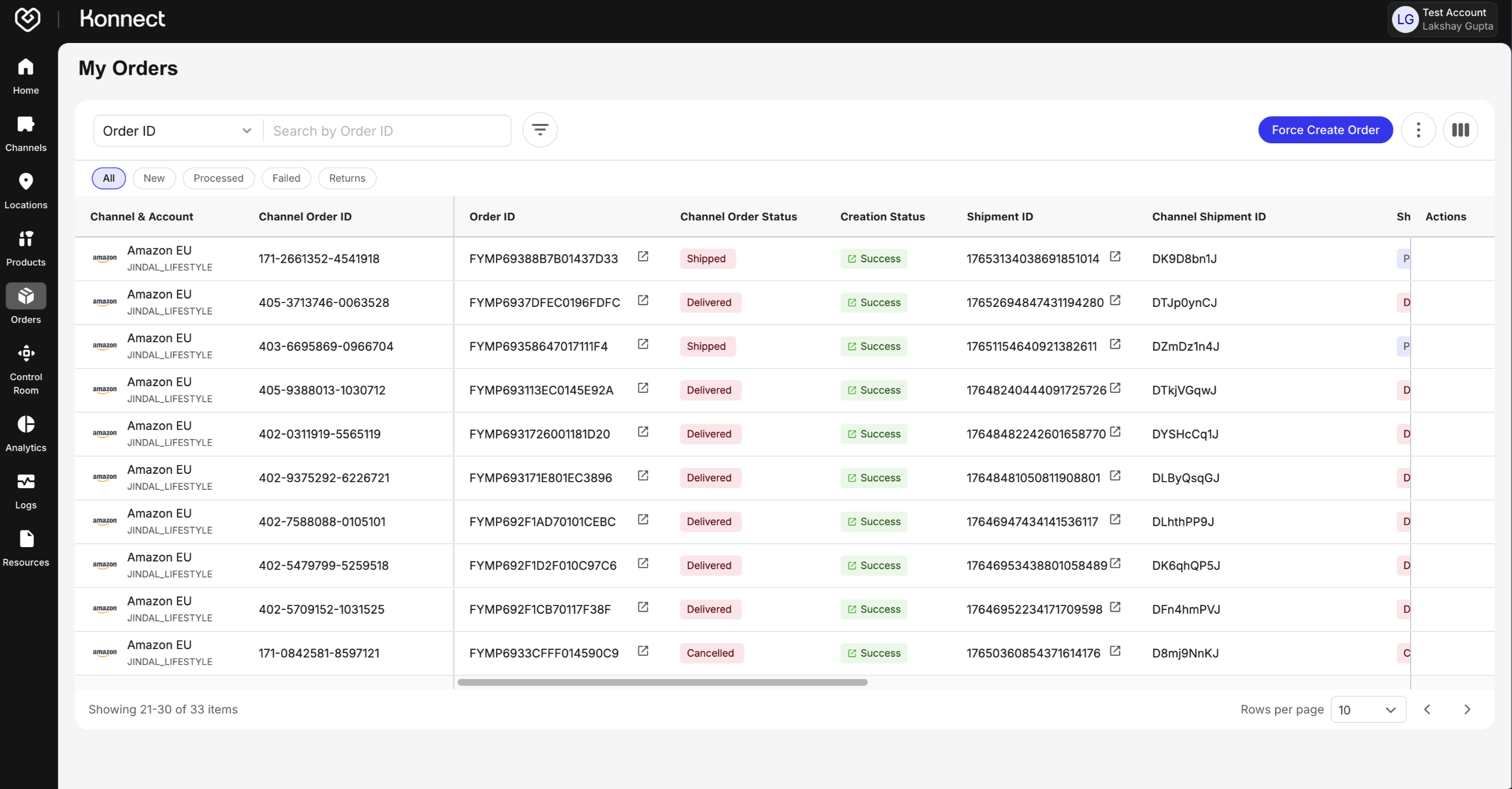
- Confirm that the order appears in Fynd Konnect
- Verify the following order details:
- Customer information
- Pricing accuracy
- Fulfillment location
- Inventory deduction
- Order status flow: New → Confirmed → Packed → Shipped → Delivered
Return Sync Test
- If Return Sync is enabled, simulate a return on Amazon
- Confirm that the return appears in Fynd Konnect
- Verify that inventory is restocked correctly
- Ensure return reason codes are synced accurately
Customer Cancellation Test
- Confirm that customer cancellations are reflected in Fynd Konnect
- Verify that inventory is automatically reverted
Once all five configuration steps are completed and you see green checks across the Product, Inventory, and Order modules, the system is fully operational. You are now live and ready to sell on the Amazon Marketplace.
- Multi-location support per account
- SKU Mapping with support for auto and manual modes
- Buffer Stock Configurations by SKU x Location or Channel
- Alerts & Monitoring are integrated into the dashboard