At present, this feature is only used by the internal team of Fynd. The audience list used in this section contains a header named User ID which is only known to Fynd.
You can create a giveaway campaign to distribute reward points among your customers.
Click on Create.
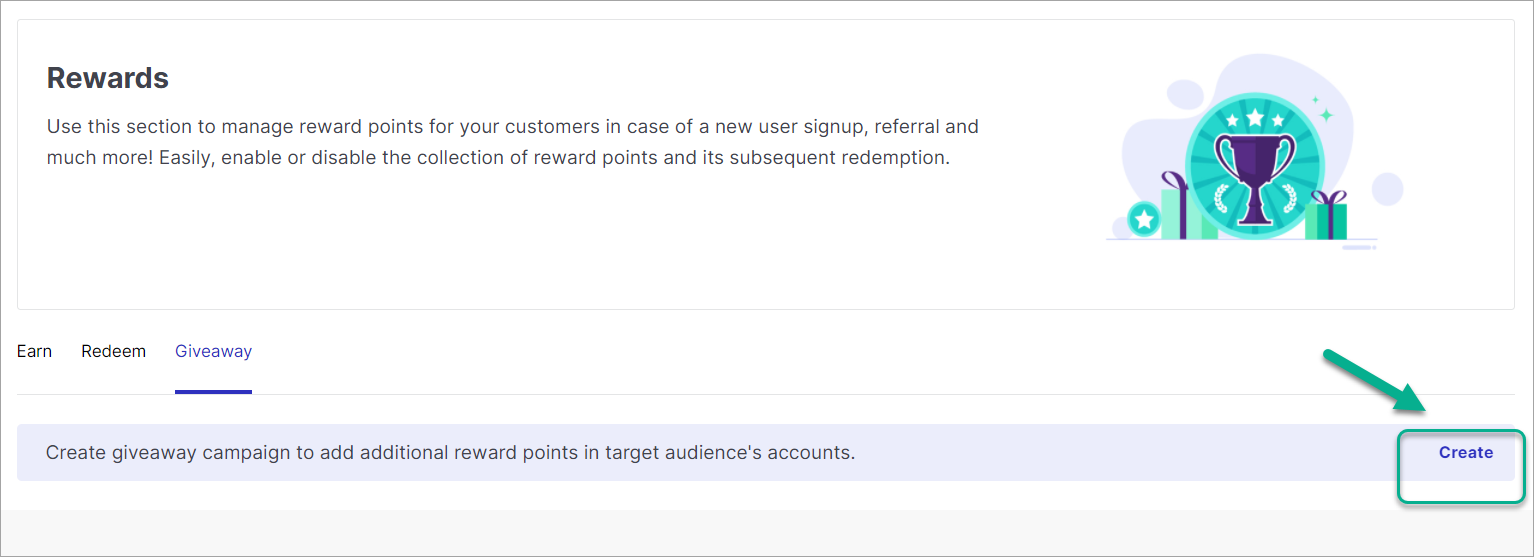
Figure 1: Giveaway Tab This is the page where you can configure the giveaway campaign.
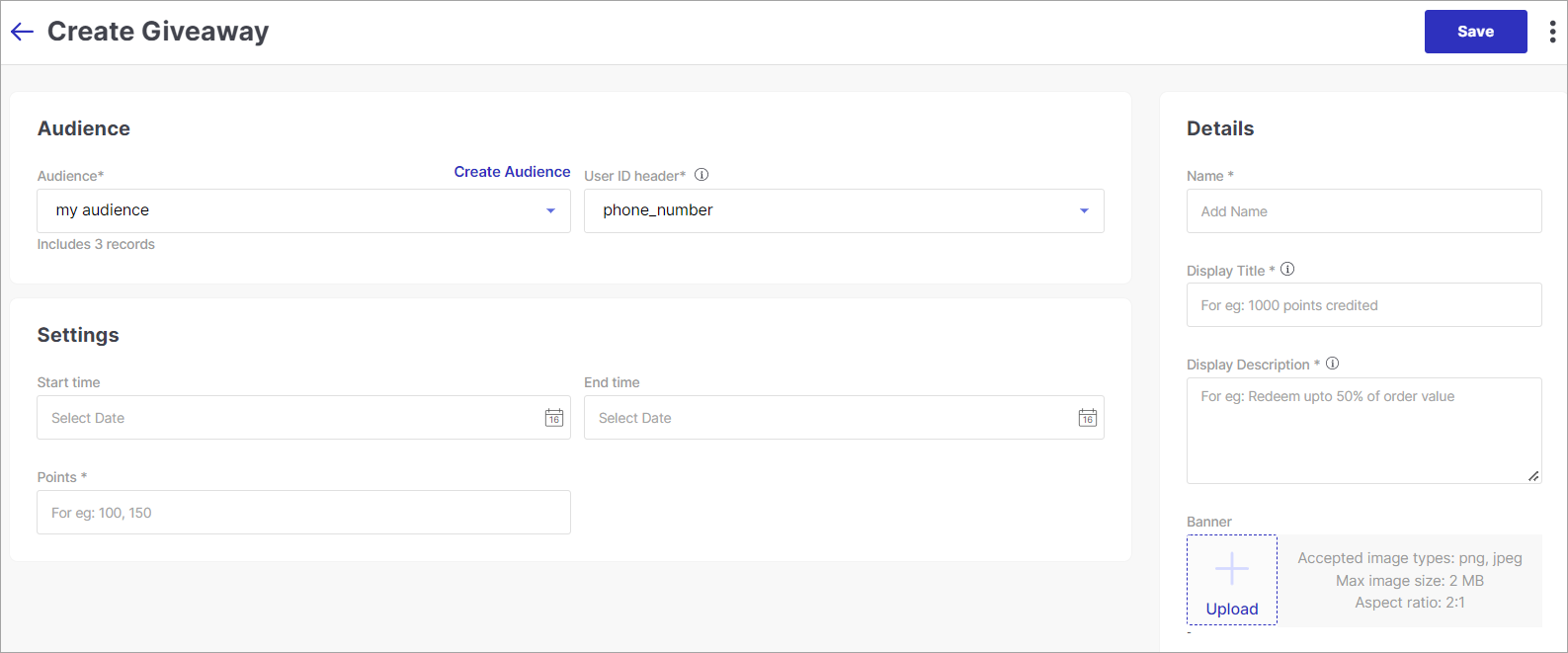
Figure 2: Giveaway Configuration Choose an audience from the drop-down list.
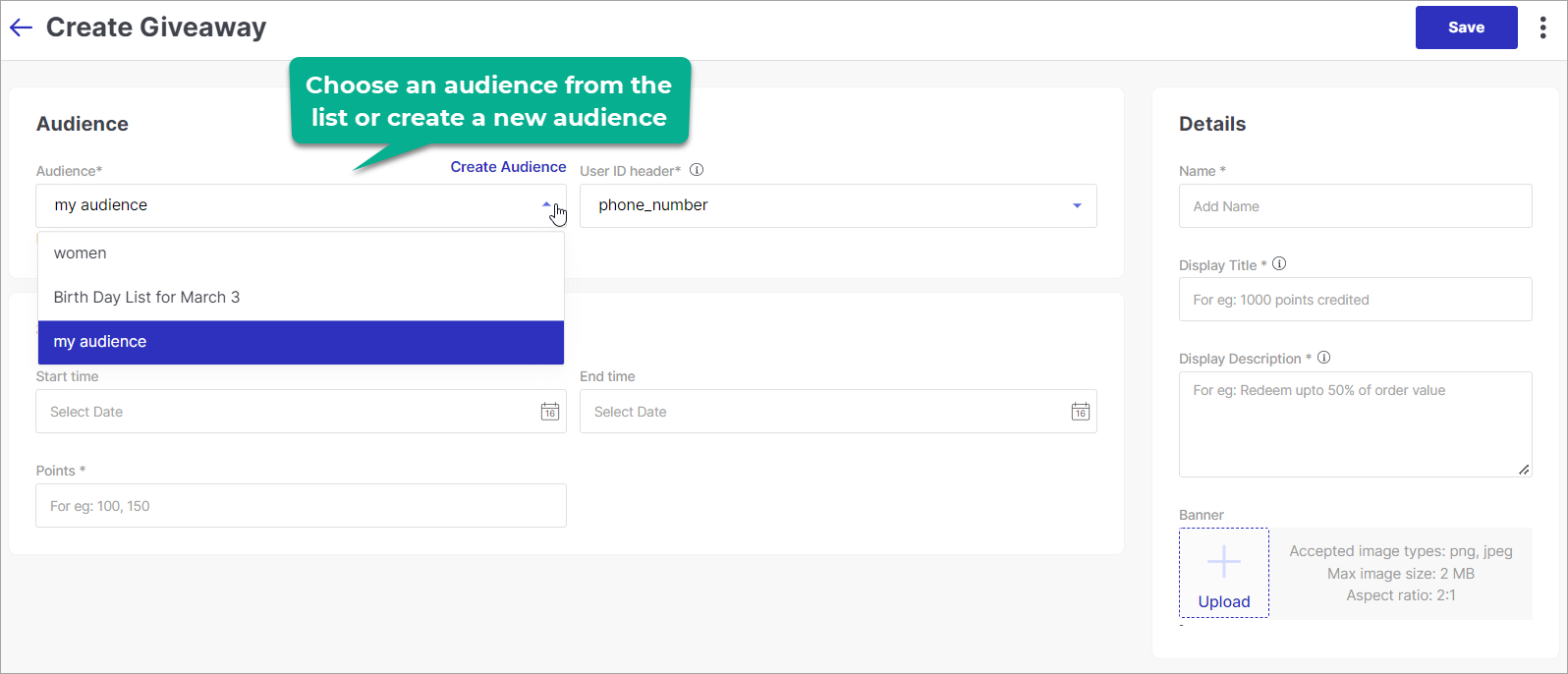
Figure 3: Choosing an Audience
If you haven't created an audience yet, click here to know the process of creating an audience.
Choose the header (column name of the Audience CSV file) that contains the email of your customers.
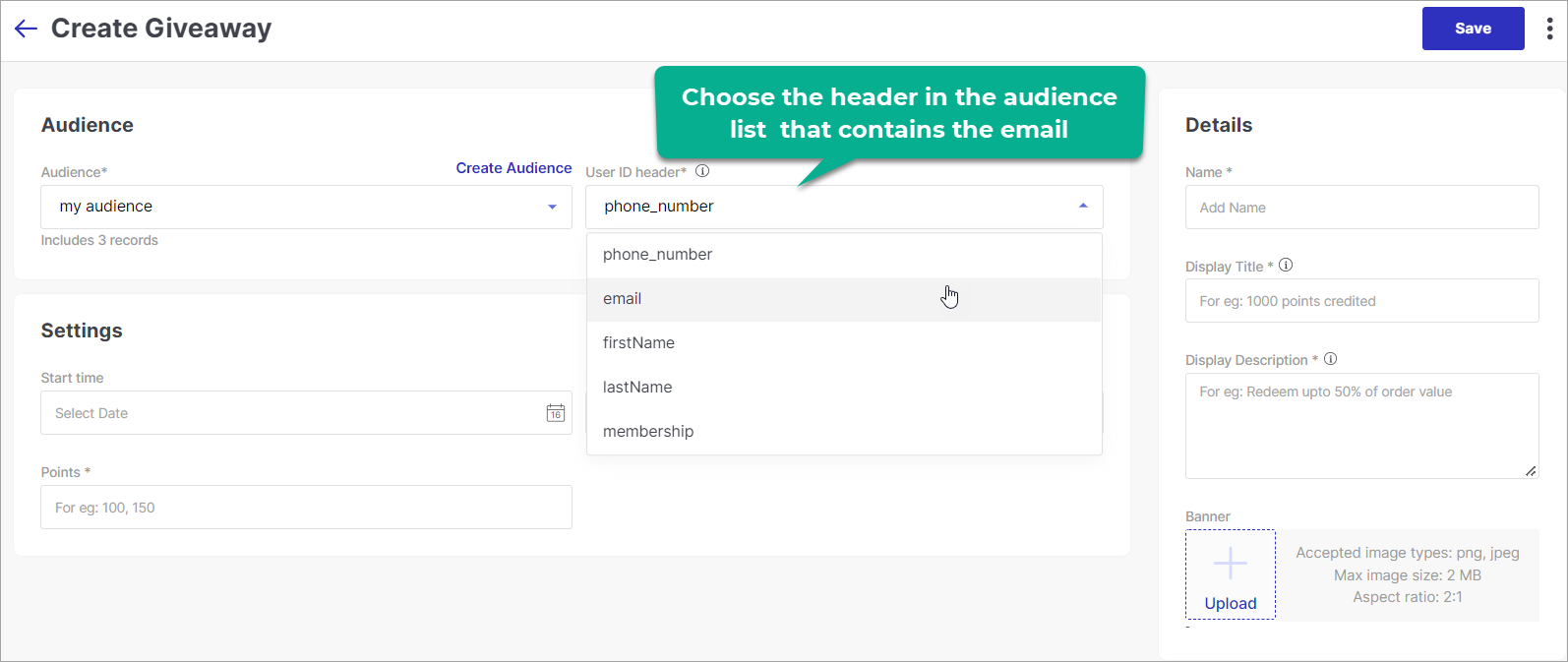
Figure 4: Choosing a Header Choose the validity period, i.e. start date-time and end date-time for the reward points. If your customers don't redeem the reward points before the expiry date, the points will get revoked from their accounts.
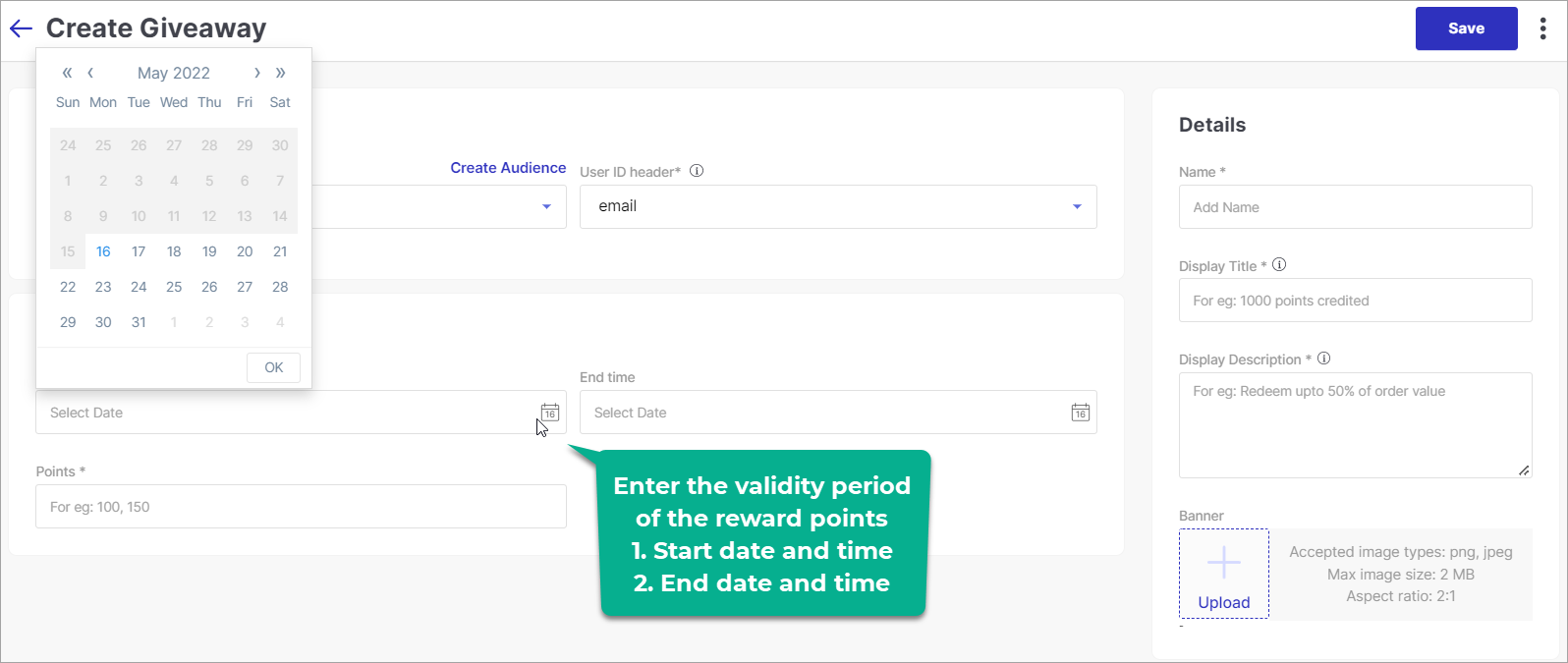
Figure 5: Specifying the Validity of Reward Points Specify the value of reward points to credit your customers.
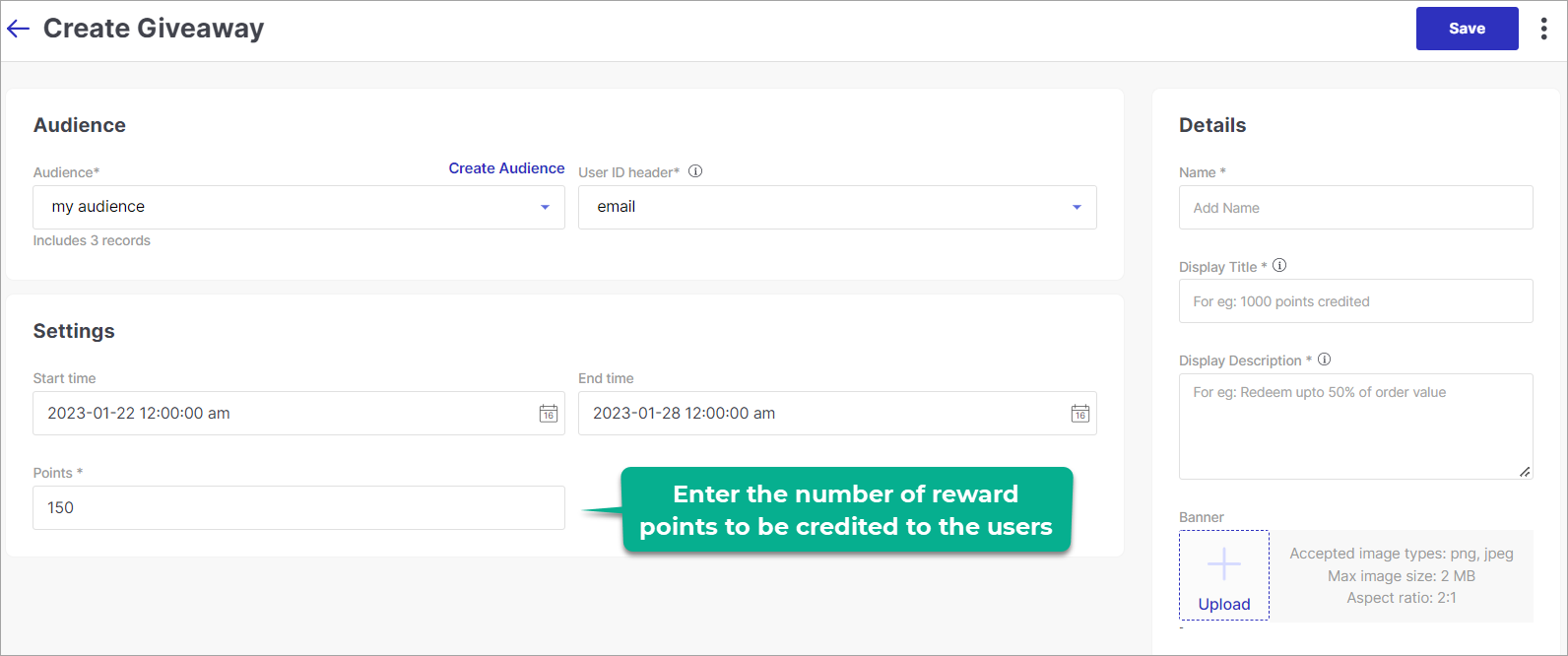
Figure 6: Specifying the Reward Points Enter a title and description that should appear on the rewards page of your customer's accounts.
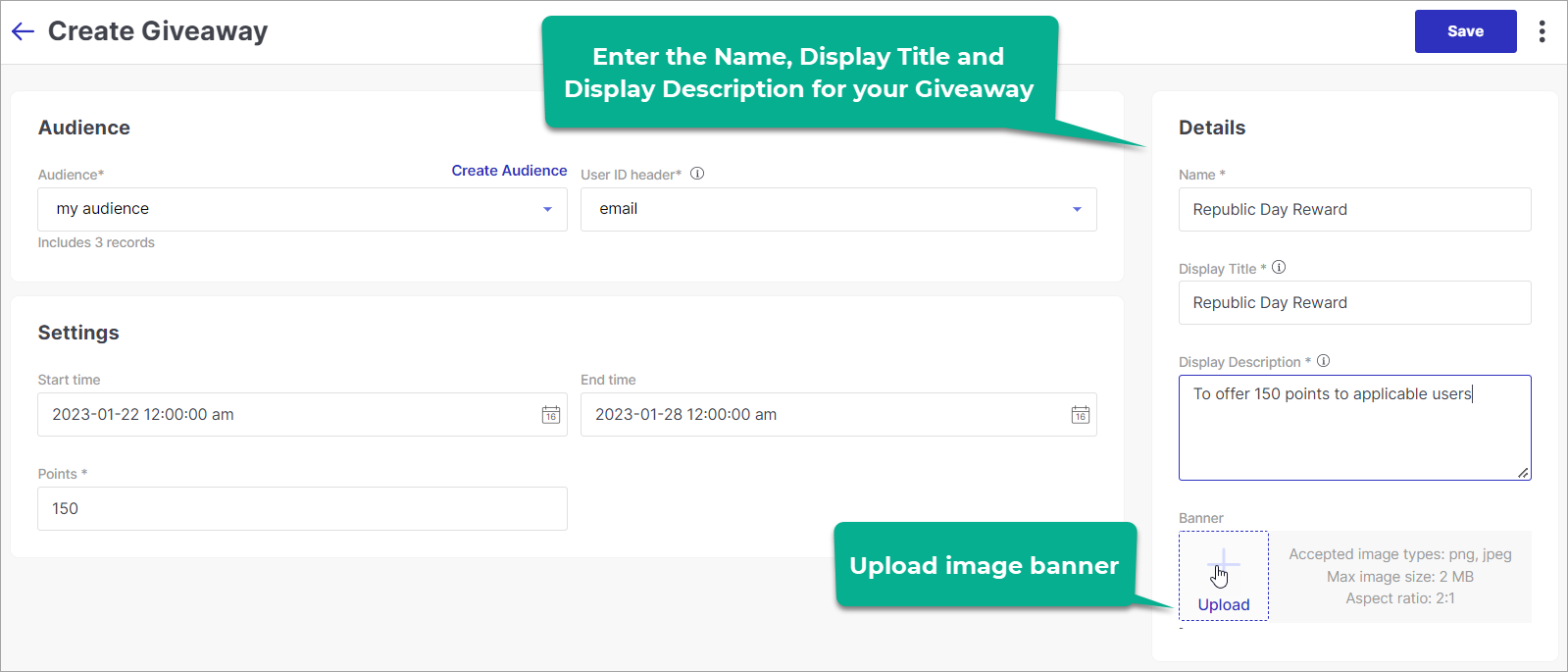
Figure 7: Filling the Details Upload an image banner.
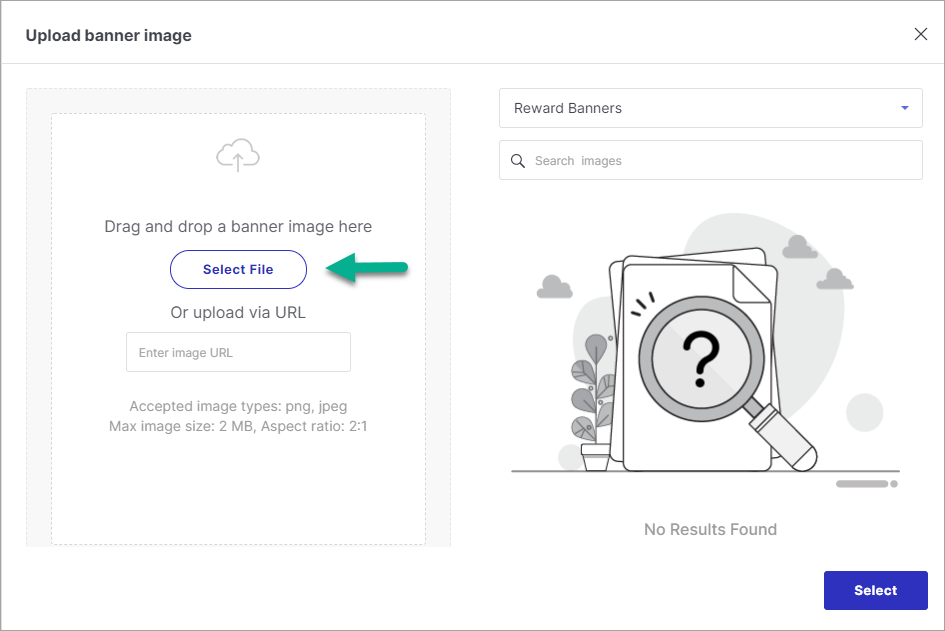
Figure 8: Uploading an Image Banner Select the image once it's uploaded.
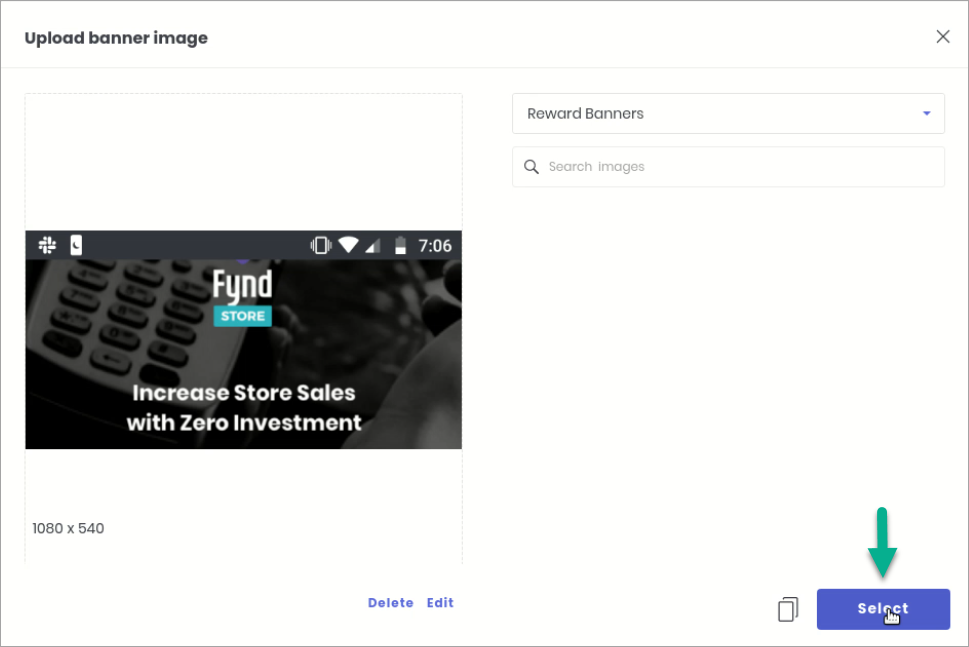
Figure 9: Selecting an Image Banner Save your configuration.
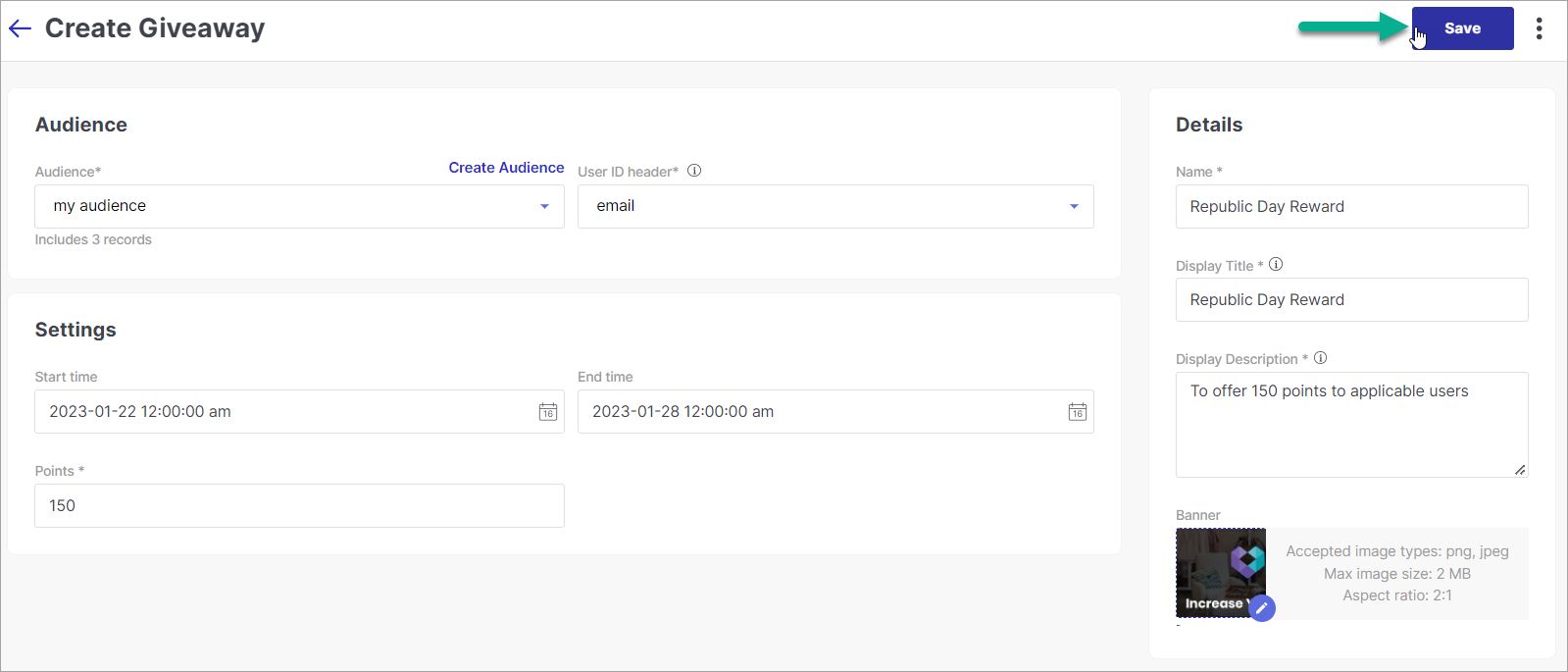
Figure 10: Saving the Configuration Giveaway campaign is successfully created.
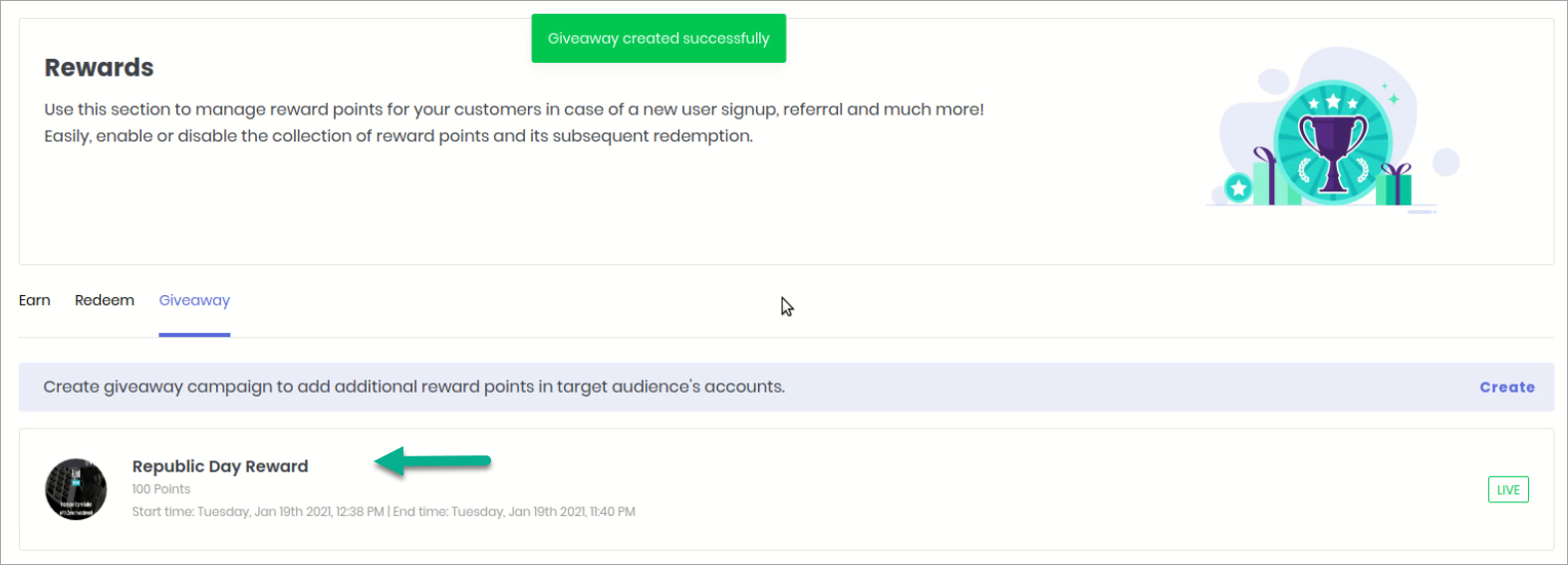
Figure 11: Successfully Added Your beneficiary customers can view the reward on their Refer and Earn page.
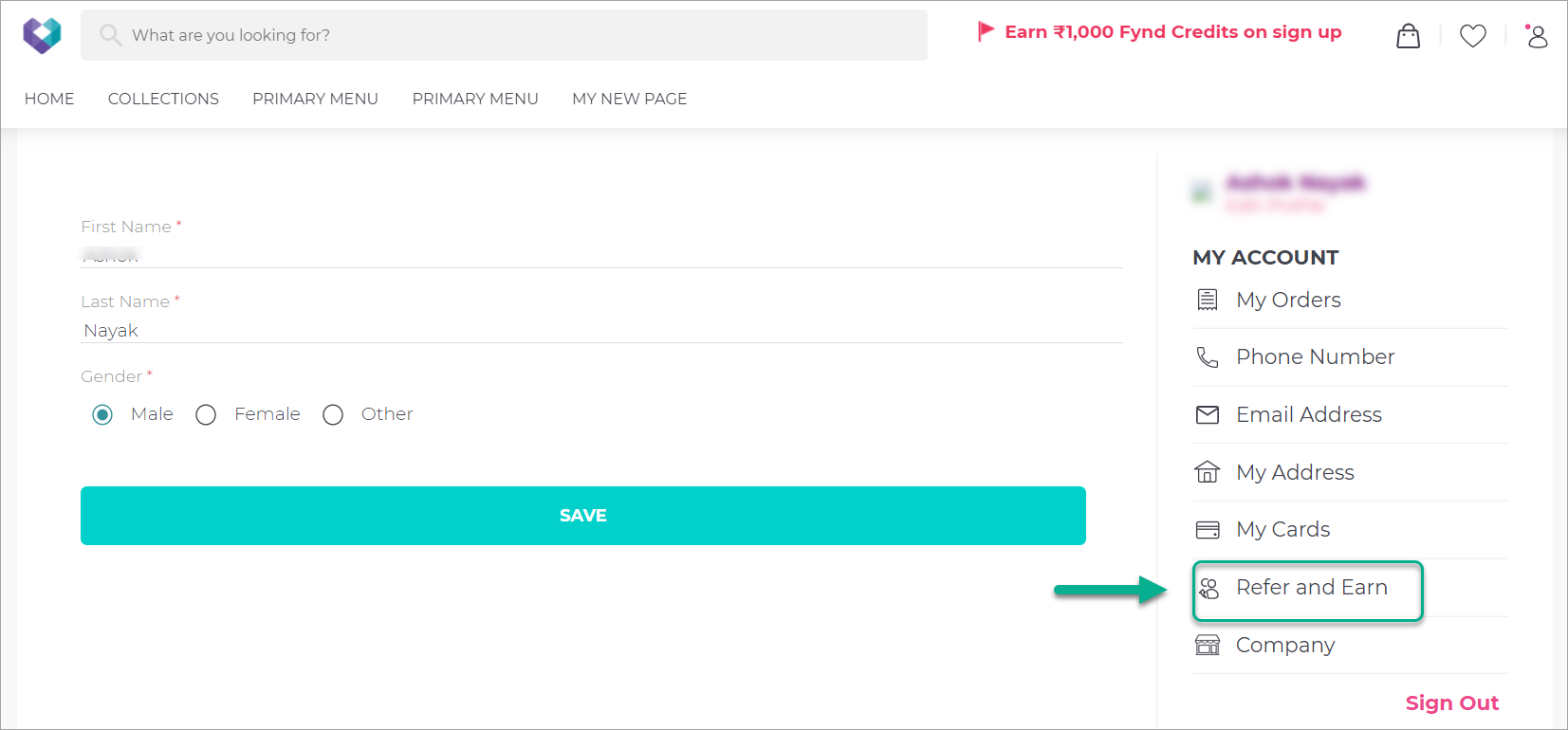
Figure 12: User Account - Refer and Earn They can click on the History tab.
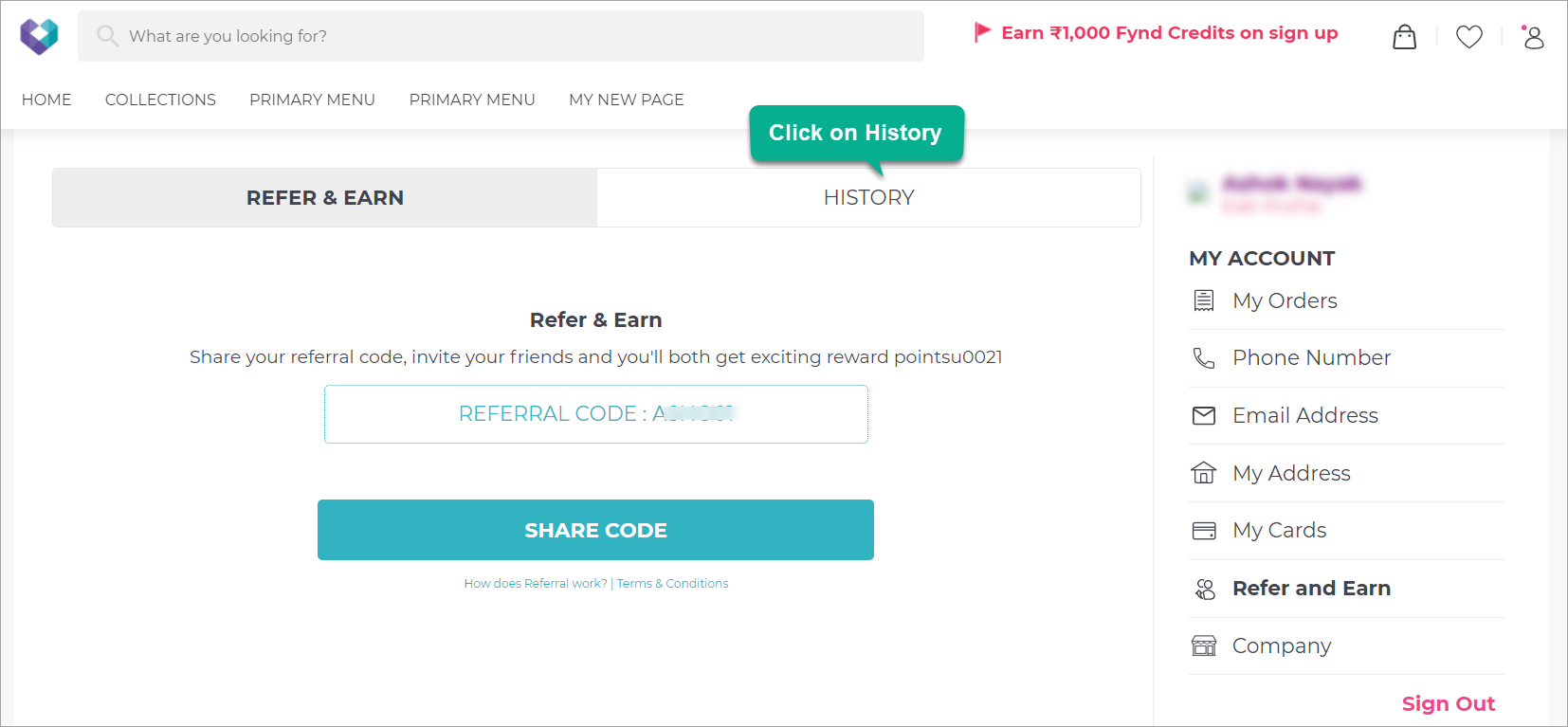
Figure 13: History Tab Your customers can view the reward points successfully credited to their accounts.
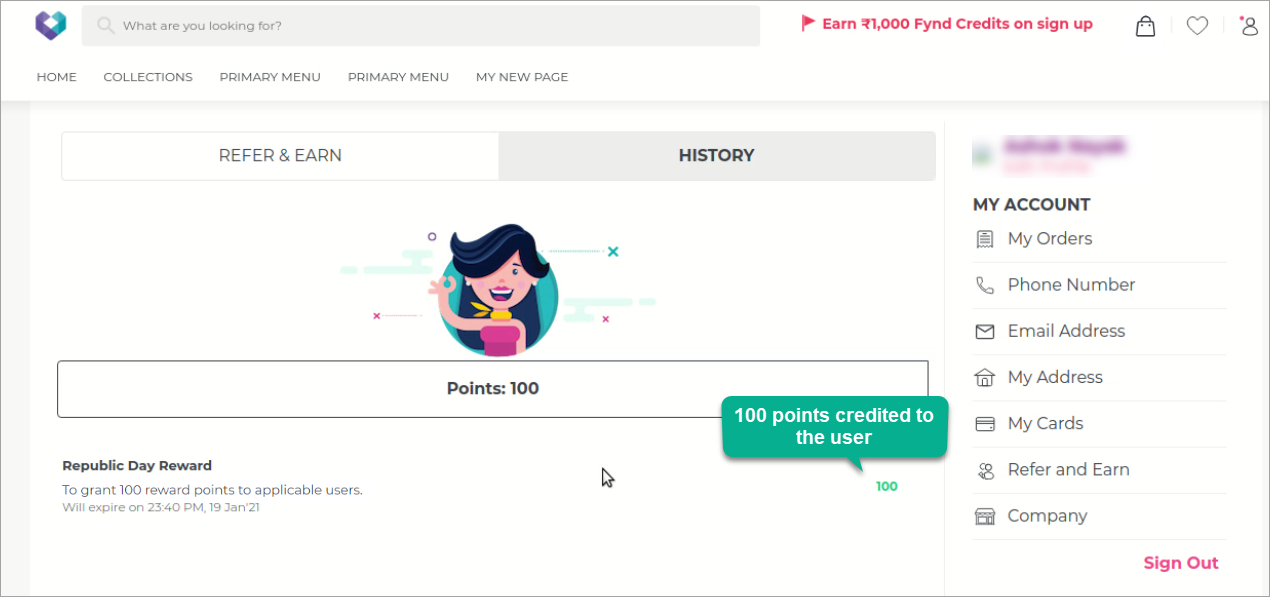
Figure 14: Reward Points Successfully Credited