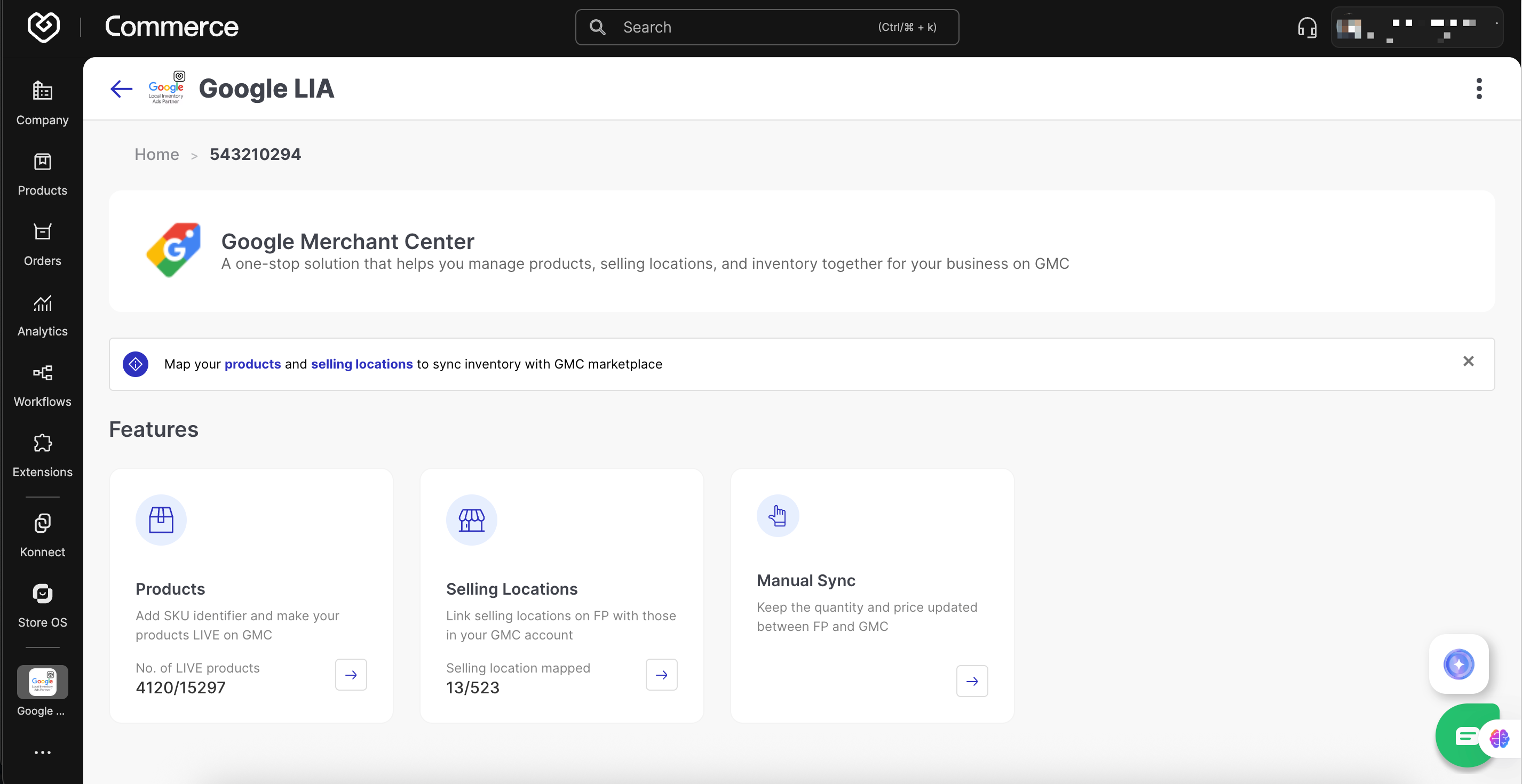
Products Section: Map using GMC Product ID against Fynd Item Code from the GMC product export sheet.
Selling Locations: Map using Location Code from the brand’s GMB export list.
Manual Sync
- Go to: Sync section → Quantity Sync
- Select:
- Date
- Brands
- Stores
- Click Sync
- Go to Fynd Platform → Sales Channel (Main Brand Website) → Extensions → Google Catalog → Copy Generated URL.
- Example:
https://cdn.fynd.com/v2/.../google-catalog.txt
Inventory appears under the Overview section of your Google Merchant Center (GMC).
Initial feed status: Under Review
After approximately 72 hours, status changes to Approved.
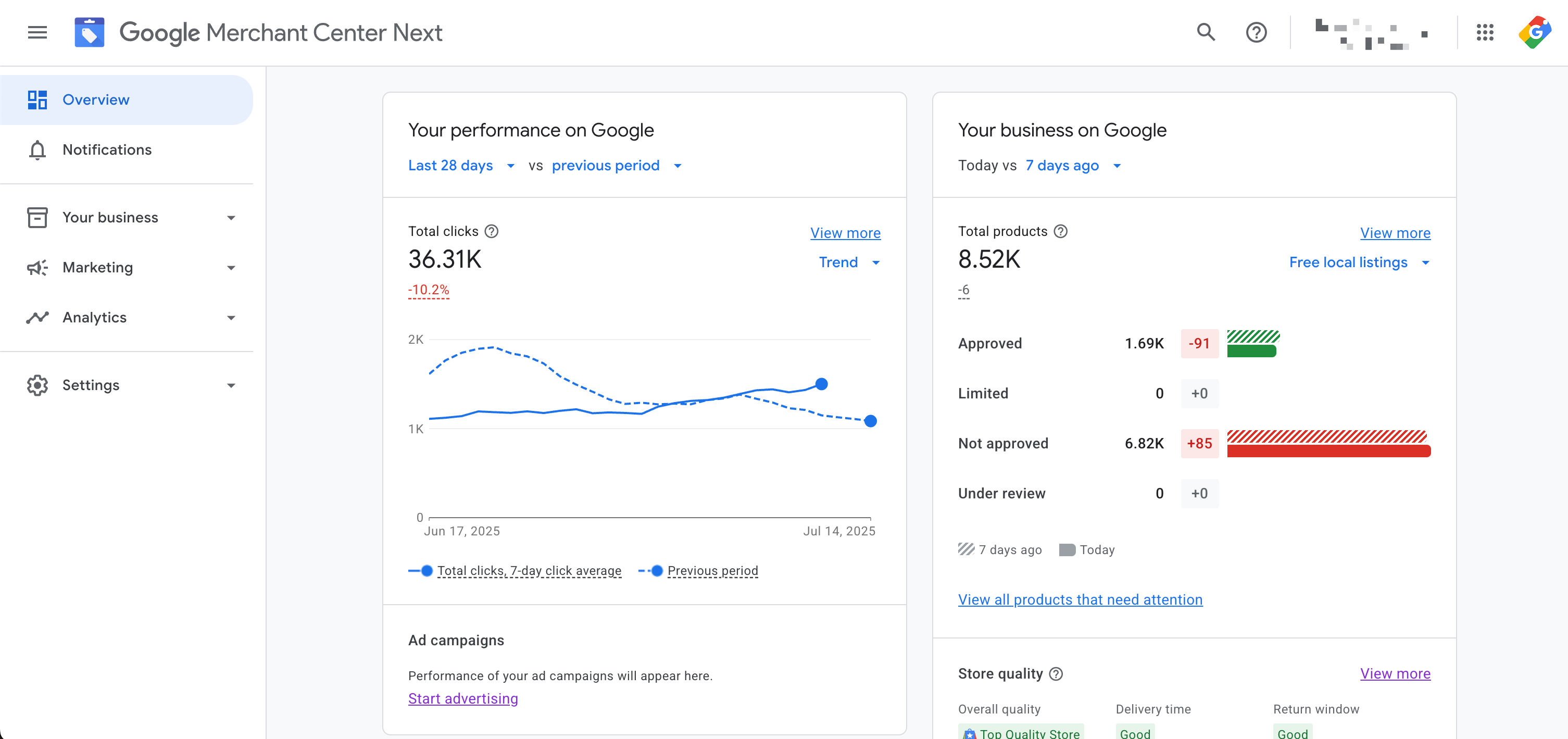
Figure 2: GMC Feed Validation
Marketing Methods to be selected must include all of the following:
For Online Store
- Free listings
- Shopping ads
For Physical Stores
- Free local listings
- Local inventory ads
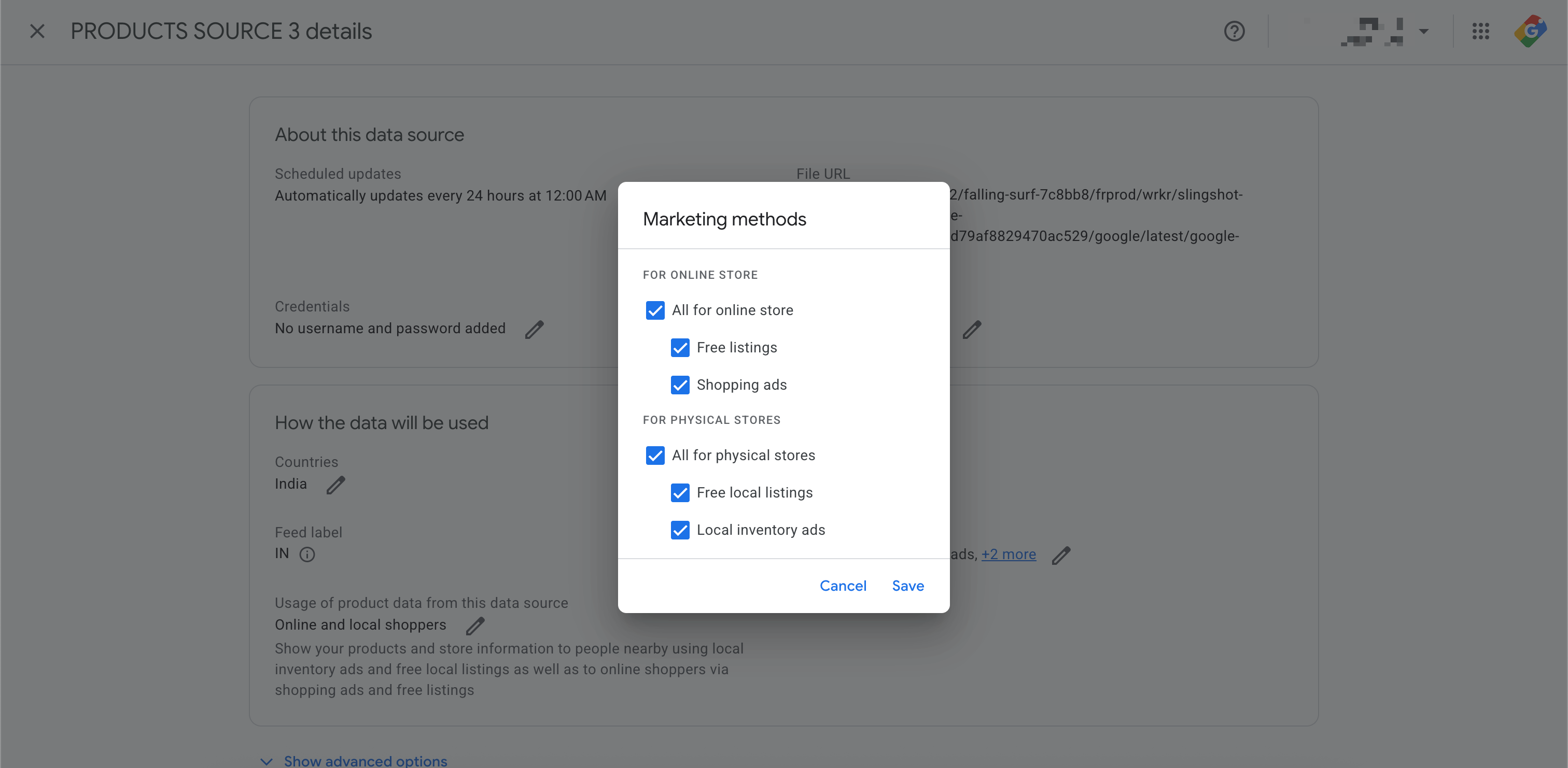
Figure 3: GMC Added Data Source Configuration
Google Catalog Extension Documentation
https://platform.fynd.com/help/docs/extensions/available-extensions/google-catalogue/