Qwikcilver Gift extension enables easy use of Qwikcilver gift cards for your user’s purchases. Users can redeem the card's value, except for a nominal 1 rupee, which can be paid using another payment method. This feature ensures a seamless and flexible shopping experience.
- Navigate to Desired Sales Channels on your dashboard.
- Find Qwikcilver extension in the list.
Once you have installed this extension, it will be available in the list here.
- Open Qwikcilver
Click Settings.
Enter Brand URL, Terminal ID, Username, and Password. These details are provided by Qwikcilver.
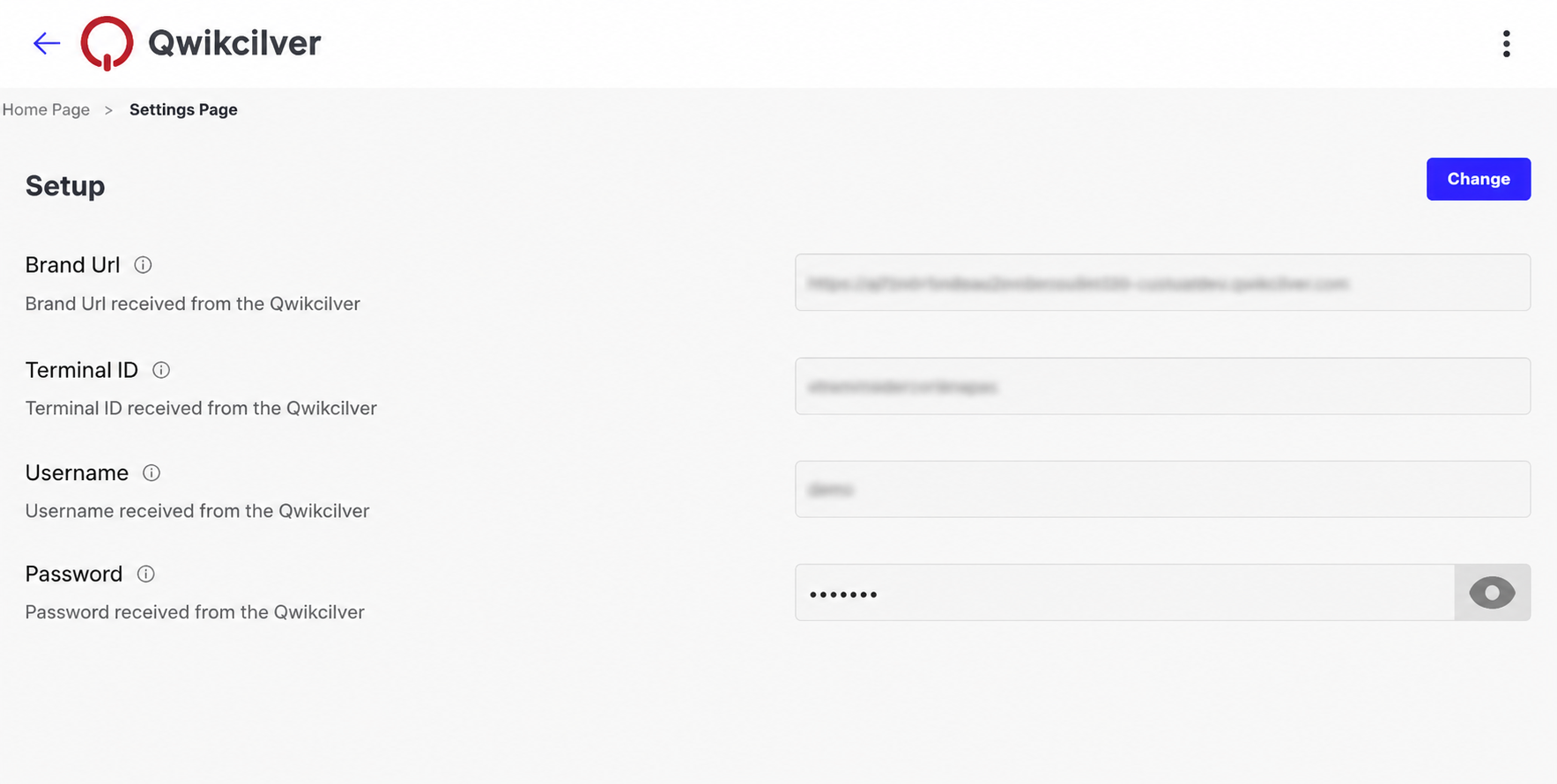
- Click Save.
Click Manage.
Enable Gift Card Redemption option.
Enable My Account option.
To Activate the Qwikcilver Extension, open the extension, and turn ON the toggle button.
To Deactivate the Qwikcilver Extension, turn OFF the same toggle button.
- Go to Sales Channel.
- Click Appearance.
- Select Theme.
- Click Edit to open the Theme Editor.
- Add a product to the cart in the Theme Editor preview.
- Enter a delivery address and proceed.
- Click PROCEED TO PAY.
- The Single Page Checkout page will be displayed.
For Vue Themes
Follow these steps to add the Qwikcilver extension to themes built with Vue:
- In the left sidebar, click Page under Sections.
- Click the Add (+) icon under Below Payment Options.
- Select Qwikcilver from the dropdown list.
- In the Wrapper dropdown, select Checkout Page.
- Click Save.
For React Themes
Follow these steps to add the Qwikcilver extension to themes built with React:
- On the Single Page Checkout page, open the Sections tab from the left sidebar.
- Click + Add Section.
- From the left sidebar accordion, select Extension.
- Scroll down and select Qwikcilver Giftcard (qc-ssr).
- Click Add.
- Click Save.
For Customers - Customers have the option to select APPLY GIFT CARD, where they can input their Card Number and Pin. To check the balance, click Check Balance, and to apply it to their cart, click Apply.
.png)
.png)