Before you treat the channel as fully live, verify that mapping, inventory, and orders are flowing correctly between Fynd and Clozzet, and learn where to monitor ongoing syncs.
Before verifying the channel configuration, please review our comprehensive Configuration Checklist.
Unmapped SKU Review: In Products → Channel Mapping, check for any variants that remain unmapped and map them either manually or via bulk upload.
Mapping Accuracy Goal: Review the Clozzet product codes, buffer quantities, and status toggles across a sample of your mapped variants. Confirm the variants you intend to sell show as Active.
Learn more about Konnect's Unified Inventory Logs here
Go to Products → Inventory Logs
Filter by your Clozzet account and the last 24 hours
Monitor sync entries to verify inventory sent, buffer applied, etc.
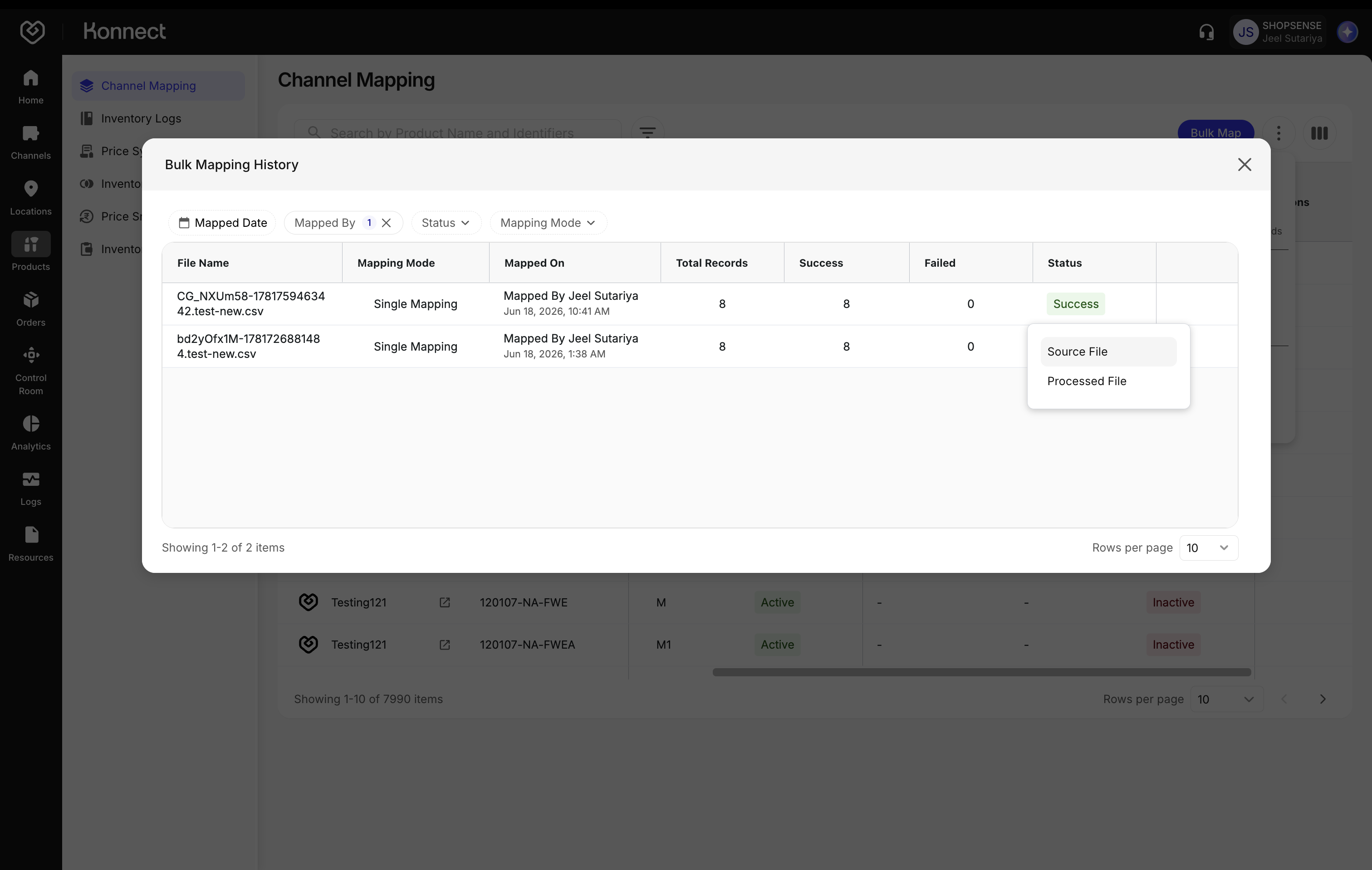
Figure 1: Inventory Logs Buffer Stock Accuracy
- Calculate:
Visible Stock = Total – Buffer - Validate across 3–5 random SKUs
- Calculate:
On a successful product mapping, Fynd pushes inventory at the variant x location level for every location the SKU is live on. Price Sync is off on this channel, so only inventory updates are sent.
- Run a Test Order on Clozzet using a mapped, in-stock variant at an active, mapped location.
- Confirm the order appears in Fynd in real time.
- Verify:
- Customer info
- Pricing
- Fulfillment location
- Inventory deduction
- Shipment Sync: Because Clozzet runs its own rider fleet, confirm that the AWB, courier partner details, and delivery status updates sync back from Clozzet into Fynd.
- Customer Cancellations
- Confirm a customer-initiated cancellation on Clozzet reflects in Fynd
- Verify inventory auto-revert
- Seller Cancellations
- Confirm a seller-initiated cancellation syncs from Fynd to Clozzet
- Cancellations are bidirectional on this channel
Returns are not supported by Clozzet at this time, so there is no return flow to test.
- Inventory Logs — audit inventory sent and buffer applied per account
- Price Sync Logs — reference logs for the channel (note that price sync is off)
- Bulk Mapping History — check the status of bulk jobs and download source and processed files to investigate SKU-level failures
- Configured Channels — confirm the account remains Active and review its configuration
Next step: Run through the Configuration Checklist before Go Live.