This document explains how access to Cash Management is controlled and how different roles in your business interact with cash registers. Setting the right permissions ensures smooth operations and prevents misuse of cash.
Cash Management access is governed through Teams in the Fynd Commerce Platform. Each user is assigned a role, and each role defines what the user can see and do within the Cash Management module. Broadly, there are two types of access involved:
- Company-level users who oversee all stores
- Store-level users who operate and manage cash within specific stores
Company Owners and Company Admins have complete visibility across the business. Their role is primarily supervisory and configurational rather than operational. They can configure Cash Management settings, including denominations, reasons, and discrepancy limits. They can view all types of registers across all stores—sales registers, store deposit registers, petty registers, and bank deposits. This allows them to understand how much cash is held at each store and how money is moving across the organization. Company-level users typically do not perform daily cash operations but rely on Cash Management for reporting, audits, and business-level decision-making.
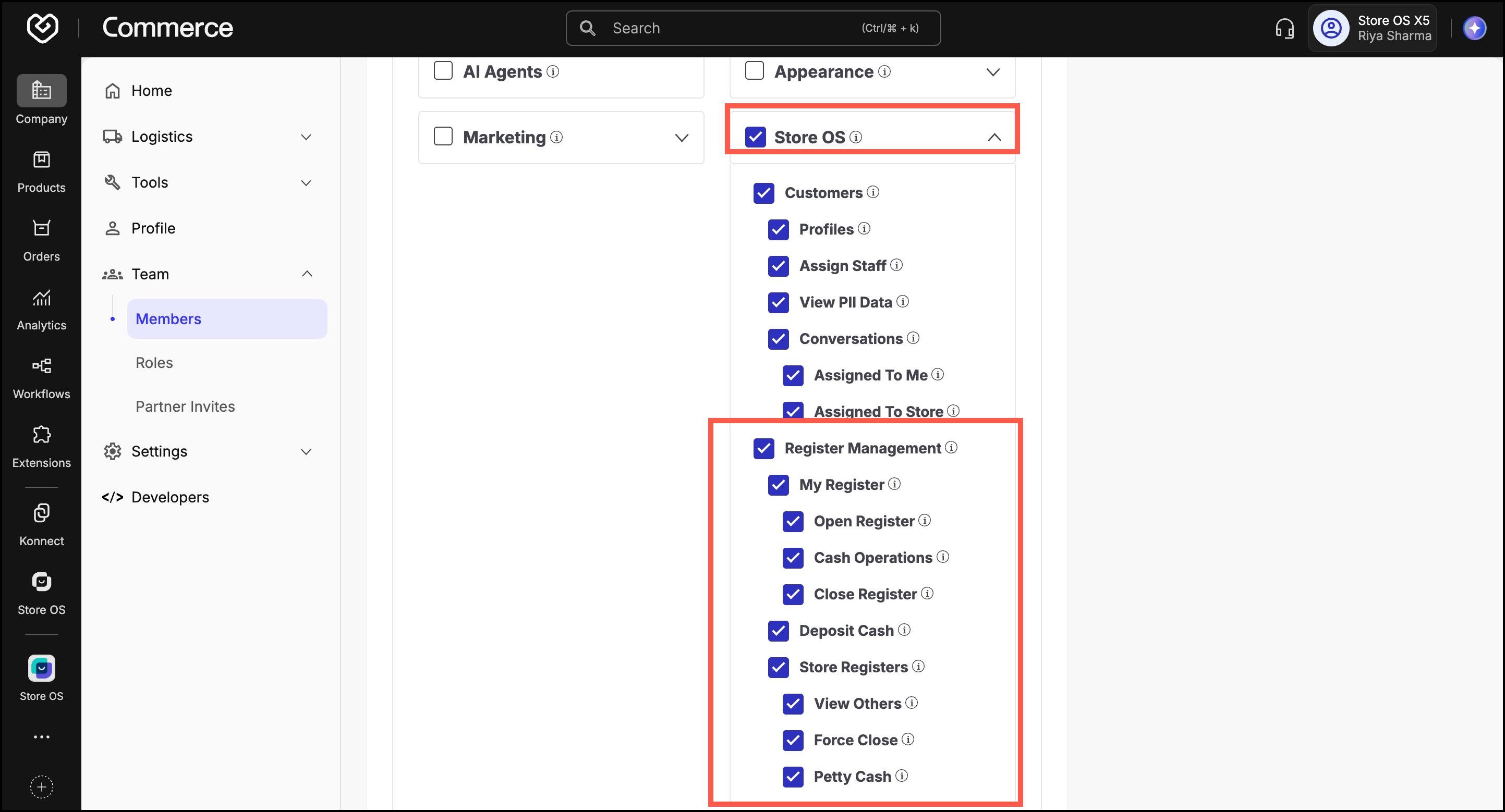
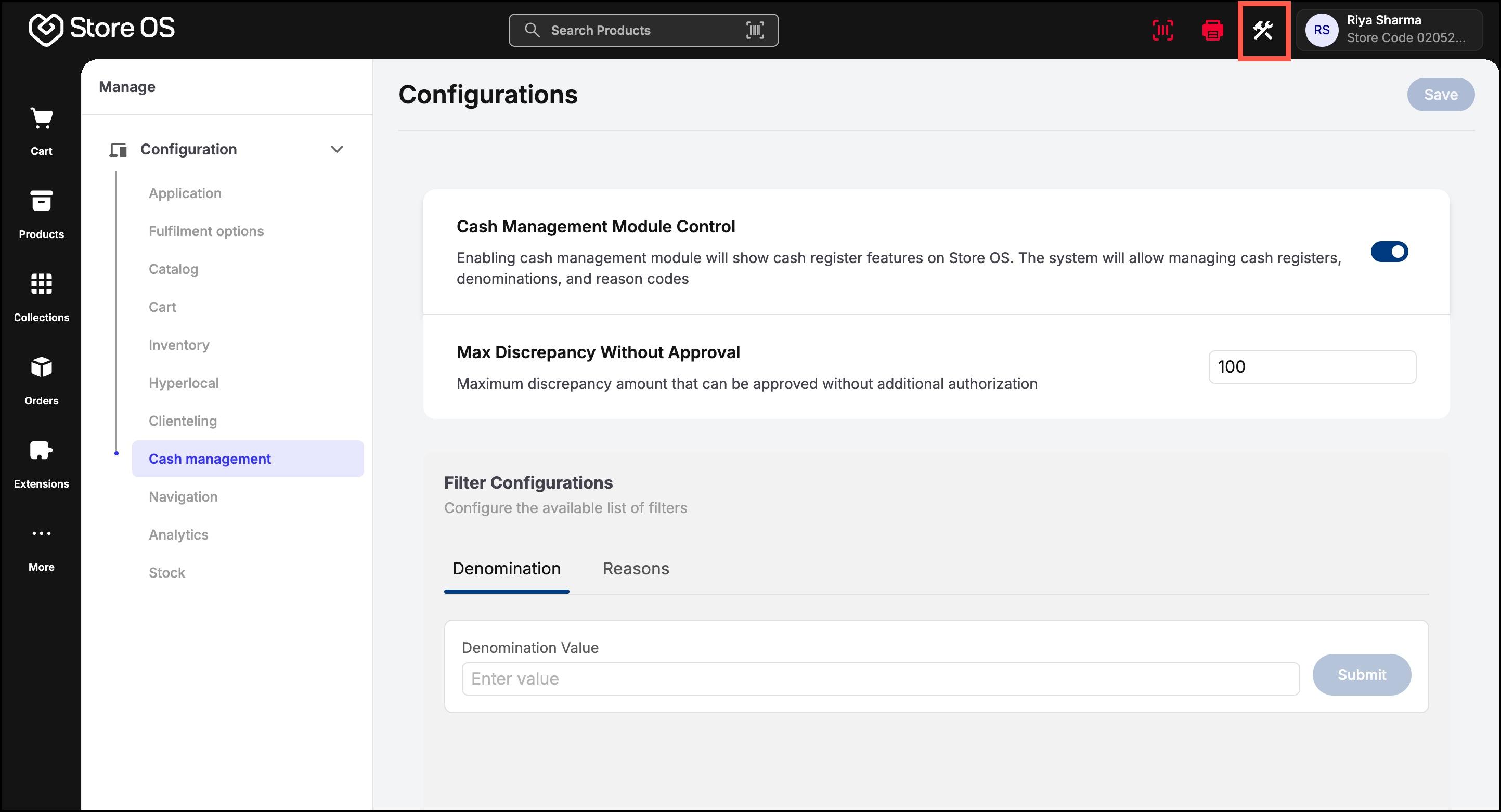
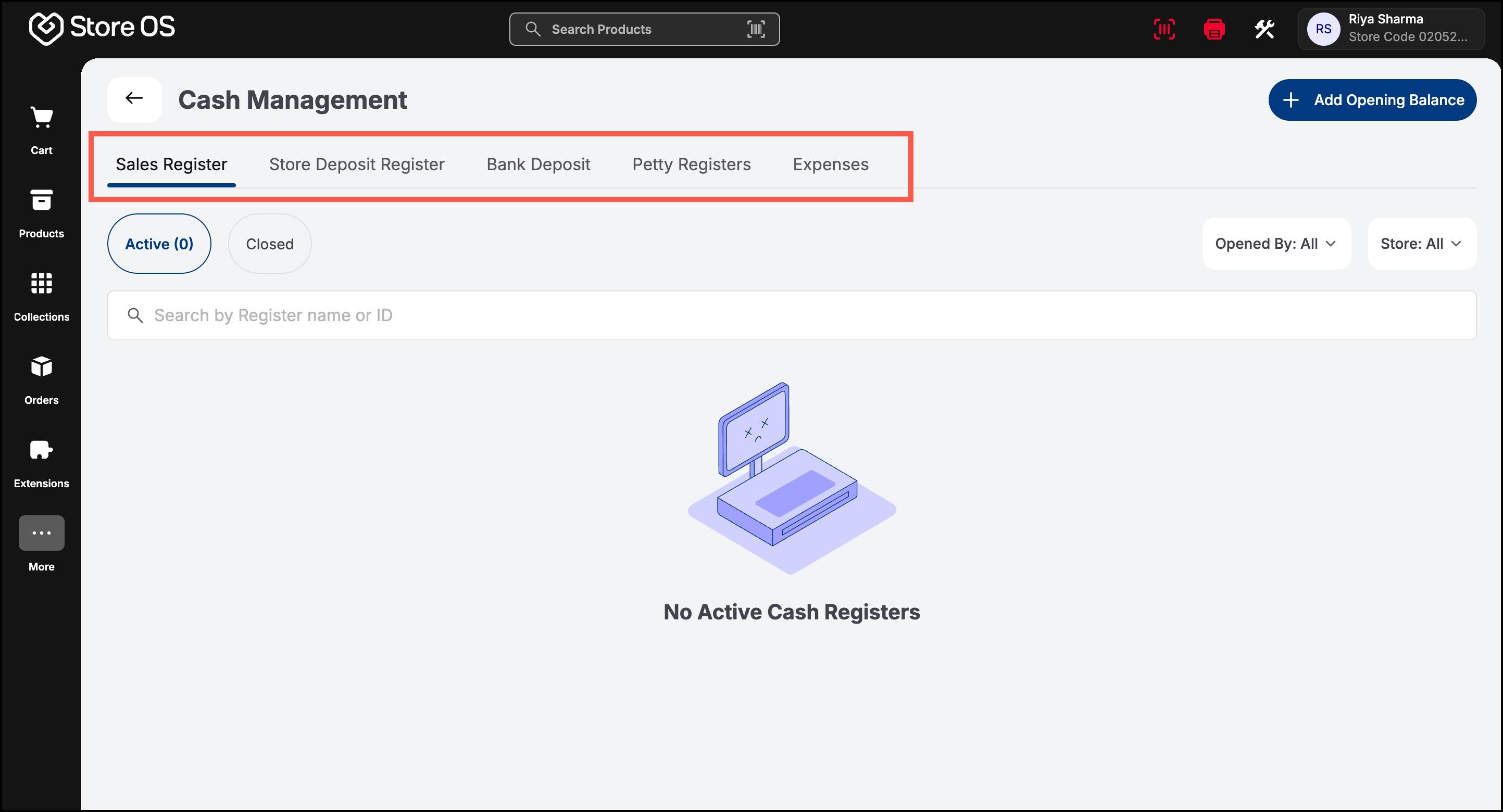
Store-level roles are limited to the stores they are assigned to. These users are responsible for day-to-day cash handling and store operations. There are two primary store-level roles:
- Store Associate
- Store Manager
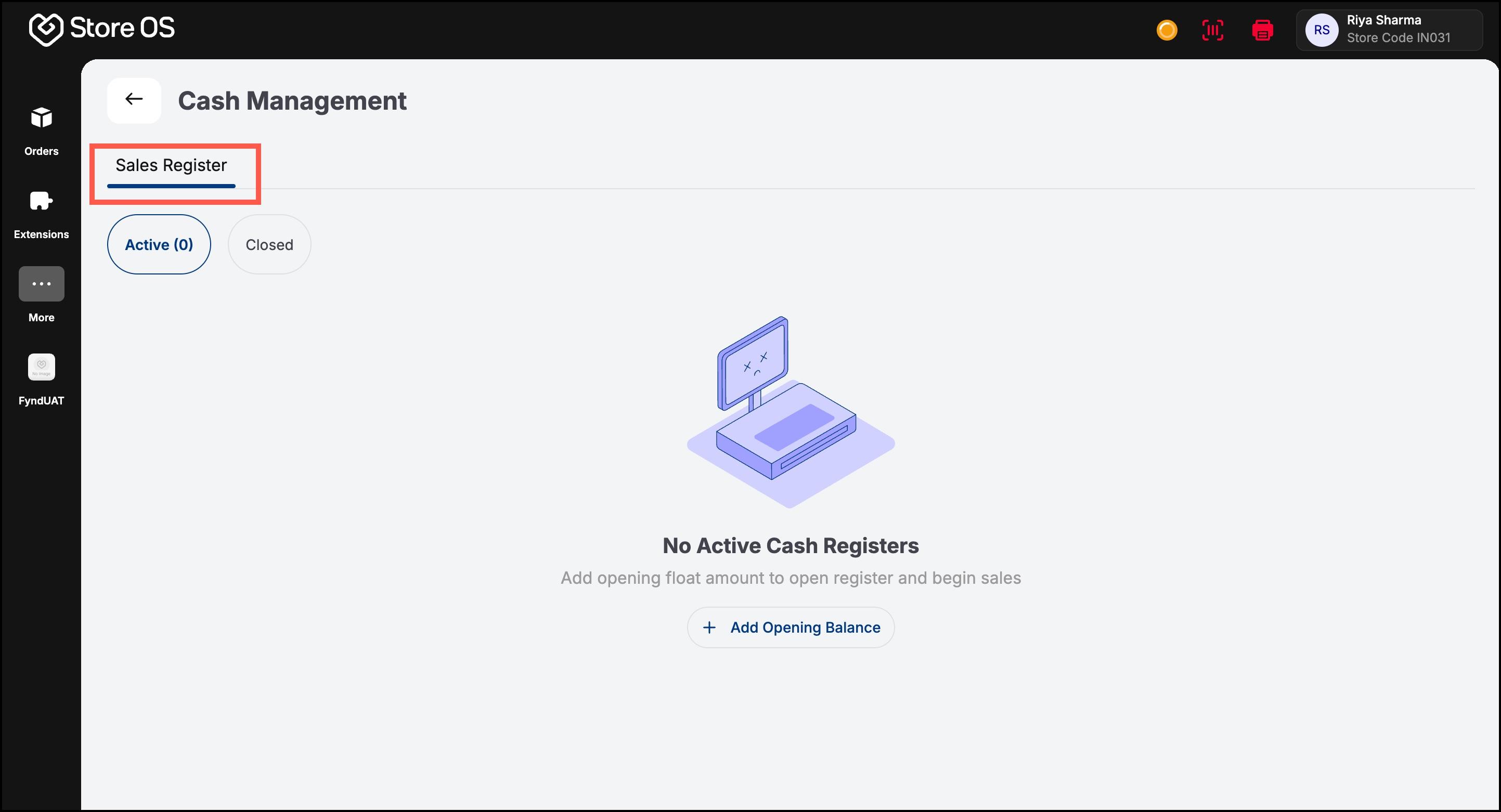
Store Associate (Sales Associate / Cashier): A Store Associate is responsible for handling cash at the counter during daily sales operations. Their access should be minimal and focused only on their own register. In an ideal setup, a Store Associate has access to their own sales register only. They can open the register at the start of the day, perform cash operations during the day, and close the register at the end of their shift. The recommended permission for a Store Associate is My Register. This includes:
- Open Register
- Cash Operations
- Close Register
With this access, the associate can:
- Open a sales register using cash from the store deposit register
- Collect cash from customer orders, which is automatically recorded
- Perform cash in operations when additional change is needed
- Close their register at the end of the day
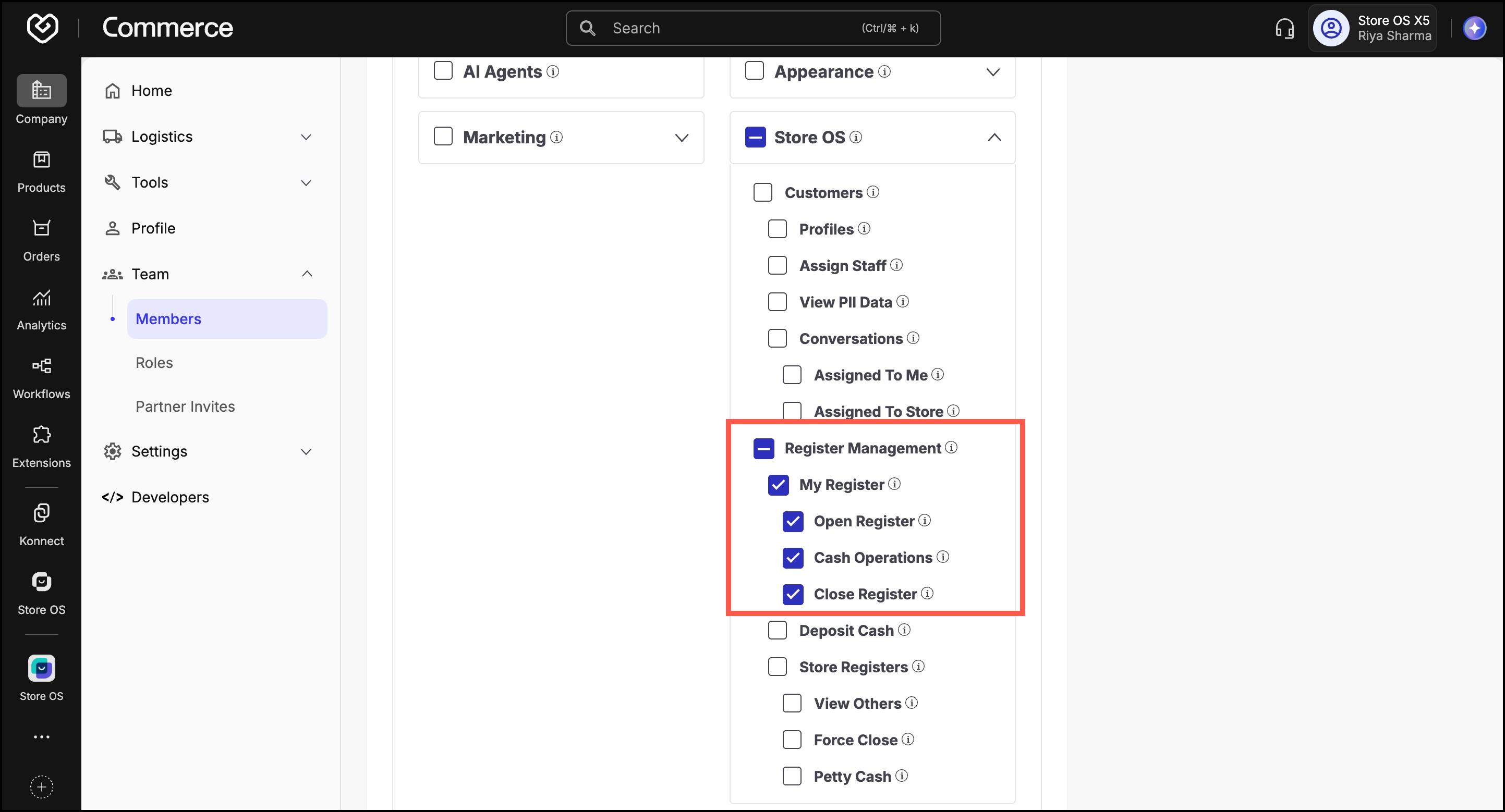
They cannot view or manage other associates’ registers, store deposit registers, petty registers, or bank deposits. This restriction helps reduce errors and ensures clear accountability.
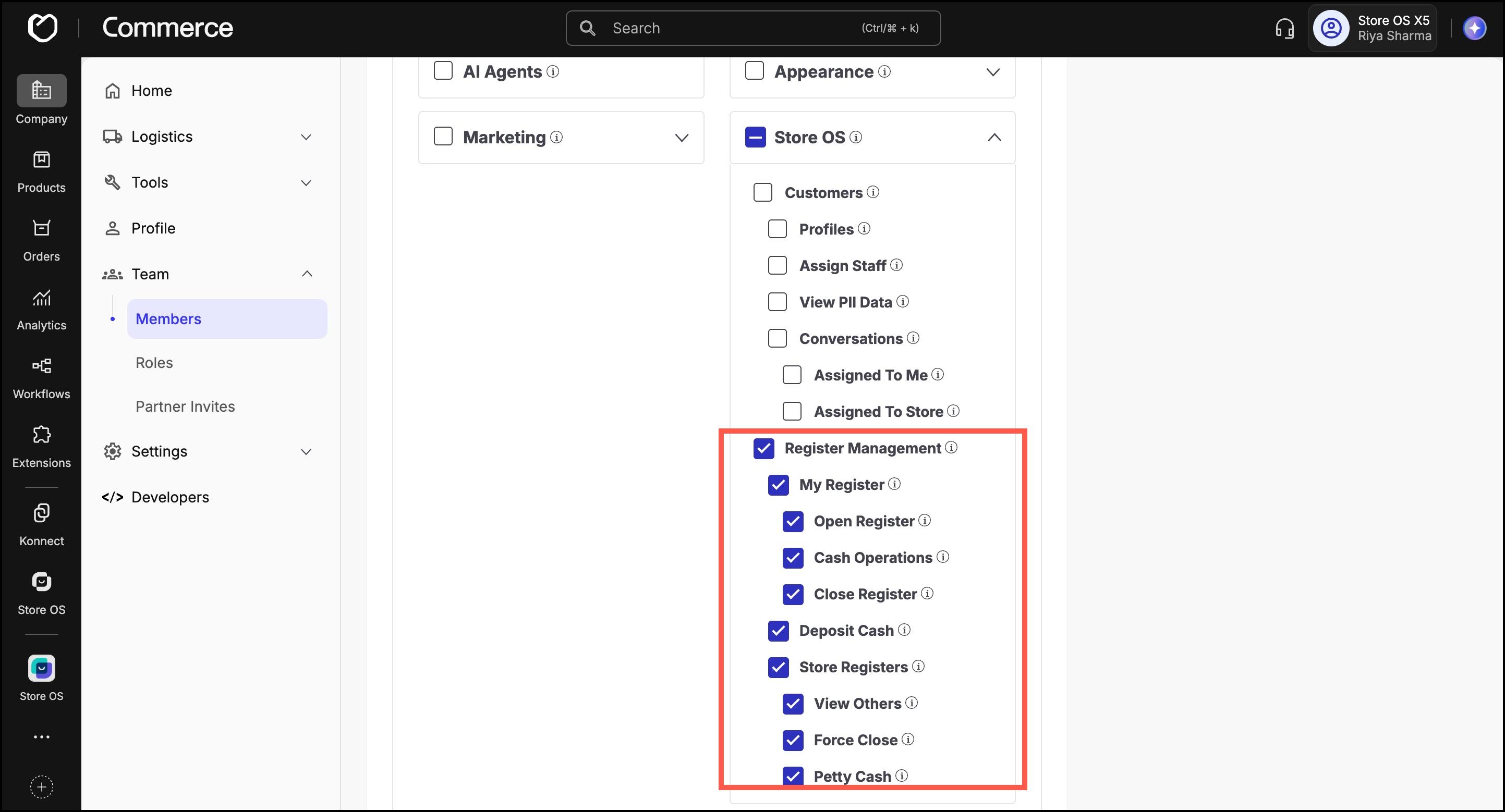
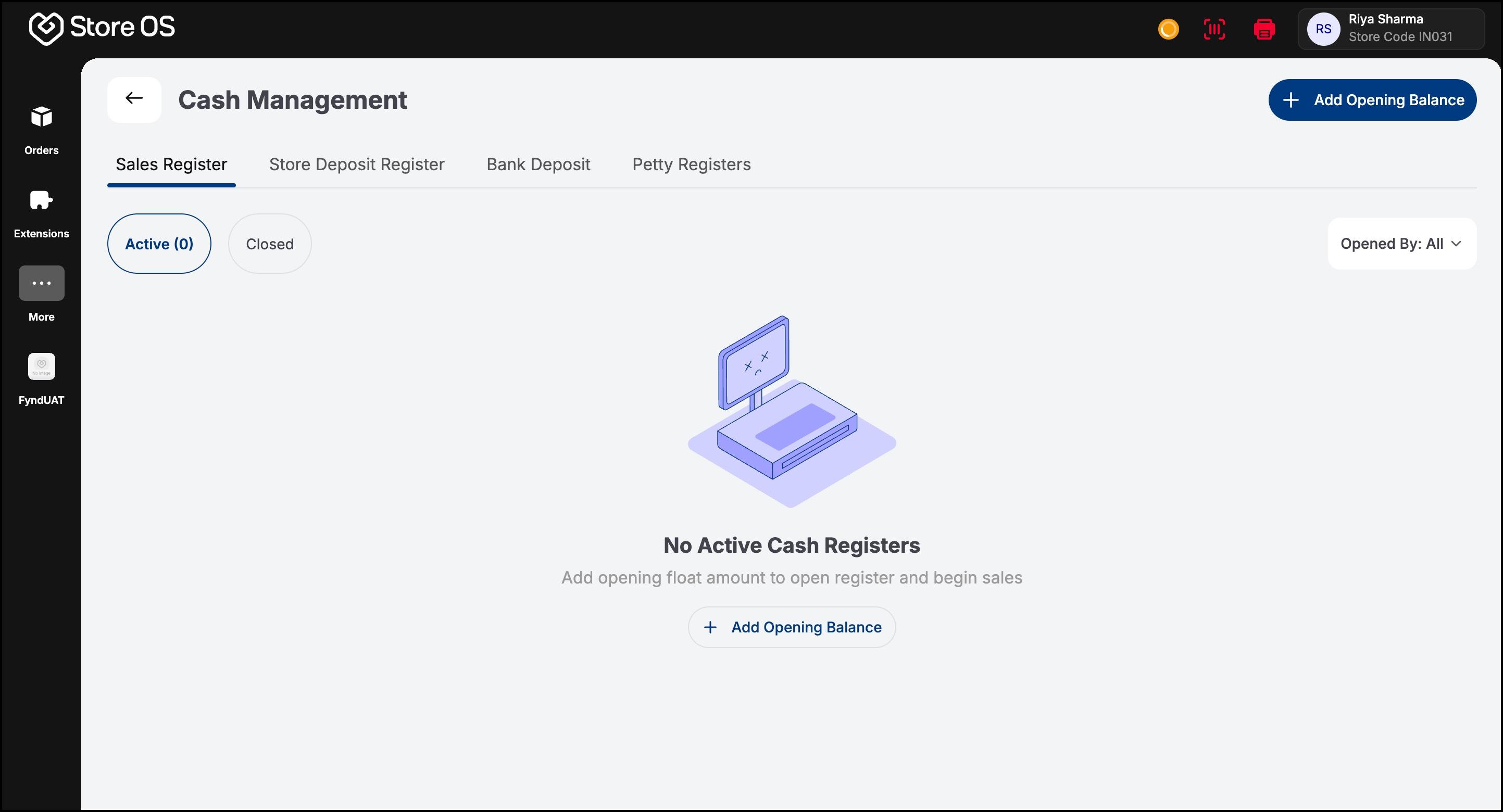
Store Manager: A Store Manager oversees cash operations for an entire store. In addition to performing their own register operations (if needed), they monitor and manage the work of store associates. A Store Manager can view all sales registers belonging to associates in their store. They can track who opened and closed each register, how much cash was handled, and whether there were any discrepancies. In addition to sales registers, a Store Manager can access the store deposit and bank deposit registers through the Deposit Cash permission, and manage petty registers through the Petty Cash permission. This allows them to manage excess cash, record bank deposits, and handle store-level expenses. Typical permissions for a Store Manager include:
- All Store Associate permissions
- View Others
- Store Registers
- Deposit Cash
- Petty Cash
This role is critical for ensuring that daily cash operations are accurate and that all cash is properly reconciled before deposits are made. If a Store Manager is assigned access to multiple stores, they can view sales registers for all those stores. They can filter registers by store to see store-specific activity. When viewing all stores together, filtering by individual store associates is disabled. To view registers for a specific associate, a single store must be selected first. This design keeps the interface clear and avoids confusion when managing multiple locations.
Correct access control ensures that:
- Store Associates focus only on their own cash handling
- Store Managers maintain oversight without interfering in every transaction
- Company Admins have complete visibility without operational overload
By assigning the right permissions to the right roles, Cash Management remains secure, auditable, and easy to use for everyone involved.