This document is for Company Owners and Company Admins who are setting up Cash Management for the first time. It explains what Cash Management does, why it is important, and how to configure it correctly before stores begin operations.
Cash Management helps you track the physical cash inside your store. It records:
- Cash coming into the store, such as payments from customers, or cash sent from headquarters
- Cash going out of the store, such as bank deposits, or store expenses
- The user who performed each action, along with the date and time
Once enabled, Cash Management becomes the single source of truth for store cash.
Store OS → Configurations → Cash Management
- Turn ON Cash Management Module Control. This makes the Cash Management tab visible in Store OS
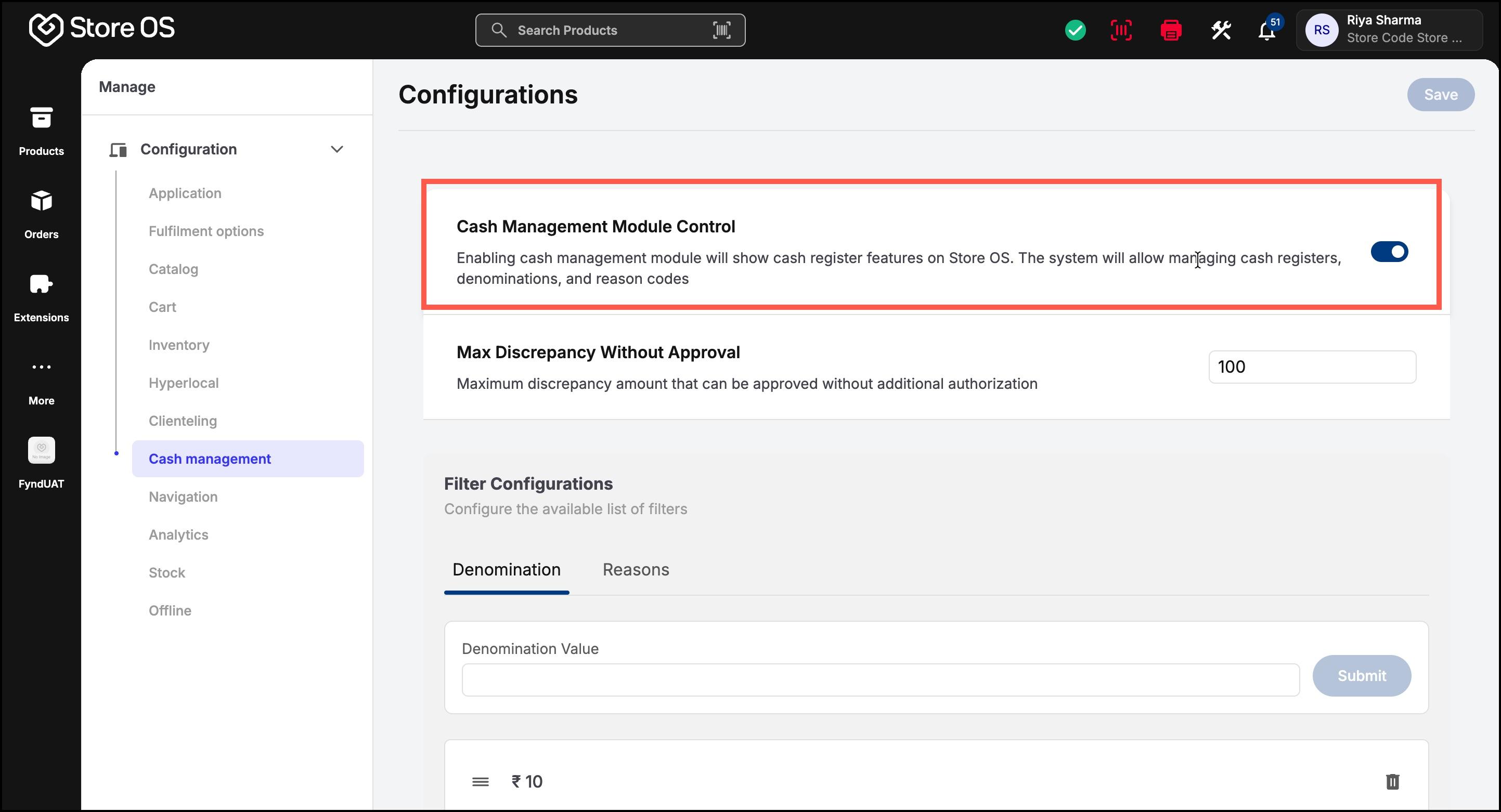
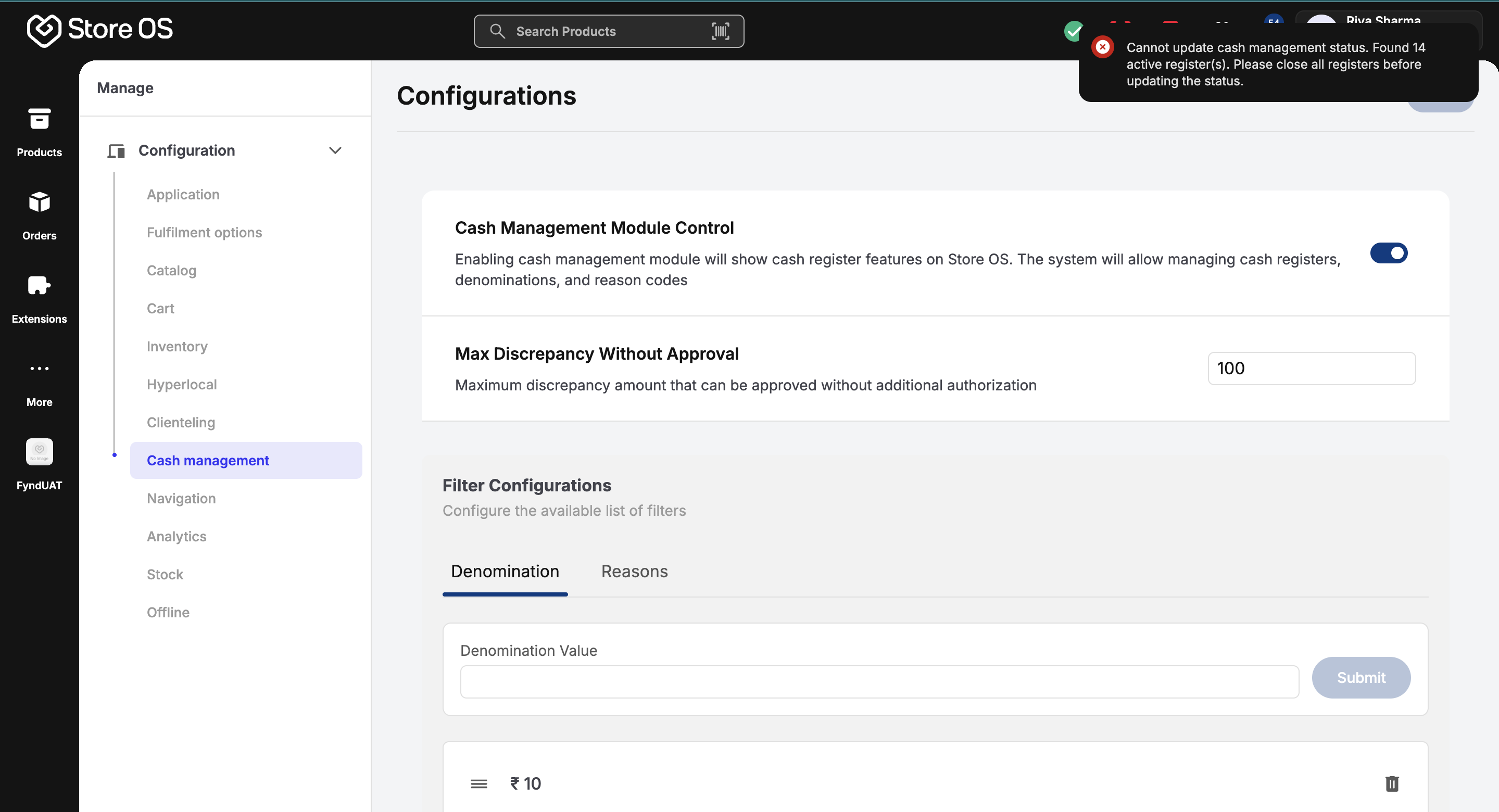
Note: If even one sales register is open in any store, Cash Management cannot be turned off. This prevents loss of data and ensures cash records remain consistent. If your business does not accept cash as a payment mode, you can keep this module disabled.
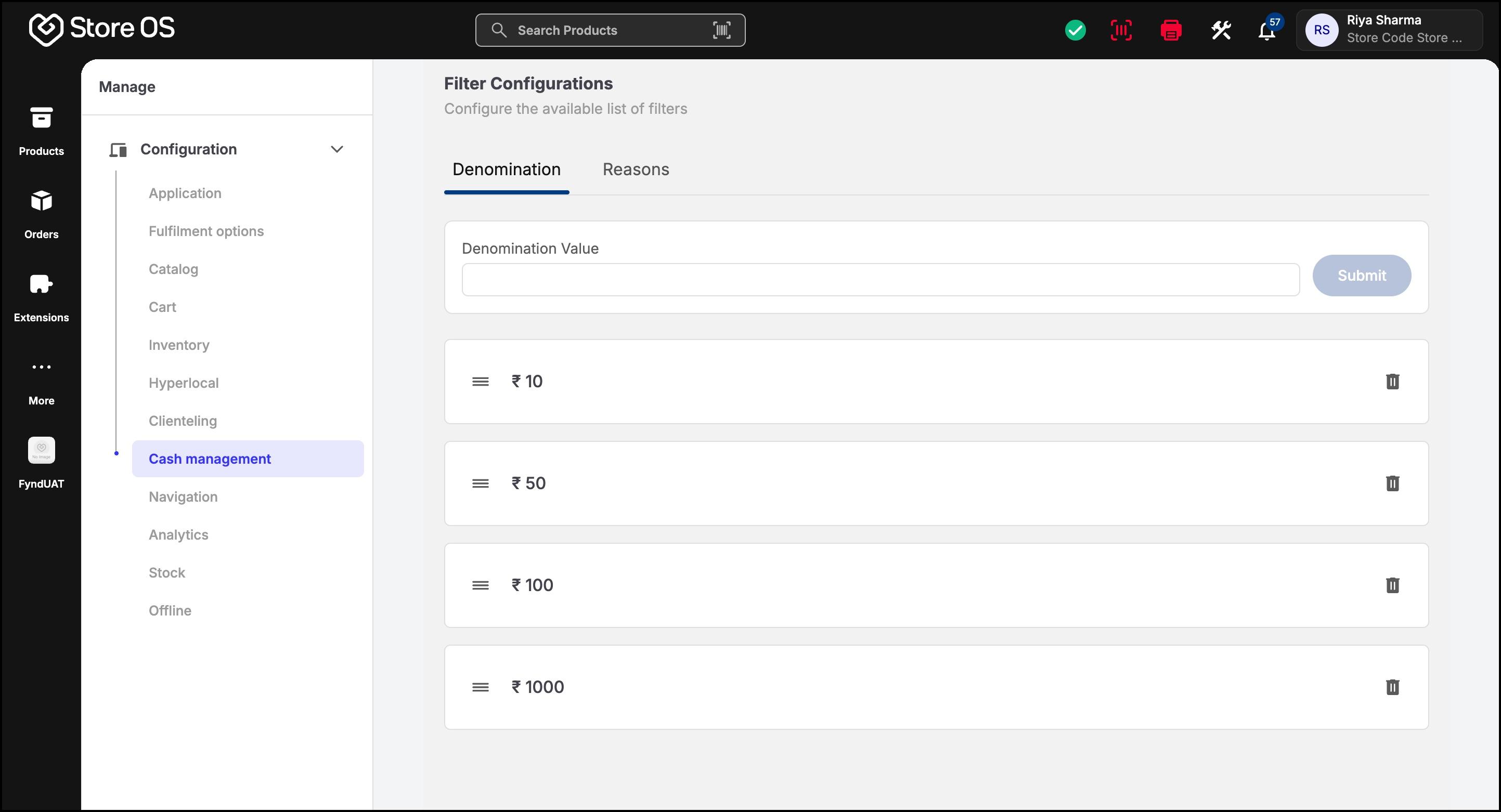
Denominations define how cash is counted and recorded in the system. These must be configured before stores begin operations, as they are used across all cash-related actions. Denominations are country-specific and should reflect the physical currency used in your stores. For example, ₹10, ₹20, ₹50, ₹100 or $1, $5, $10. Denominations are used when opening registers, performing cash in or cash out operations, and while closing registers at the end of the day.
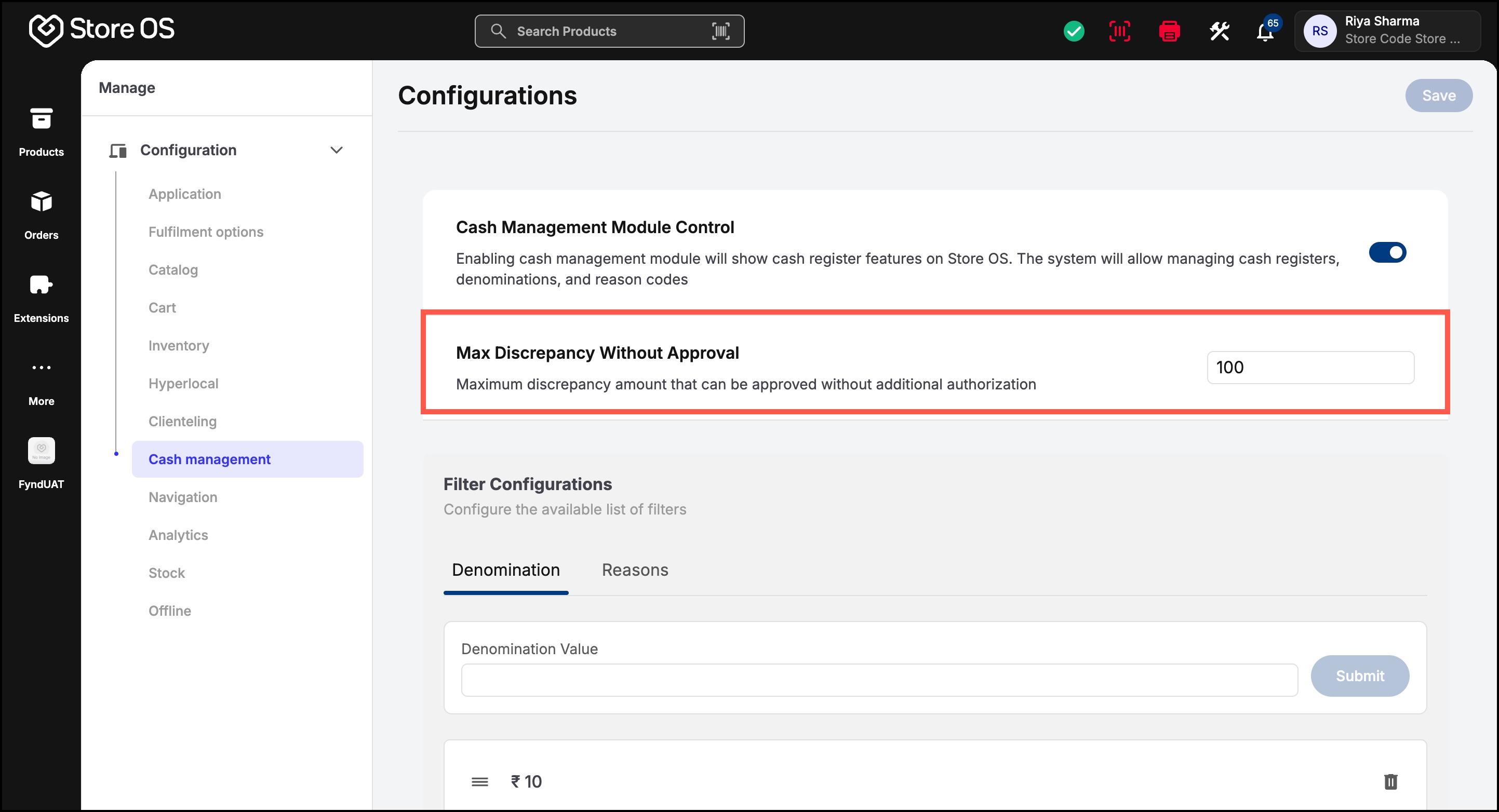
The maximum discrepancy limit defines how much difference is allowed between the expected cash amount and the counted cash amount when closing a register. If the discrepancy is within the configured limit, the register can be closed normally, and the system records the discrepancy for reporting purposes. If the discrepancy is higher than the permitted limit, the cash register cannot be closed. The difference must first be adjusted to proceed with closure. This setting acts as a safeguard against large unnoticed cash losses.
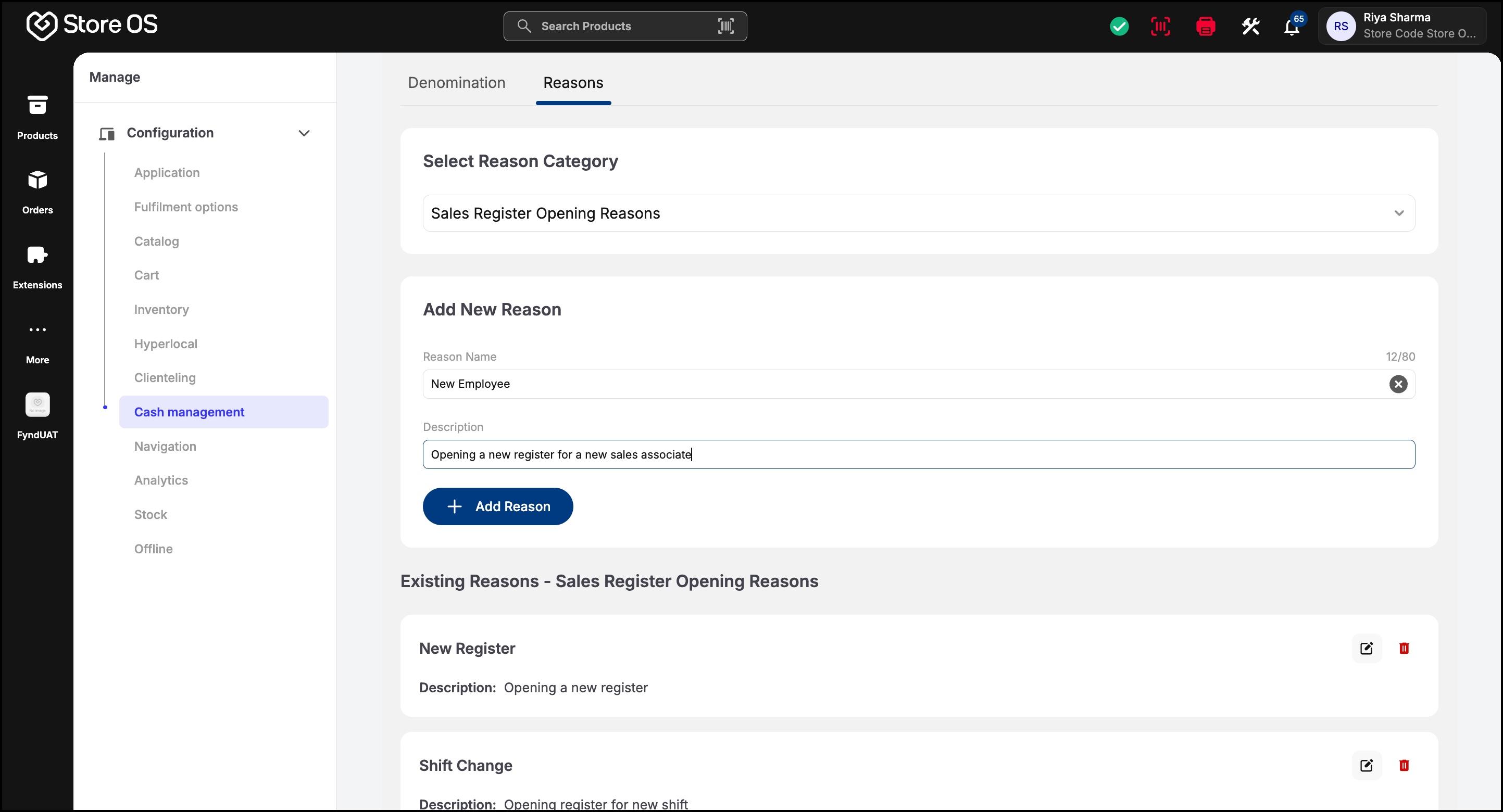
Reasons explain why a cash movement occurred. Every cash action in the system requires a reason, making cash activity easy to understand and audit later. Common examples include opening balance, insufficient balance in store deposit, change requirement, store expense, and end-of-day closing.