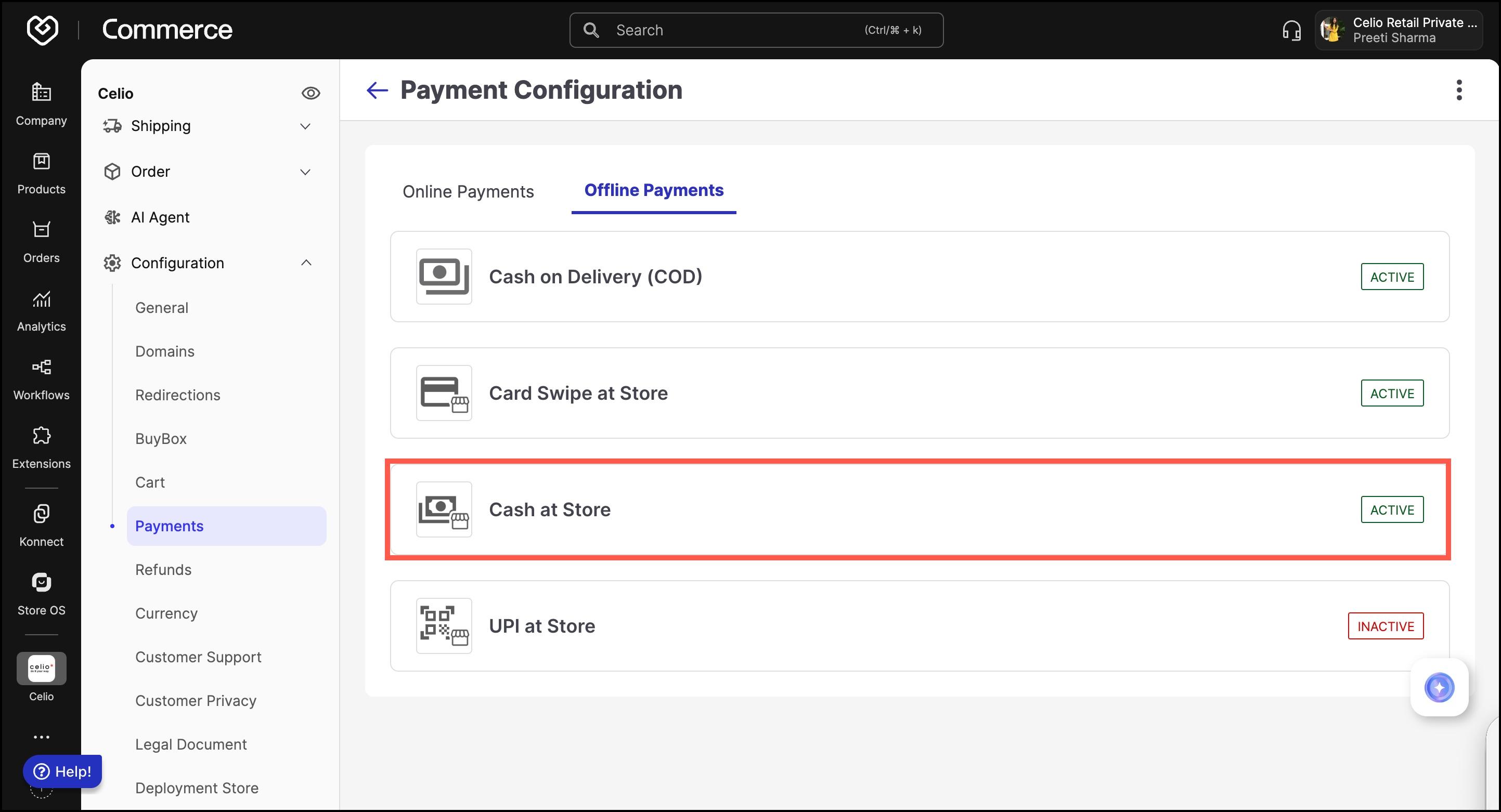
Commerce Panel → Sales Channel (select application) → Configuration → Payments → Payment Configuration → Offline Payments → Cash at Store
This guide explains how to enable and configure the Cash at Store payment method in Fynd Commerce . This method allows customers to complete their order by paying cash directly at the physical retail outlet during pickup or checkout.
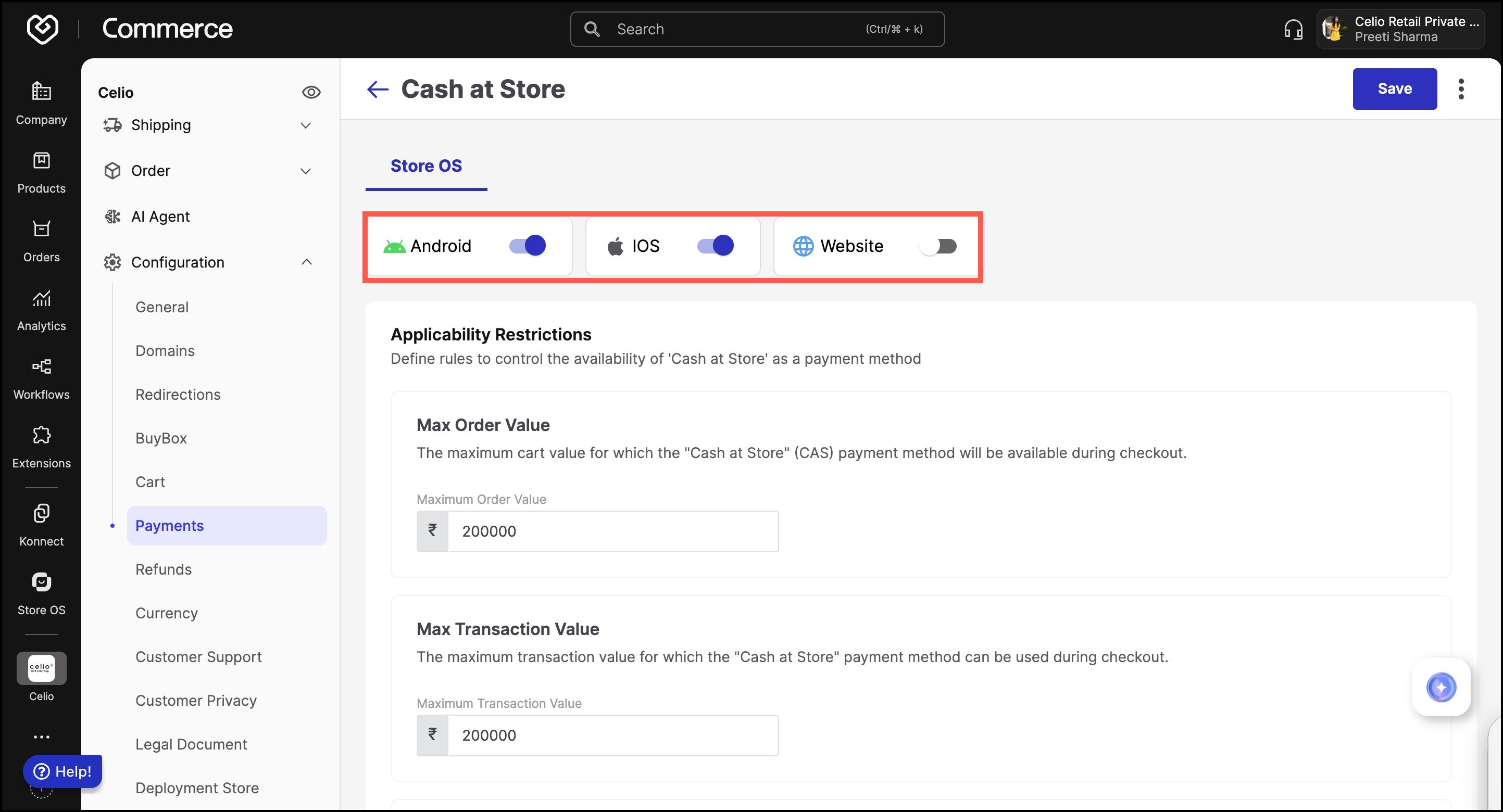
This payment method is configured under the Store OS business unit. You can activate it for the following devices:
- Android
- iOS
- Website (in-store use)
Use the toggle switches to enable or disable this payment method on specific devices.
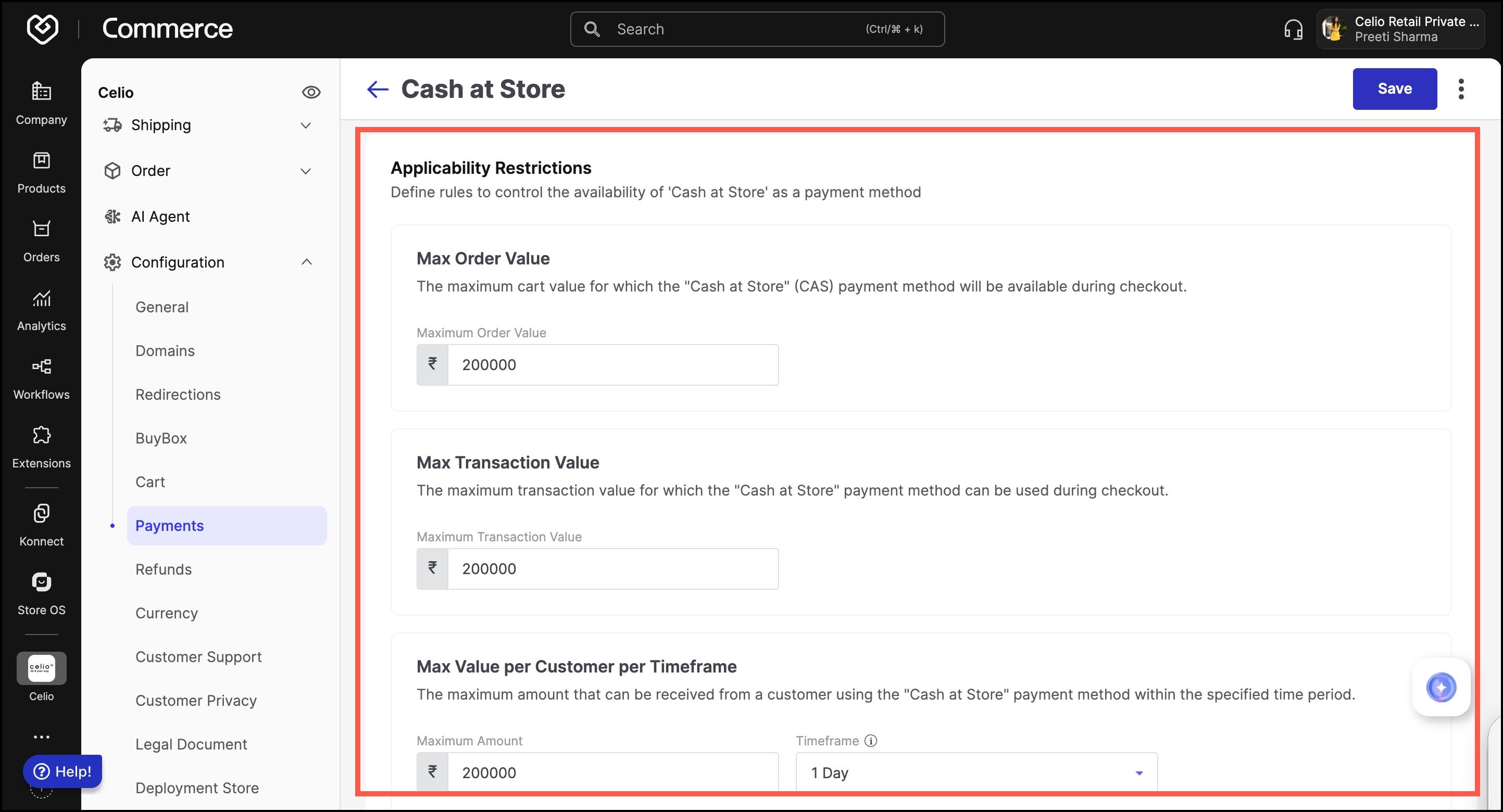
Define control rules to determine when this payment method can be used at checkout.
Max Order Value:
Set the upper limit of the total cart value for which Cash at Store is available.
- Example: If set to ₹2,00,000, customers can only select Cash at Store for orders up to ₹2,00,000.
Max Transaction Value:
Define the maximum transaction value allowed for using this payment method.
- Example: If set to ₹2,00,000, individual payments beyond this amount will not be accepted using Cash at Store.
Max Value per Customer per Timeframe:
Limit the total payment a customer can make over a selected period.
- Maximum Amount: Specify the monetary limit.
- Timeframe: Choose the time window (e.g., per day, week, month).
This ensures better control of cash transactions across frequent customers.