Before you start integrating the APIs, ensure you have the account API Keys. The required unique API Key and Secret Key can be obtained from your Fynd Engage dashboard under Settings > API Keys.
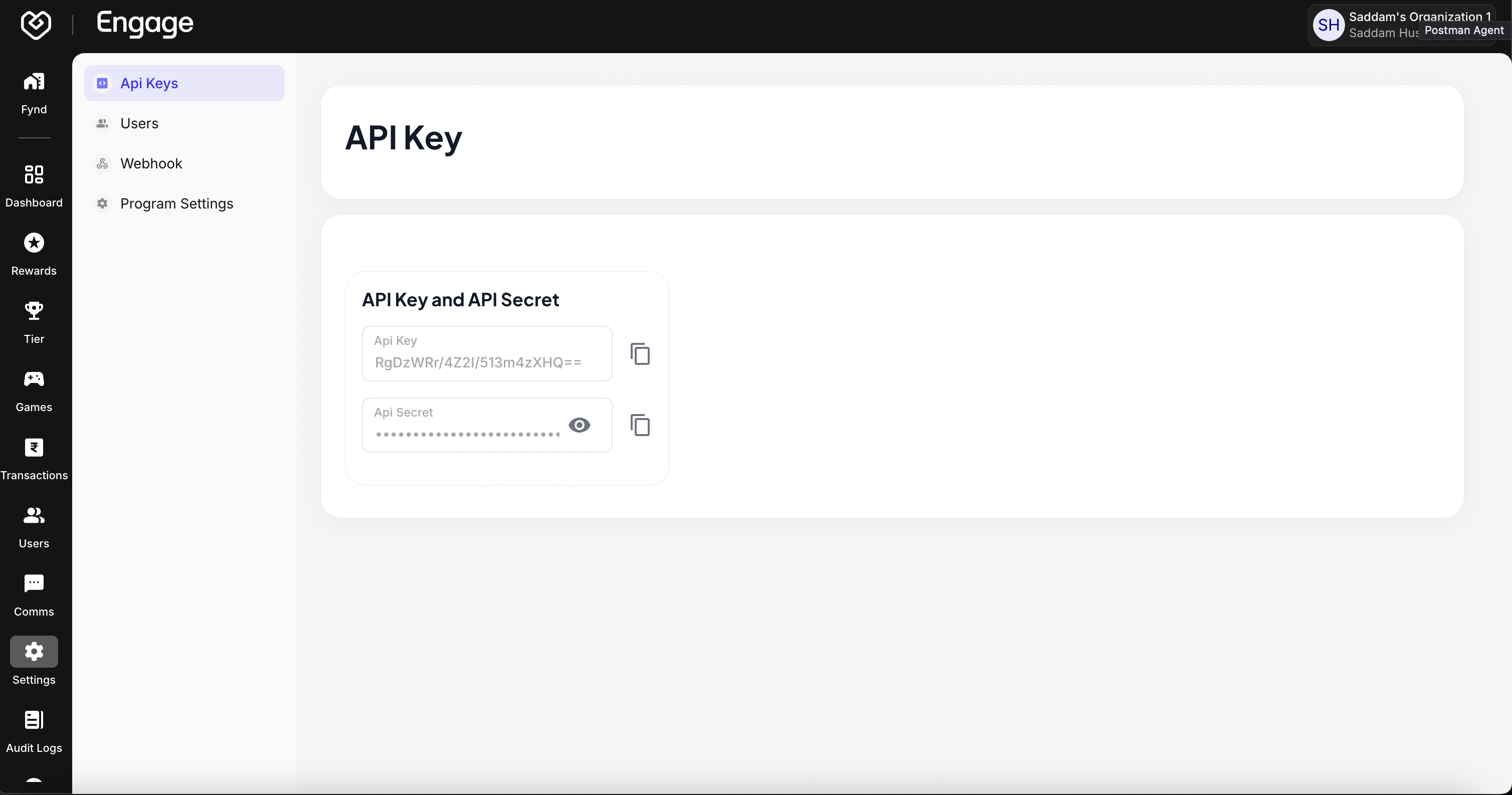
For more information about your organization's API keys, please refer to our API Keys documentation
The Fynd Engage API Suite uses HTTP Basic Authentication to secure API requests. The setCommonHeader method initializes and sets the required headers for secure communication with the API.
Required Headers:
- Authorization Header: Contains Base64-encoded credentials (
api_key:api_secret) - Content-Type Header: Specifies the request payload format (typically
application/json)
Below is an example implementation of the authentication strategy:
class EngageStrategy {
    constructor(config, user) {
        this.config = config;
        this.headers = {};
        this.setCommonHeader();
    }

    // Method to set common headers
    setCommonHeader() {
        let { api_key, api_secret } = this.config;
        const credentials = `${api_key}:${api_secret}`;
        const encodedCredentials = Buffer.from(credentials).toString("base64");

        this.headers = {
            Authorization: `Basic ${encodedCredentials}`,
            "Content-Type": "application/json",
        };
    }

    // Method to send the API request
    async sendRequest(endpoint, payload, queryParams) {
        const query = new URLSearchParams(queryParams).toString();
        const url = query ? `${endpoint}?${query}` : endpoint;

        const response = await fetch(url, {
            method: "POST",
            headers: this.headers,
            body: JSON.stringify(payload),
        });

        const data = await response.json();
        return data;
    }
}Step 1: Credential Concatenation
The API key and secret are combined with a colon separator:
const credentials = `${api_key}:${api_secret}`;Example: If your API key is myApiKey and secret is myApiSecret, the result would be:
myApiKey:myApiSecretStep 2: Base64 Encoding
The concatenated string is encoded in Base64 format using Node.js's Buffer class:
const encodedCredentials = Buffer.from(credentials).toString("base64");This ensures credentials are represented in a secure and standardized format.
Step 3: Authorization Header Construction
The final Authorization header is constructed in the format:
Authorization: Basic <Base64_encoded_credentials>For every API call to succeed, it is mandatory to include either phoneNumber or userIdentifier as a query parameter. These parameters identify the user making the request.
Example:
const queryParams = {
    phoneNumber: "9999999990", // OR
    userIdentifier: "12345",
};

const response = await engageStrategy.sendRequest(
    "https://api.engage.fynd.com/service/engage/platform/v1/order/discount",
    payload,
    queryParams
);API Headers
The headers (Authorization and Content-Type) are sent with every API request. The API server processes these headers as follows:
- Extracts the
Authorizationheader - Decodes the Base64 string to retrieve the API key and secret
- Validates the credentials against the system records
Request Format
The fetch function sends the request with the following structure:
const response = await fetch(endpoint, {
    method: "POST",
    headers: this.headers,
    body: JSON.stringify(payload),
});Components:
endpoint: The API endpoint URLheaders: Includes theAuthorizationandContent-Typeheadersbody: Contains the request payload serialized as a JSON string